EasyManua.ls Logo

Vertiv Liebert GXT-MT+10KVA - LCD Main Interface; Setting Menu Navigation

Vertiv Liebert GXT-MT+10KVA
37 pages
Print Icon
To Next Page IconTo Next Page
To Previous Page IconTo Previous Page
Loading...
18
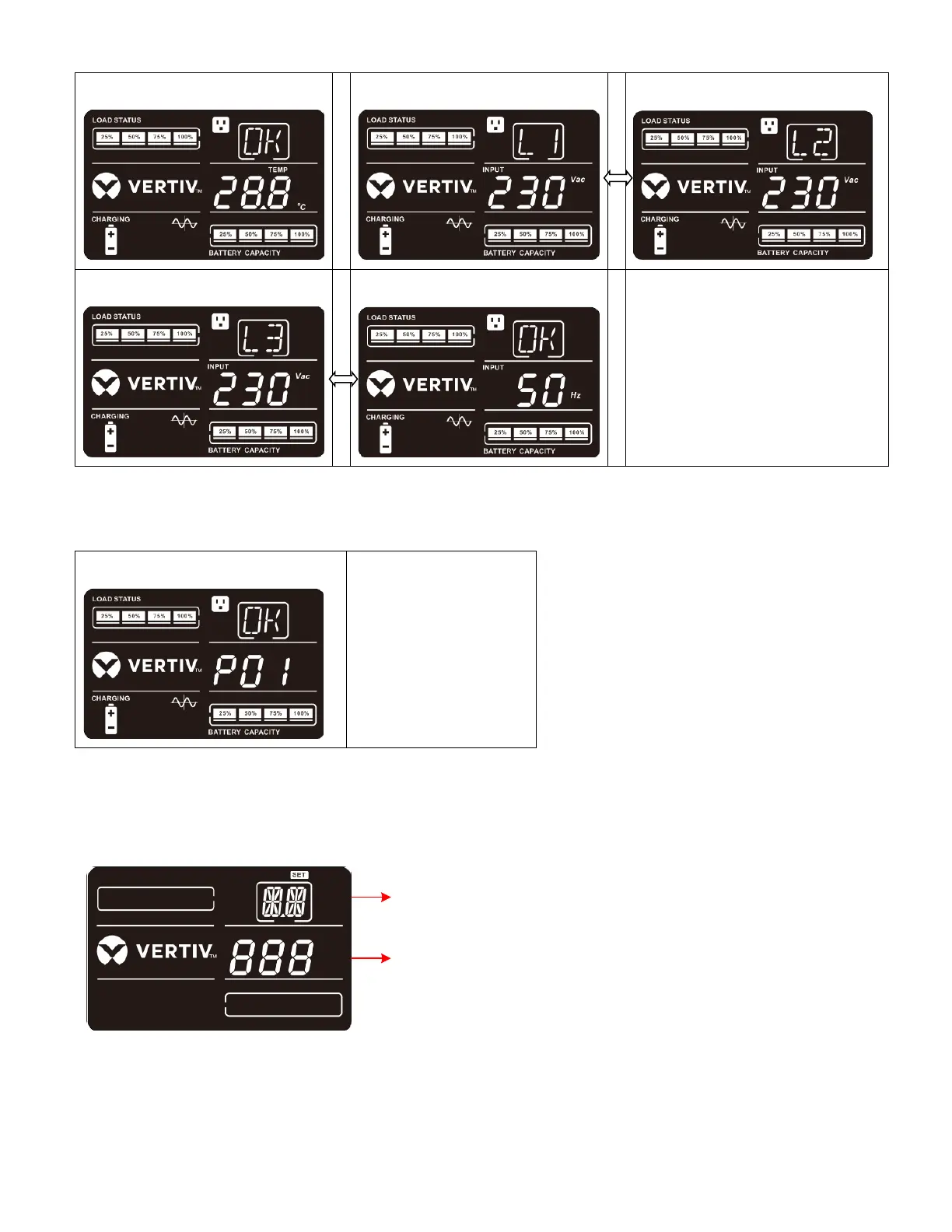
7 Ambient temperature
8 Input L1 voltage
9 Input L2 voltage
10 Input L3 voltage
11 Input frequency
B. Parallel model: Compared to single model, parallel model will have one more screen to display parallel
information of UPS unit.
3-7-2. LCD Setting
At the main interface; press and hold the “up” and “down” buttons simultaneous for more than 1 second to enter
or escape from setting menu.
Parameter 1
Parameter 2
There are two parameters to set up the UPS.
Parameter 1: It’s for program alternatives.
Refer to below table for the details.
Parameter 2: Setting options or values for each
program.
12 Parallel information
“P01”: Master UPS
“P02”: Slave UPS
“P03”: Slave UPS

Related product manuals