EasyManua.ls Logo

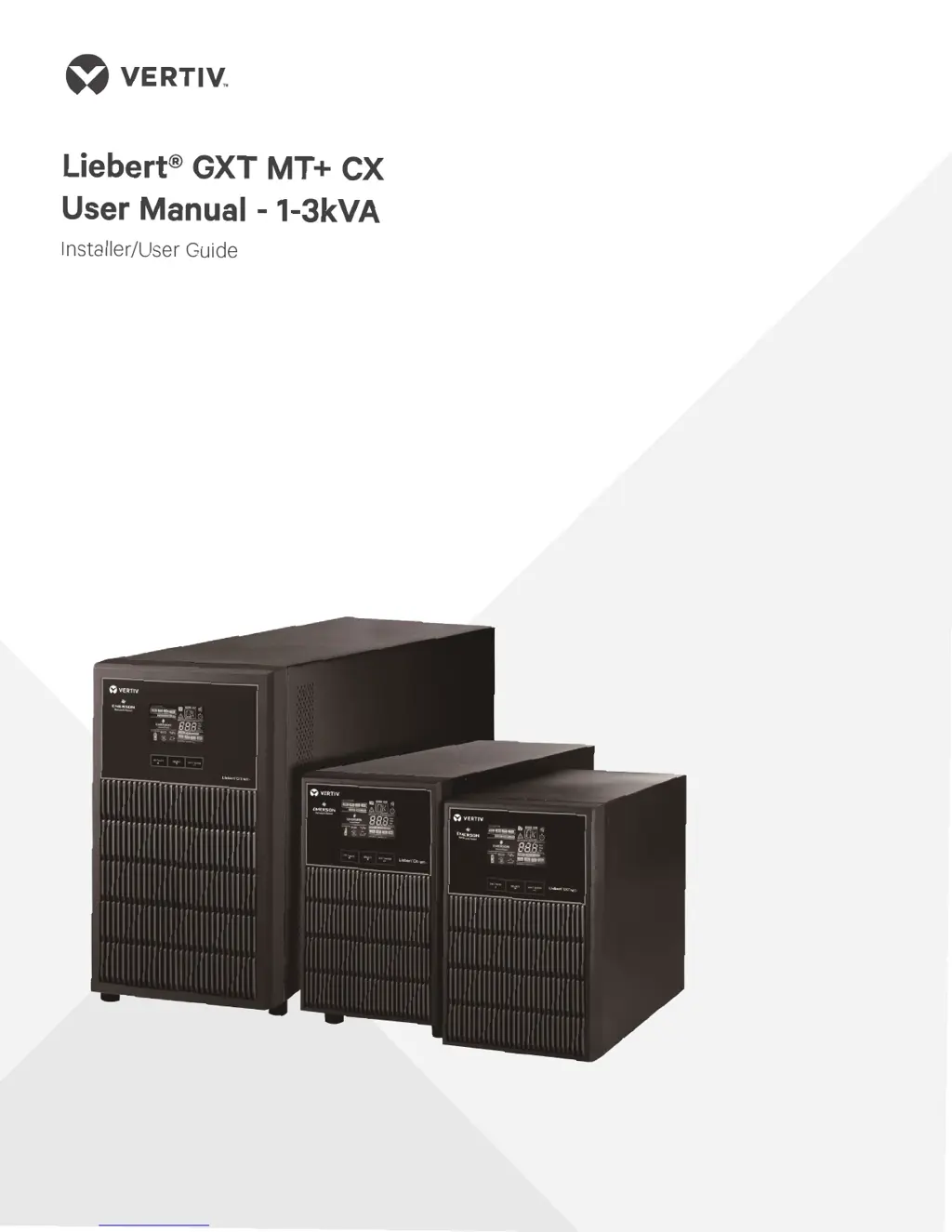
Vertiv Liebert GXT MT+ CX 2K SB - User Manual

Vertiv Liebert GXT MT+ CX 2K SB
21 pages
Print Icon
To Next Page IconTo Next Page
Loading...

Questions and Answers

  • J
    Jessica NavarroAug 7, 2025
    What to do if the Vertiv Liebert GXT MT+ CX 2K SB is overloaded and beeping?
    • J
      Julia ReynoldsAug 7, 2025
      If the Vertiv UPS is overloaded, you will see the icon flashing on the LCD display, and an alarm will sound twice every second. The solution is to remove excess loads from the UPS output. If the UPS is locked in Bypass mode after repetitive overloads, remove excess loads, then shut down and restart the UPS.
  • W
    william83Aug 11, 2025
    What to do if Vertiv Liebert GXT MT+ CX 2K SB UPS beeps every second?
    • A
      Alexandra MossAug 12, 2025
      If the Vertiv UPS shows the icon flashing on the LCD display and the alarm is sounding every second, it indicates the external or internal battery is incorrectly connected. Check if all batteries are connected well.
  • S
    Sarah RomeroAug 17, 2025
    What to do if Vertiv Liebert GXT MT+ CX 2K SB UPS shows fault code 43?
    • D
      Deborah MartinAug 17, 2025
      If the Vertiv UPS displays fault code 43, the icon is lit on the LCD, and the alarm sounds continuously, it means the UPS shut down automatically due to an overload at the output. Remove excess loads from the UPS output and restart it.
  • E
    eduardoryanAug 22, 2025
    What to do if Vertiv UPS shows fault code 14?
    • N
      nicole07Aug 22, 2025
      If the Vertiv UPS displays fault code 14, the icon is lit on the LCD, and the alarm sounds continuously, it means the UPS shut down automatically because of a short circuit on the output. Check the output wiring and connected devices for a short circuit.
  • N
    Nicholas CamposAug 27, 2025
    Why is the Vertiv Liebert GXT MT+ CX 2K SB UPS battery backup time so short?
    • T
      Tammy OwensAug 27, 2025
      If the Vertiv UPS battery backup time is shorter than expected, it could be due to batteries not being fully charged. Charge the batteries for at least 5 hours and then check the capacity. If the problem persists, the batteries may be defective and require replacement by contacting your dealer.
  • D
    Drew LittleSep 1, 2025
    How to troubleshoot a Vertiv UPS with no power?
    • M
      Maria GreeneSep 1, 2025
      If your Vertiv UPS has no indication and alarm even though the mains is normal, it could be due to the AC input power not being connected well. Check if the input power cord is firmly connected to the mains. Alternatively, the AC input may be connected to the UPS output; in this case, plug the AC input power cord to the AC input correctly.

Summary

1. Important Safety Warning

1-5. Maintenance, Service, and Faults

Safety procedures and warnings for maintenance, service, and handling faults, emphasizing qualified personnel and battery safety.

2. Installation and Setup

2-2. Setup the UPS

Step-by-step guide for connecting the UPS input and output, communication ports, and initial power-on procedure.

3. Operations

3-5. UPS Setting

Guide to configuring UPS parameters through the LCD interface, including program alternatives and setting options.

3-7. Faults Reference Code

List of fault events, their corresponding codes, and icons for identifying and diagnosing UPS issues.

4. Troubleshooting

Appendix: UPS Installation Guide

External Battery Pack Connection

Detailed instructions for correctly connecting external battery packs, including polarity, breaker specifications, and temperature recommendations.

Vertiv Liebert GXT MT+ CX 2K SB Specifications

General IconGeneral
Power Rating2 kVA / 1.8 kW
Output Power1800 W
Form FactorTower
TopologyDouble Conversion Online
Transfer Time0 ms
Typical Recharge Time4 hours to 90%
Battery TypeSealed Lead Acid
Input Frequency50/60 Hz
Output Frequency50/60 Hz
Efficiency≥ 90%
Communication PortsUSB, RS-232
Operating Temperature0°C to 40°C
Operating Humidity5% to 95% non-condensing

Related product manuals