EasyManua.ls Logo

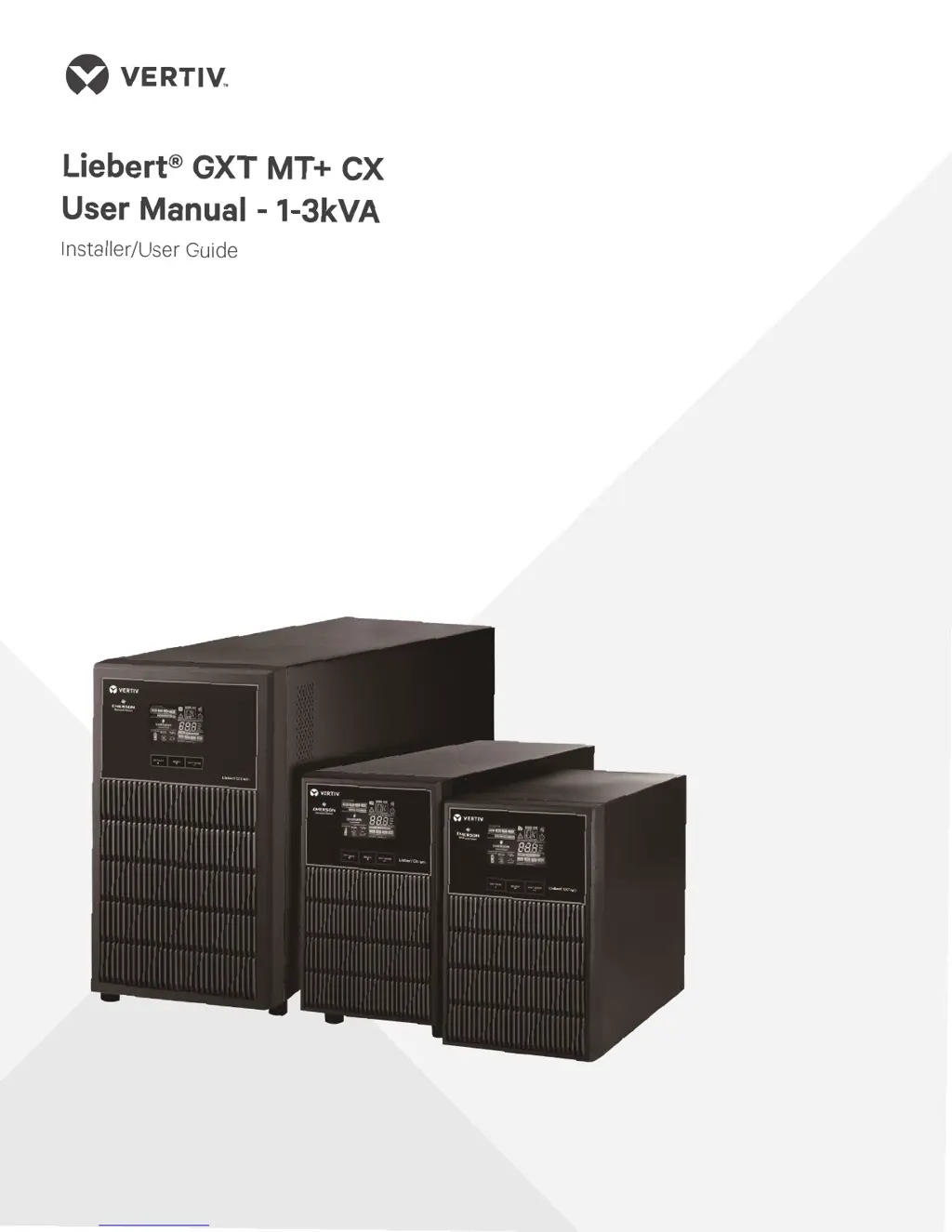
Vertiv Liebert GXT MT+ CX 3K SB - User Manual

Vertiv Liebert GXT MT+ CX 3K SB
21 pages
Print Icon
To Next Page IconTo Next Page
Loading...

Questions and Answers

  • L
    ldavisAug 7, 2025
    What to do if the Vertiv Liebert GXT MT+ CX 3K SB is overloaded and beeping?
    • J
      Jordan SnyderAug 7, 2025
      If the Vertiv UPS is overloaded, you will see the icon flashing on the LCD display, and an alarm will sound twice every second. The solution is to remove excess loads from the UPS output. If the UPS is locked in Bypass mode after repetitive overloads, remove excess loads, then shut down and restart the UPS.
  • J
    joannclarkAug 11, 2025
    What to do if Vertiv Liebert GXT MT+ CX 3K SB beeps every second?
    • C
      Cynthia OdomAug 12, 2025
      If the Vertiv UPS shows the icon flashing on the LCD display and the alarm is sounding every second, it indicates the external or internal battery is incorrectly connected. Check if all batteries are connected well.
  • R
    Ronald GriffithAug 17, 2025
    What to do if Vertiv UPS shows fault code 43?
    • L
      Laura EricksonAug 17, 2025
      If the Vertiv UPS displays fault code 43, the icon is lit on the LCD, and the alarm sounds continuously, it means the UPS shut down automatically due to an overload at the output. Remove excess loads from the UPS output and restart it.
  • D
    Donna MunozAug 22, 2025
    What to do if Vertiv Liebert GXT MT+ CX 3K SB shows fault code 14?
    • J
      John HortonAug 22, 2025
      If the Vertiv UPS displays fault code 14, the icon is lit on the LCD, and the alarm sounds continuously, it means the UPS shut down automatically because of a short circuit on the output. Check the output wiring and connected devices for a short circuit.
  • S
    Steven RodriguezAug 27, 2025
    Why is the Vertiv Liebert GXT MT+ CX 3K SB battery backup time so short?
    • K
      Kayla JordanAug 27, 2025
      If the Vertiv UPS battery backup time is shorter than expected, it could be due to batteries not being fully charged. Charge the batteries for at least 5 hours and then check the capacity. If the problem persists, the batteries may be defective and require replacement by contacting your dealer.
  • K
    Kevin BatesAug 31, 2025
    How to troubleshoot a Vertiv Liebert GXT MT+ CX 3K SB with no power?
    • C
      Christopher MartinezSep 1, 2025
      If your Vertiv UPS has no indication and alarm even though the mains is normal, it could be due to the AC input power not being connected well. Check if the input power cord is firmly connected to the mains. Alternatively, the AC input may be connected to the UPS output; in this case, plug the AC input power cord to the AC input correctly.

Summary

Important Safety Warning

1-1. Transportation

Guidelines for safely transporting the UPS system in its original packaging to prevent shock and impact.

1-2. Preparation

Instructions for preparing the UPS installation environment, including acclimation and avoiding moisture or heat.

1-3. Installation

Crucial installation guidelines, including load limits, cable placement, grounding, and leakage current considerations.

1-4. Operation

Operational safety advice, such as avoiding disconnection during operation and understanding the UPS output status.

1-5. Maintenance, Service, and Faults

Safety precautions for maintenance, service, and fault handling, emphasizing qualified personnel and battery hazards.

Installation and Setup

2-1. Rear Panel View

Diagram and identification of ports and connectors on the rear panel of the UPS units.

2-2. Setup the UPS

Step-by-step guide for connecting the UPS input/output, communication ports, and initial power-on.

Operations

3-1. Button Operation

Detailed functions and operations of the ON/Mute, OFF/Enter, and Select buttons on the UPS front panel.

3-2. LCD Panel

Explanation of the UPS LCD panel indicators, including load status, mode, and battery information.

3-3. Audible Alarm

Description of audible alarm patterns for different UPS modes like low battery, overload, and faults.

3-4. LCD Display Wordings Index

Index of abbreviations and their meanings displayed on the UPS LCD screen for various states and faults.

3-5. UPS Setting

Guide to configuring UPS parameters such as output voltage, frequency, ECO mode, and bypass settings.

3-6. Operating Mode Description

Explanation of the different operating modes of the UPS, including online, ECO, battery, and bypass modes.

3-7. Faults Reference Code

Reference table for fault events, their corresponding codes, and icons displayed on the UPS.

3-8. Warning Indicator

Guide to understanding warning indicators, their word abbreviations, icons, and associated alarms.

Troubleshooting

Storage and Maintenance

Specifications

UPS Installation Guide

Vertiv Liebert GXT MT+ CX 3K SB Specifications

General IconGeneral
Output Frequency50/60 Hz
TopologyDouble Conversion Online
Form FactorTower
Power Rating3000 VA
Capacity2700 W
Input Voltage230 VAC
Output Voltage230 VAC
Battery TypeSealed Lead-Acid
Runtime at Half Load10 min
Communication PortsUSB, RS-232
Operating Temperature0-40°C
Operating Humidity0-95%

Related product manuals