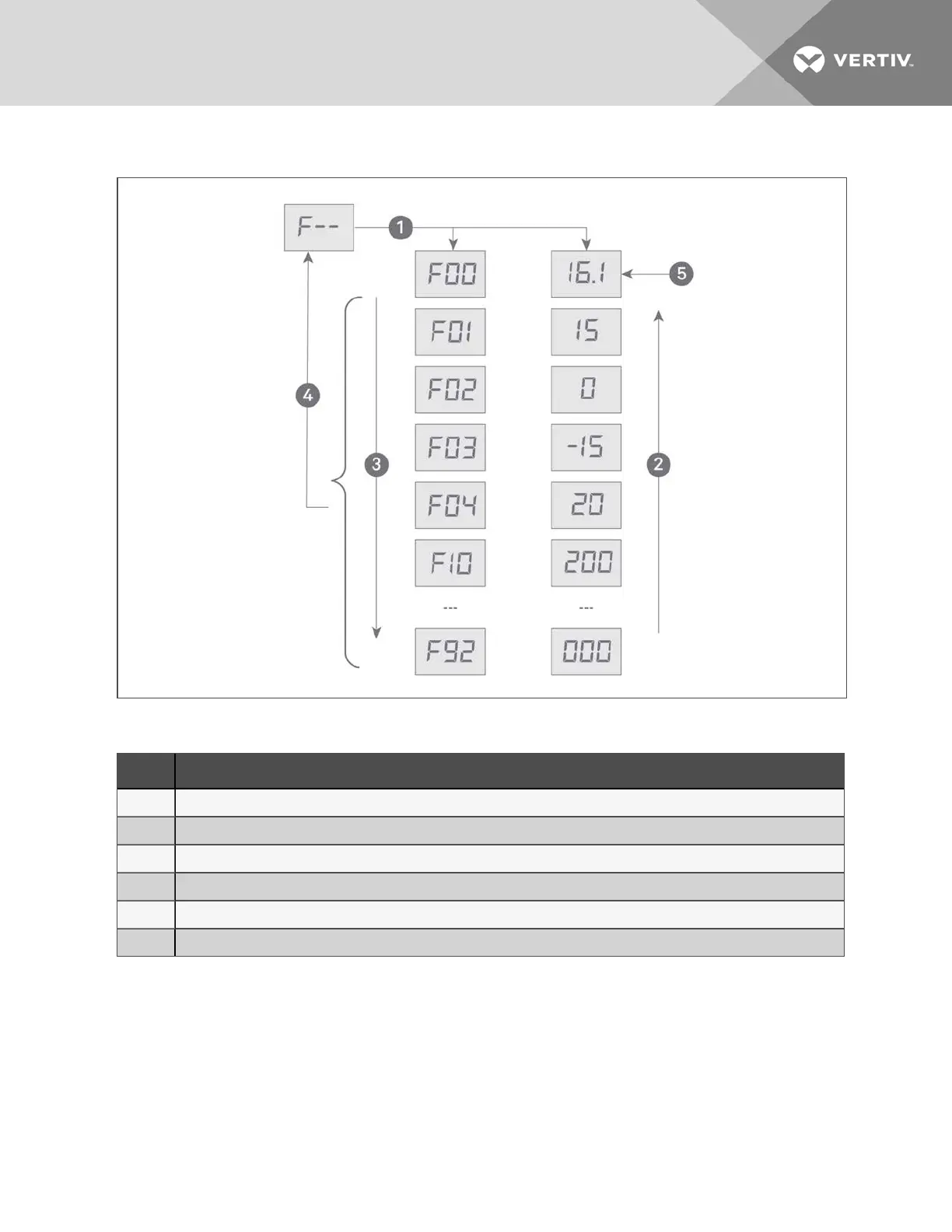
Figure 10.5 Analog Signals Menu
Item Description
1 Pressing ENT displays the first analog signal item which alternately displays the ID and the reading.
2 Pressing up arrow, cycles "up" through the menu items/readings.
3 Pressing down arrow, cycles "down" through the menu items/readings.
4 Pressing ESC returns to the analog signals menu.
5 Initial screen, item F00 with example 16.1 reading.
6 Down from configuration menu displays the analog signals menu.
10 Control Operation
49



 To Next Page