Vertiv | Liebert
®
RX
™
Remote Distribution Cabinet User Manual | 20
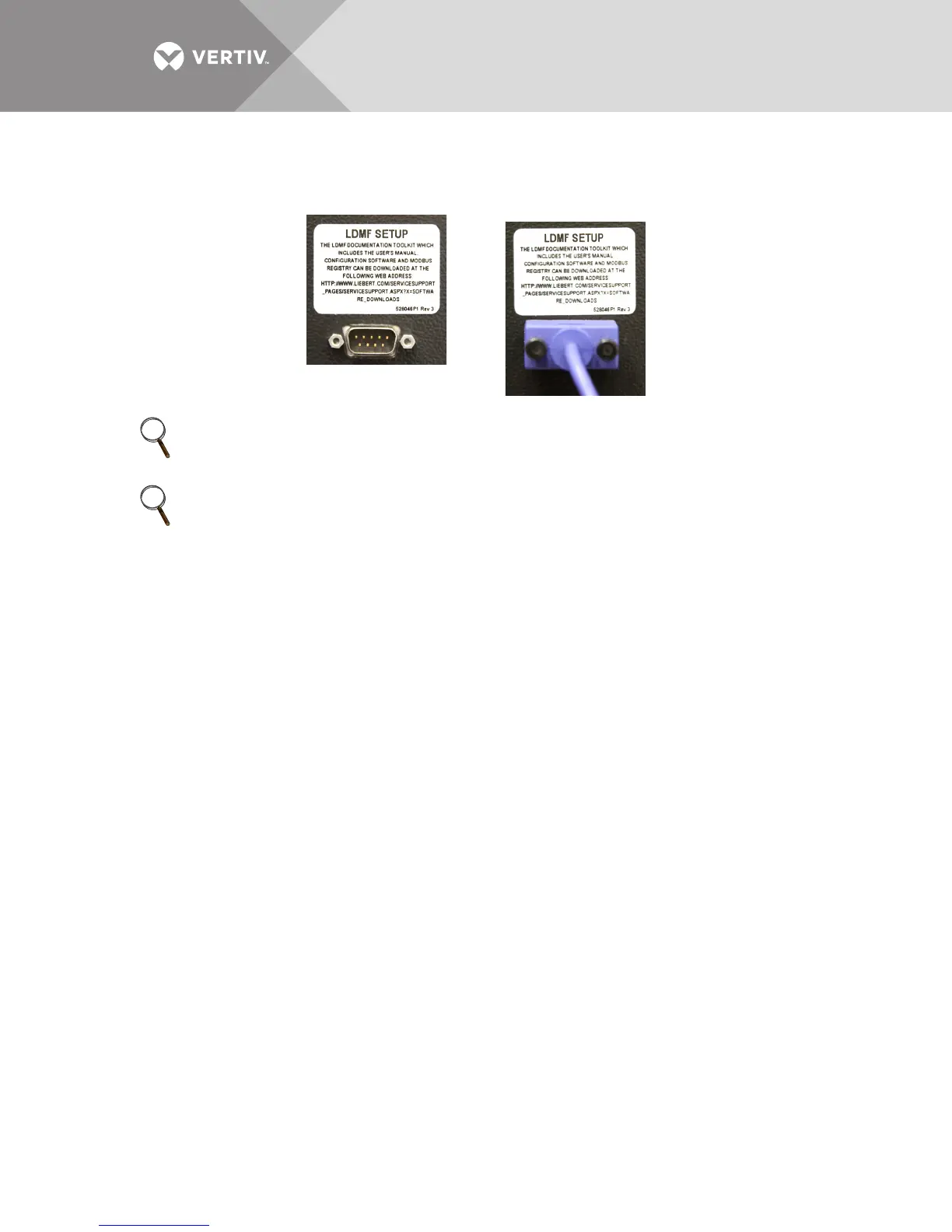
1.10.1 LDMF Setup Port Connection
The local LDMF Setup port is not intended to be a service terminal or hyperterminal connection.
It is intended only for use of the Liebert LDMF software tools provided.
1.10.2 Liebert SiteScan
®
Web Monitoring Interface
The optional monitoring interface module allows the Liebert LDMF to communicate with Liebert
SiteScan Web 4.0 or greater. The option includes software and graphics that support up to 168
branch breakers using an Ethernet connection. The monitoring interface is on the back of the
Liebert RX front door and has connections for RJ-45 Ethernet and BACnet. See Figure 8 for
location and wiring details.
1.10.3 Summary Alarm
The Liebert LDMF provides a Form C (one NO and one NC) summary alarm contact for remote
alarm status. The summary alarm contacts change state upon occurrence of any alarm including
warnings and reset when the alarm is cleared. The summary alarm connection is on the Adapter
Board (see Figure 8, Detail A, and Figure 11) marked Summary Alarm (NC) (NO) and (COMM).
The contacts are rated at 24VAC at 1A.
NOTE
The images above are intended for illustration only. The location of the external port may vary.
NOTE
Before making any changes to an existing configuration or uploading a file to another Liebert
LDMF
™
system, make a note of the Software Address. When overwriting an existing configuration
file due to changes, modifications or breaker addition/deletion, the Software Address will revert
to the value of the file that is loaded. This can lead to incorrect Software Addresses causing
Modbus communication errors.


 To Next Page