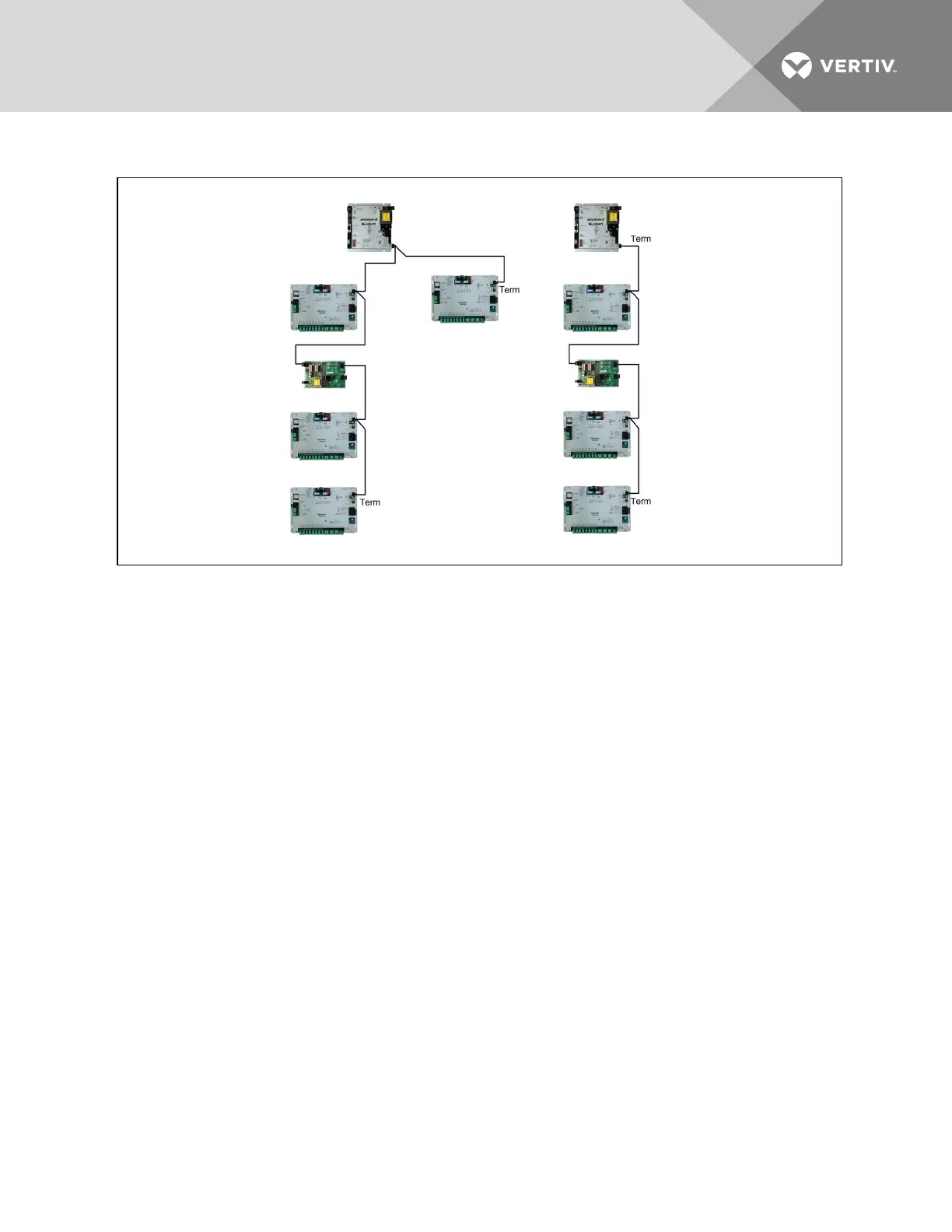
Figure 4.4 Liebert SiteLink-E modules in ARCnet network
4.4 Wiring Port S1
PortS1 on the Liebert SiteLink-E accommodates these connection types:
• RS-485 four-wire
• RS-485 two-wire
• RS-232
These ports and protocols enable connection to Liebert equipment or to third-party devices, such as a
Building Management System.
4.4.1 Wiring Port S1 for RS-485 Network—Four-Wire
NOTE: Use the same polarity throughout the network segment. The baud rate of the control module's
port must match the baud rate of the third party device. The baud rate may be set in the module driver
properties in Liebert SiteScan
™
Web. See the Integration Guide for the third-party protocol.
1. Be sure that power to the Liebert SiteLink-E is Off before beginning to connect wiring.
2. Check the communication wiring for shorts and grounds.
3. Wire the Liebert SiteLink-E to the third-party device, using the labels near the Port S1 as a
guide (see Figure 4.5 on page18 for details).
4. Set the RS-232 or RS-485 jumper to RS-485.
5. Set the MS/TP on S1 DIP switch to Enable (On).
6. Set the PTP on S1 DIP switch to Disable (Off).
Vertiv | Liebert® SiteLink-E™ Installation Manual | 16


 To Next Page