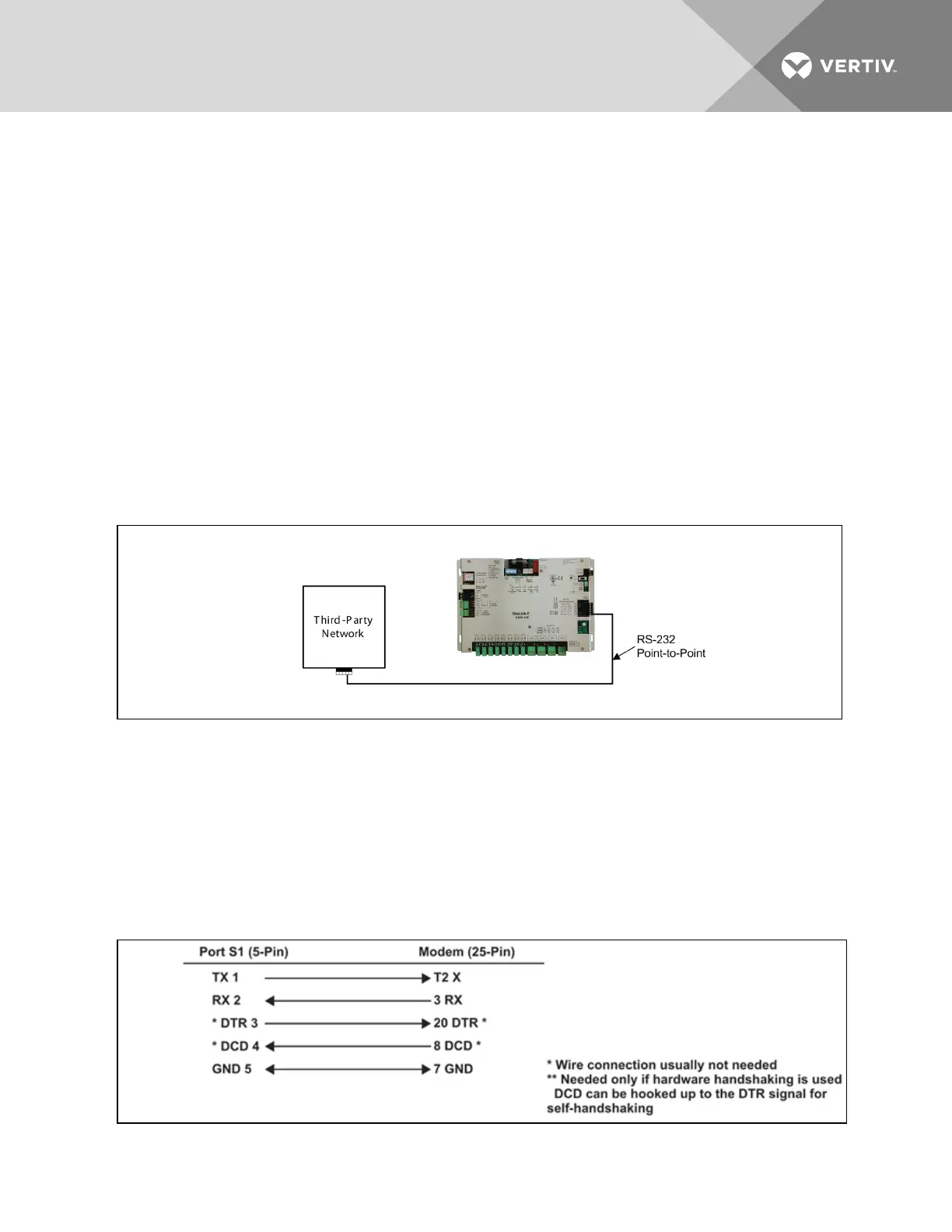
To connect a third-party, RS-232 device to Port S1:
1. Be sure that power to the Liebert SiteLink-E module is Off before beginning to connect wiring.
2. Check the communication wiring for shorts and grounds.
3. Set the RS-232 or RS-485 jumper to RS-232.
Refer to Figure 4.5 on the previous page and to the labels on the Liebert SiteLink-E housing.
4. Connect the communication wiring to the control module’s screw terminals labeled Tx, Rx, and
Signal Ground on Port S1, and jumper the DTR and DCD terminals.
Refer to Figure 4.5 on the previous page and to the labels on the Liebert SiteLink-E housing.
5. Set the MS/TP on S1 DIP switch 4 to Disable (Off).
The DIP switches are at the top of the Liebert SiteLink-E module, near the battery; see Figure
1.1 on page5 for the DIP switch location and Figure 4.5 on the previous page for setting
positions.
6. Set the PTP on S1 DIP switch 5 to Enable (On).
Figure 4.6 RS-232 connection to Port S1
4.5 Wiring a Modem for Half-Router Communication—Port S1
1. Turn Off power to the Liebert SiteLink-E.
2. Connect the modem to Port S1 using a standard modem cable connected to an S2-DB9
adapter, available from Liebert, or a cable made using the wiring diagram in Figure 4.7 below.
3. Set the PTP on S1 DIP switch to Enable (ON).
Refer to Figure 4.5 on the previous page for determining the wiring connections.
Figure 4.7 Fabricated cable for modem in half-router communication
Vertiv | Liebert® SiteLink-E™ Installation Manual | 19


 To Next Page