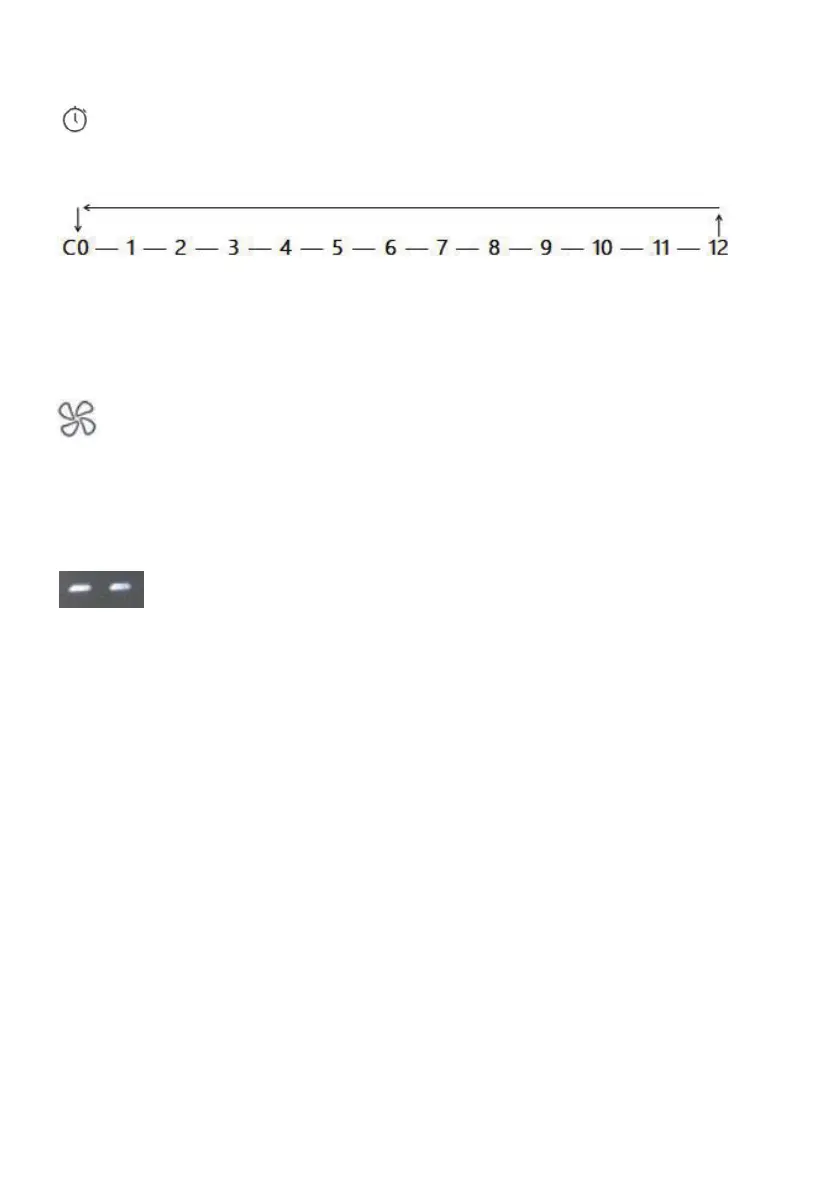
Settin g the operating time
Touch the key (K5) to set the desired operating time. Select from 1 to 12
hours or CO for continuous operation of the device:
The display shows the remaining time.
Changing the fan speed
Touch the key (K6) to select the fan speed and thus the desired intensity of
humidity output:
Low – Medium – High – Turbo
Water level is low
white symbol(two bars) appears on the display if water level is low in
basin and the device shuts off automatically after below under two modes
respectively:
Fan keep rotating for 7 hour at medium speed under normal mode and the 2 white
bars twinkles.
Fan keep rotating for 10 hours at low speed under sleep mode and the 2 white
bars keep lighting continuously.
A white symbol(two bars) appears on the display when the main body leaves the
reservoirbody
Resetting the wick filter’s operating time meter
The combination wick filter should be replaced after 4,320 operating hours when
the display shows “FR”. To reset the operating time meter, touch and hold power
key (K1) for 3 seconds until a signal sounds. Replacement of the wick filter is
described in following chapter.


 To Next Page