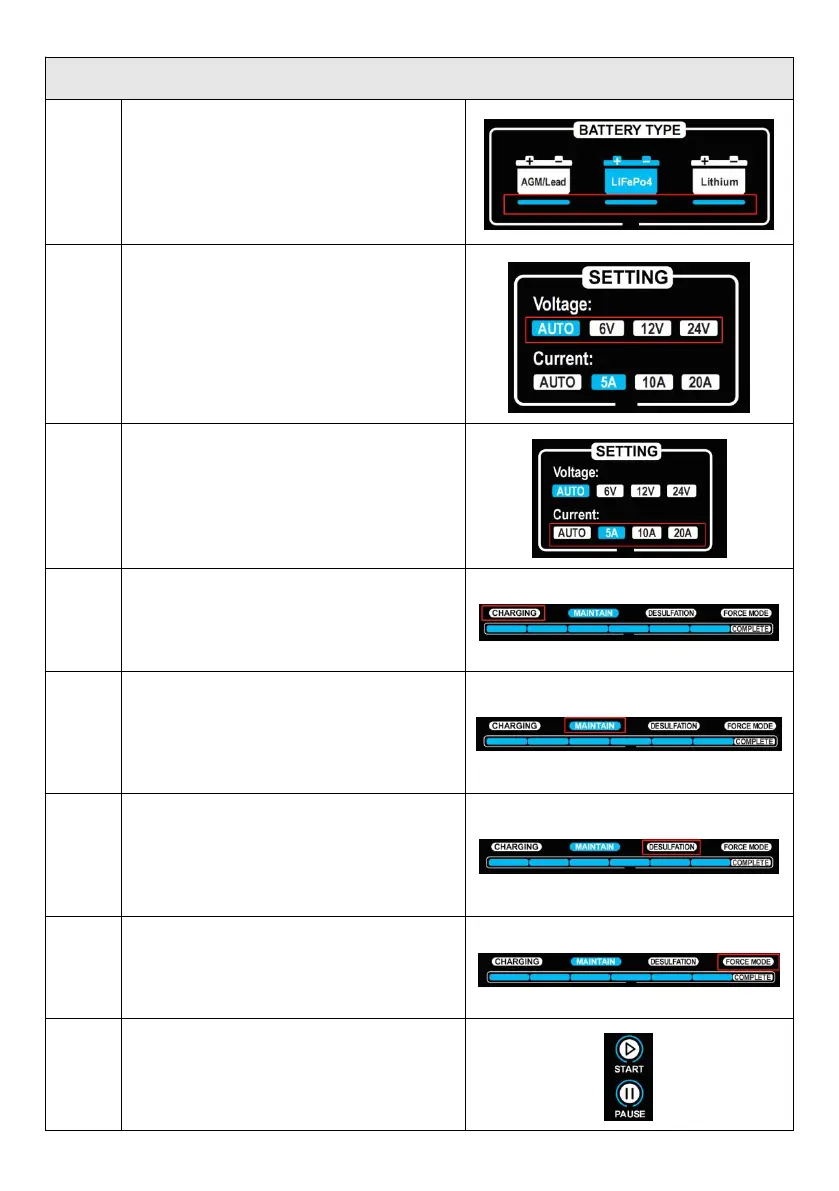
Battery Button:
Push the button to choose Battery type, the
Battery Type Indicator on,See
Voltage Button:
Push the button to choose Voltage, the
Voltage Indicator on
Current Button:
Push the button to choose current, the
Current Indicator on, See
Charging and Maintain Mode:
“Charging” Indicator on,When connect wel1
the Battery and Power,the Progress Bar
Indicator on according to charging mode
If long time not use the battery ,push the
button to select maintain mode, the battery is
charging by a smaller current to
maintain,"Maintain” indicator on, the Progress
Bar Cyclic flashing("Maintain” mode is only
for Lead Acid Battery )
Desulfation Mode (Lead Acid Battery Only)
If the battery use long time, the capacity is
used up soon, push the button , use
"Desulfation" mode to charging to repair
battery"Desulfation indicator on, the Progress
Bar Cyclic flashing
FORCE Mode
When battery connect well, but can not be
detected, push the button,Use "Force" mode
to charging battery"Force" indicator on, the
Progress Bar Cyclic flashing
START and PAUSE Button
When set wel1, push the button, “Start"
Indicator on , charger work Push under work
condition, “PAUSE” indicator on,the charger
stop work


 To Next Page