EasyManua.ls Logo

VEVOR SC8 Series - User Manual

VEVOR SC8 Series
8 pages
Print Icon
To Next Page IconTo Next Page
Loading...
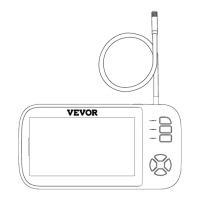
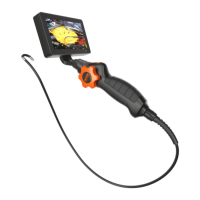
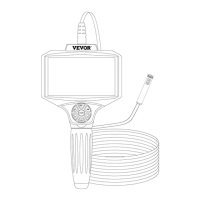
HAND HELD ENDOSCOPE WITH SCREEN
OPERATING MANUAL
We continue to be committed to provide you tools with competitive price.
"Save Half", "Half Price" or any other similar expressions used by us only
represents an estimate of savings you might benefit from buying certain tools
with us compared to the major top brands and doses not necessarily mean to
cover all categories of tools offered by us. You are kindly reminded to verify
carefully when you are placing an order with us if you are actually saving half
in comparison with the top major brands.

Questions and Answers

Summary

Notice and Device Details

Product Description and Key Functions

Storage and Charging Specifications

Supports micro TF cards up to 64GB (Class 10, FAT32) and uses 5V 1A charging.

Power and Screen Control

Long press to power on/off; short press to freeze/unfreeze the screen.

Photo and Video Recording

Short press to capture images; long press to record video, press again to stop.

Lens and Display Modes

Switch between single lens views (A, B, C) or split-screen double lens views (AB, AC).

Camera Light Adjustment

Briefly press to adjust camera lamp brightness through three gears.

Zoom and Screen Rotation

Short press to zoom (X1-X8); long press to flip the screen 180 degrees.

Menu Operation and Settings

Access menu for date/time, language, screen saver, and other system settings.

Playback and File Management

Long press to enter preview, long press to delete files, short press to exit.

Operating Procedure

TF Card Insertion and Device Power On

Insert TF card into slot and press power key for 2 seconds to turn on. Lens light activates automatically.

Basic Operation: Photo, Video, and Light

Short press to take pictures, long press to record, and short press the light key to adjust.

Troubleshooting and Other Instructions

Common Issues and Resolutions

Guidance for 'Unable to start', 'Unable to read card', 'Device panic', and 'Image blur'.

Important Usage and Safety Guidelines

Contact supplier for unlisted issues, keep away from fire, and store in a cool, dry place.

FCC Information and Compliance

Summary

Notice and Device Details

Product Description and Key Functions

Storage and Charging Specifications

Supports micro TF cards up to 64GB (Class 10, FAT32) and uses 5V 1A charging.

Power and Screen Control

Long press to power on/off; short press to freeze/unfreeze the screen.

Photo and Video Recording

Short press to capture images; long press to record video, press again to stop.

Lens and Display Modes

Switch between single lens views (A, B, C) or split-screen double lens views (AB, AC).

Camera Light Adjustment

Briefly press to adjust camera lamp brightness through three gears.

Zoom and Screen Rotation

Short press to zoom (X1-X8); long press to flip the screen 180 degrees.

Menu Operation and Settings

Access menu for date/time, language, screen saver, and other system settings.

Playback and File Management

Long press to enter preview, long press to delete files, short press to exit.

Operating Procedure

TF Card Insertion and Device Power On

Insert TF card into slot and press power key for 2 seconds to turn on. Lens light activates automatically.

Basic Operation: Photo, Video, and Light

Short press to take pictures, long press to record, and short press the light key to adjust.

Troubleshooting and Other Instructions

Common Issues and Resolutions

Guidance for 'Unable to start', 'Unable to read card', 'Device panic', and 'Image blur'.

Important Usage and Safety Guidelines

Contact supplier for unlisted issues, keep away from fire, and store in a cool, dry place.

FCC Information and Compliance

VEVOR SC8 Series Specifications

General IconGeneral
BrandVEVOR
ModelSC8 Series
CategoryAnalytical Instruments
LanguageEnglish

Related product manuals