EasyManua.ls Logo

VEVOR ZX2-D - User Manual

VEVOR ZX2-D
16 pages
Print Icon
To Next Page IconTo Next Page
Loading...
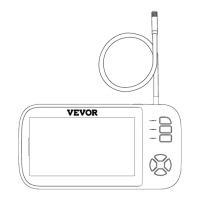
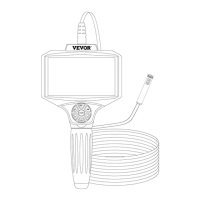
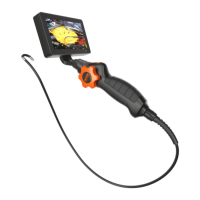
Steering Endoscope
Technical Support and E-Warranty Certificate
www.vevor.com/support
Modell: ZX2-D
We continue to be committed to provide you tools with competitive price.
"Save Half", "Half Price" or any other similar expressions used by us only
represents an estimate of savings you might benefit from buying certain
tools with us compared to the major top brands and doses not necessarily
mean to cover all categories of tools offered by us. You are kindly reminded
to verify carefully when you are placing an order with us if you are actually
saving half in comparison with the top major brands.

Questions and Answers

Summary

Product Description and Introduction

Product Introduction and Components

Introduces the endoscope and lists its main physical components.

Display Operation Instructions

Display Screen Installation and Removal

Instructions on how to connect and disconnect the display screen.

Display Ports and Interface Overview

Identifies the TF card slot and charger port on the display unit.

Key Operation Instructions

Power, Menu, and Navigation Controls

Explains the operation of power, menu, OK, and directional/zoom keys.

Media Capture and Preview Controls

Details the functions of preview, photo, and video capture keys.

Handle Body Controls and Specifications

Handle Body Key Functions

Describes the Photo, Light, and Steering Wheel keys on the handle.

Product Technical Parameters

Lists detailed specifications like lens diameter, tube length, and battery life.

Matters Needing Attention

Usage Precautions and Safety Guidelines

Provides essential warnings and advice for safe and proper product use.

Troubleshooting

Common Issues and Solutions

Offers guidance on resolving common problems like startup failure, card errors, and image blur.

Regulatory Compliance and Disposal

FCC Statement

Details the device's compliance with FCC rules regarding interference.

Disposal Information

Provides instructions for environmentally responsible disposal of the product.

Summary

Product Description and Introduction

Product Introduction and Components

Introduces the endoscope and lists its main physical components.

Display Operation Instructions

Display Screen Installation and Removal

Instructions on how to connect and disconnect the display screen.

Display Ports and Interface Overview

Identifies the TF card slot and charger port on the display unit.

Key Operation Instructions

Power, Menu, and Navigation Controls

Explains the operation of power, menu, OK, and directional/zoom keys.

Media Capture and Preview Controls

Details the functions of preview, photo, and video capture keys.

Handle Body Controls and Specifications

Handle Body Key Functions

Describes the Photo, Light, and Steering Wheel keys on the handle.

Product Technical Parameters

Lists detailed specifications like lens diameter, tube length, and battery life.

Matters Needing Attention

Usage Precautions and Safety Guidelines

Provides essential warnings and advice for safe and proper product use.

Troubleshooting

Common Issues and Solutions

Offers guidance on resolving common problems like startup failure, card errors, and image blur.

Regulatory Compliance and Disposal

FCC Statement

Details the device's compliance with FCC rules regarding interference.

Disposal Information

Provides instructions for environmentally responsible disposal of the product.

VEVOR ZX2-D Specifications

General IconGeneral
BrandVEVOR
ModelZX2-D
CategoryAnalytical Instruments
LanguageEnglish

Related product manuals