EasyManua.ls Logo

VEVOR WP9600FTR - User Manual

VEVOR WP9600FTR
36 pages
Print Icon
To Next Page IconTo Next Page
Loading...
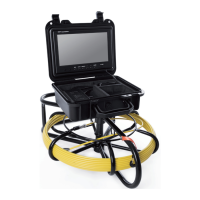
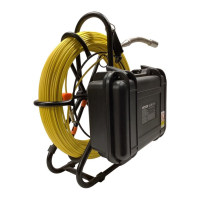
PIPE INSPECTION SYSTEM
User Manual

Questions and Answers

  • C
    christopherbryanAug 12, 2025
    What to do if my VEVOR WP9600FTR Analytical Instruments are unable to charge?
    • R
      Richard EllisAug 12, 2025
      If your VEVOR Analytical Instruments device is not charging, inspect the charging port for any foreign objects or deformities. Check if the charger itself is damaged. Also, ensure timely charging when the battery is low to prevent complete loss of charge, which can make it unable to charge.
  • J
    joneskevinAug 16, 2025
    What to do if photo or video cannot be saved on VEVOR WP9600FTR?
    • W
      William EnglishAug 16, 2025
      If your VEVOR Analytical Instruments device isn't saving photos or videos, first check the memory card for any damage and replace it if necessary. Also, inspect the memory card slot for any foreign matter or deformation that might be preventing proper function.
  • D
    David MatthewsAug 19, 2025
    What to do if VEVOR WP9600FTR are not running?
    • S
      Sharon YuAug 20, 2025
      If your VEVOR Analytical Instruments device is not running, check if the battery has sufficient power. Also, inspect the display screen for any damage and ensure it's properly connected to a power supply.
  • D
    darrengentryAug 23, 2025
    Why does my VEVOR WP9600FTR Analytical Instruments show a blue screen?
    • R
      Robert DavisAug 23, 2025
      If your VEVOR Analytical Instruments device is showing a blue screen, ensure the camera interface is securely connected and the camera itself is not loose, which could cause poor contact. Check that the cable and power supply connections are normal and not loose. Verify that the monitor is properly connected to the power supply and that the cable is not broken. Inspect the front of the camera for water damage or any other damage to the camera. When using the camera, make sure the protective cover is on to prevent collisions with hard objects that could damage it and cause display issues.
  • C
    Charles NormanAug 27, 2025
    How to fix problems with LED lights on VEVOR WP9600FTR?
    • C
      Charles CraigAug 27, 2025
      If you're experiencing problems with the LED lights on your VEVOR Analytical Instruments device, first, consult the manual to ensure you are turning on the light correctly. Also, check the front of the camera for any water, as this could prevent the LED from lighting up.
  • R
    Ryan MartinAug 31, 2025
    What to do if VEVOR Analytical Instruments cannot format?
    • N
      Nancy BuckAug 31, 2025
      If your VEVOR Analytical Instruments device cannot format, the memory card is likely damaged. Replace the memory card to resolve this issue.
  • N
    Nicole HaydenSep 3, 2025
    How to prevent cable knotting in VEVOR Analytical Instruments?
    • J
      Joyce SnyderSep 4, 2025
      To prevent cable knotting with your VEVOR Analytical Instruments, ensure the cables do not cross or knot when retracting and releasing them, and maintain a bending radius of at least 90 degrees. When retracting the cable, use the rotating iron frame to recycle it in an orderly manner, and avoid using excessive force.
  • A
    Amanda AllenSep 7, 2025
    What causes a broken cable in VEVOR Analytical Instruments?
    • S
      Stacey FrostSep 7, 2025
      When using VEVOR Analytical Instruments, it is recommended to use the cable on pipes with a diameter of 60cm or less. Be mindful of the force applied when pushing the cable to avoid breaking the detection line. This product is designed for pipeline detection and inspection only and should not be used for other purposes.

Summary

NEED HELP? CONTACT US!

ATTENTIONS

DESCRIPTION

INSTRUCTION FOR PRODUCT

Work Area Safety

Details on safe practices and measurements for product operation.

Coil

Cell Box

System Installation

Step-by-step guide for connecting and setting up the pipe inspection system.

Charging

TROUBLE SHOOTING

OPERATING INSTRUCTIONS FOR HD DVR

Main Menu Settings

How to navigate and adjust the DVR's main menu options.

Recording and Photographing

Instructions for starting, stopping, and switching between recording and photo modes.

FCC INFORMATION

EU ENVIRONMENTAL PROTECTION

512 HZ RECEIVER

Specifications

Detailed technical parameters for the 512 Hz receiver.

INTRODUCTION

KNOW YOUR ANALOG RECEIVER

GENERAL LAYOUT

GETTING TO KNOW YOUR TOOLS

TROUBLESHOOTING

VEVOR WP9600FTR Specifications

General IconGeneral
BrandVEVOR
ModelWP9600FTR
CategoryAnalytical Instruments
LanguageEnglish

Related product manuals