31
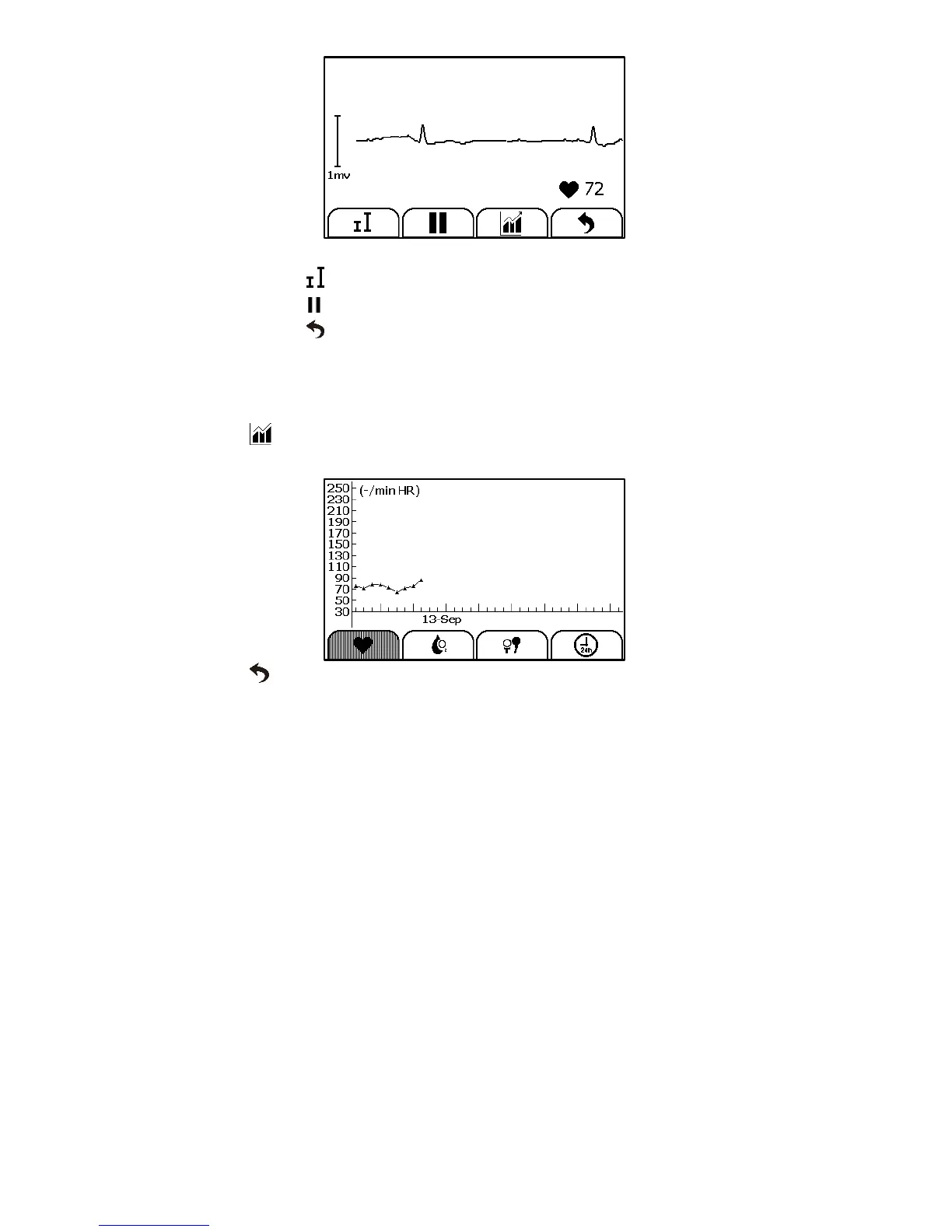
When the ECG waveform is being replayed, you can
Select to change the waveform amplitude.
Select to pause it.
Select to return Daily Check list.
After the ECG waveform is replayed, it will automatically return to
the previous interface. Before that, you will hear the voice memo if
you added the voice memo for this measurement.
Select to view the trend of heart rate, SpO2 and blood pressure
or change in percentage of blood pressure.
Select to return to the Daily Check list.
6.2 Reviewing ECG Recorder
To review ECG Recorder records, in the <Data Review> menu, select <ECG
Recorder>. The operations you can perform is almost the same with Daily
Check. However there is no trending graph.
6.3 Reviewing Oximeter
To review Oximeter records, in the <Data Review> menu, select
<Oximeter>. The operations you can perform is almost the same with ECG
Recorder. However there is no voice memo.
6.4 Reviewing Thermometer
To review Thermometer records, in the <Data Review> menu, select
<Thermometer>. The operations you can perform is almost the same with
ECG Recorder. However there is no voice memo.


 To Next Page