5
6. Home, Power On/Off
When the monitor is off, press this button to power it on.
When the monitor is on, press and hold it for 2 seconds to turn
it off.
During operation, press this button will switch to Main Screen,
or Calendar Screen, or return to upper menu.
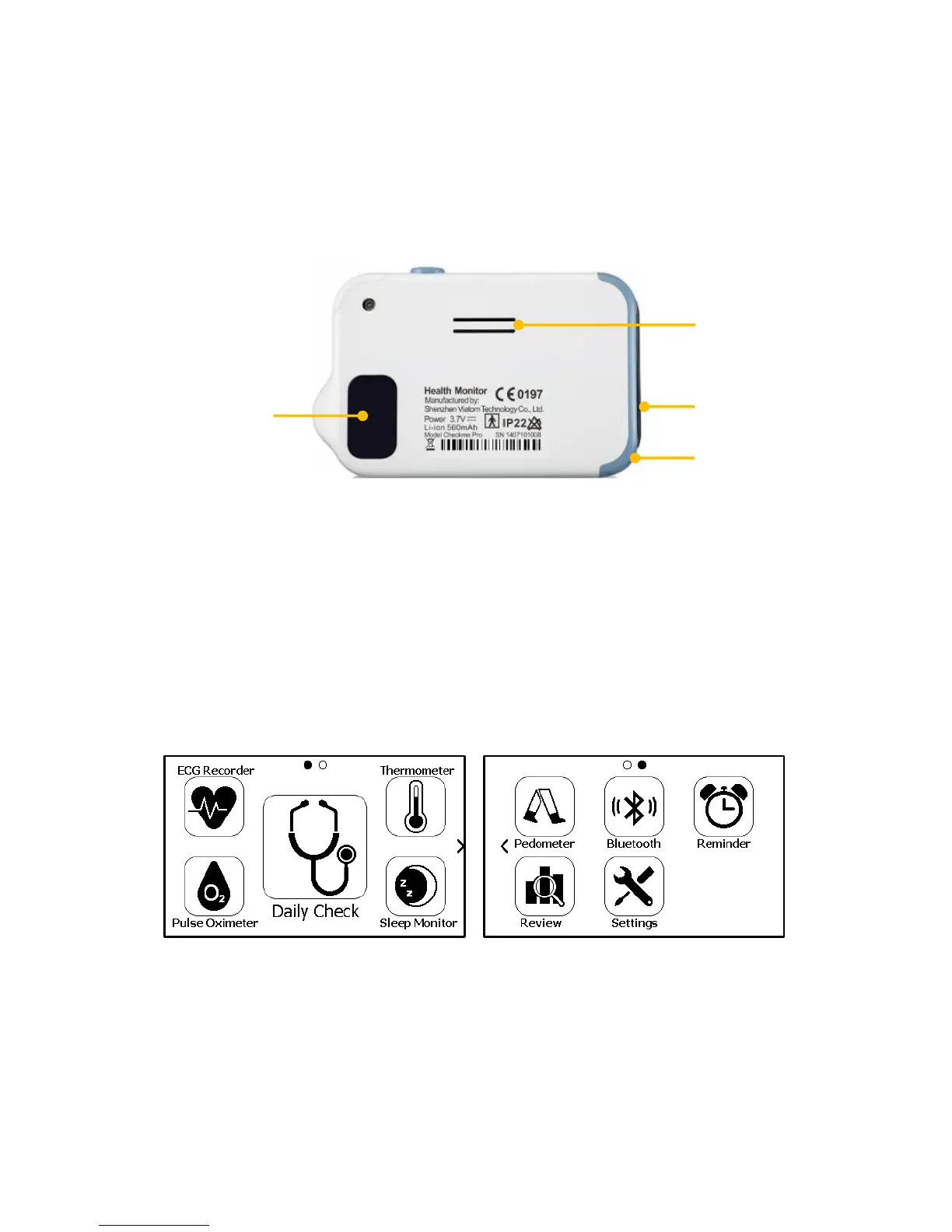
7. ECG right electrode
Use right thumb to press on it.
8. Speaker
9. ECG left electrode
Put it to your left palm, left abdomen or left knee.
10. Neck stripe hole
11. ECG back electrode
Use right forefinger or middle finger to press on it.
2.2 Main Screen
The Main Screen is shown as below. Slipping your finger from right to left
can switch to the second page, and vice versa.
Press a button in the Main Screen will start a measurement, activate a
function, or open corresponding menu.
2.3 Calendar Screen / Standby Mode
The device will enter Calendar Screen / Standby Mode when:
No operation is detected for 120 seconds in other screen interface,


 To Next Page