7
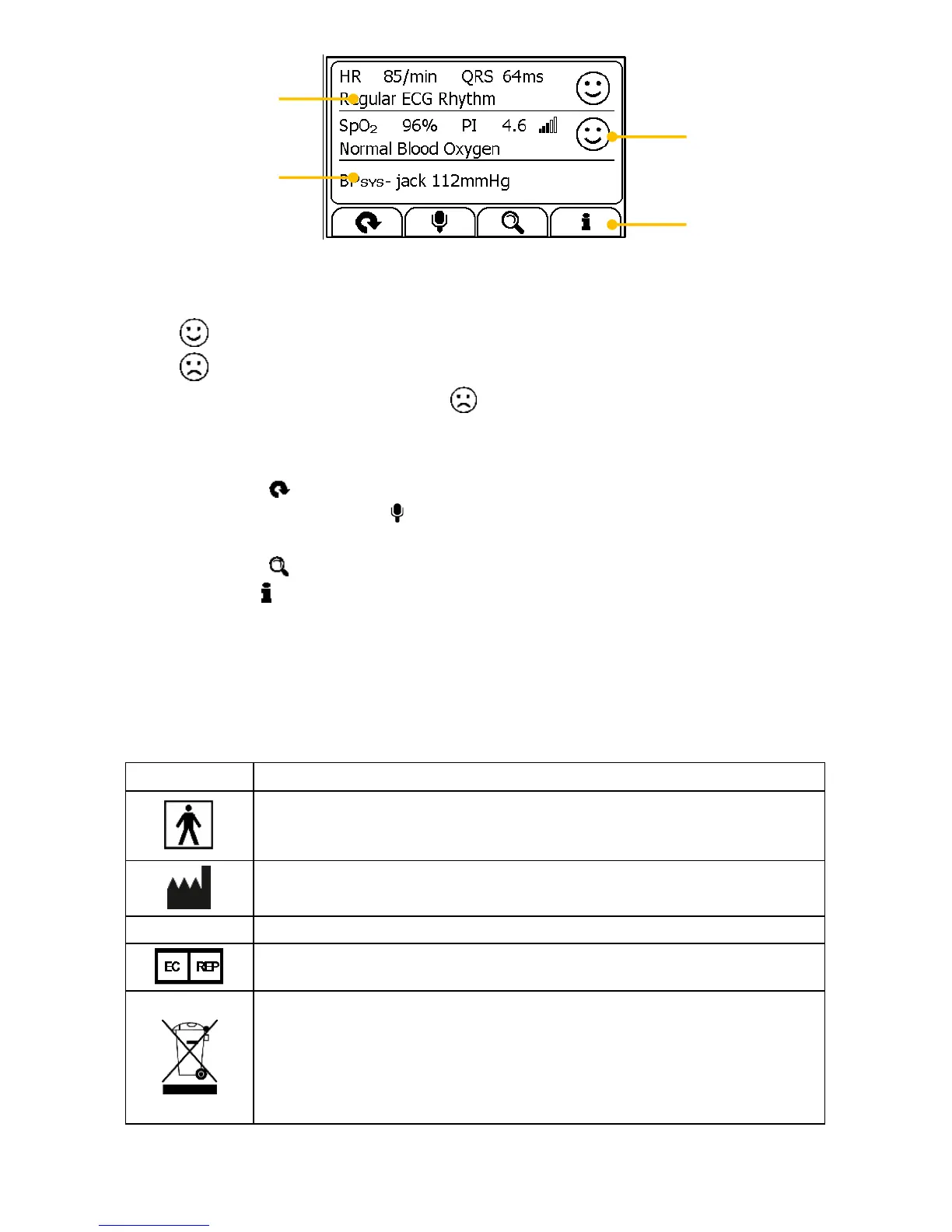
1. Measured parameters and readings
2. A summary of this measurement
3. A graphic indicator about the health status
: All measured parameters are within the reference range;
: One or more than one measured parameter(s) is (are) out of
reference range. When the icon appears, it is suggested to test
again, and consult your doctor for help.
4. Buttons
Select button to start a measurement again.
Press and hold the button to add voice memo. Voice memo is
only available for Daily Check and ECG Recorder measurements.
Select button to review previous results.
Press button to open the help information.
In the Result Screen, if there is no operation for 2 minutes, the device will
automatically returns to Standby Screen.
2.5 Symbols
Symbol for “ENVIRONMENT PROTECTION – Waste
electrical products should not be disposed of with
household waste. Please recycle where facilities exist.
Check with your local authority or retailer for recycling
advice”.


 To Next Page