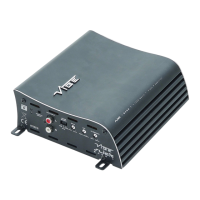
6
1. High / low level input
For connection to either the speaker output of your source (head unit) this is to be used if
the source
(headunit) does not have a low level output or connection to any source (head unit) with a
low level output. This is your RCA output from the source (headunit).
If using high level input, it will be necessary to connect an RCA plug to the speaker
output of yout headunit, please ensure correct polarity or a loss of bass will result.
Centre pin : Positive
Outer pin : negative
2. Gain control
This control is used to match the input signal of the source to the amplier. See the setup
section for more details.
3. Remote level control port
For connection to the supplied remote level control for the amplier.
4. Bass boost control
This control is used to add bass boost to the amplier centred at 45Hz and is adjustable
between 0 and +12dB
5. Low Pass Filter (LPF)
This control is used to set the crossover frequency for the amplier when LPF is
selected. The frequency is adjustable between 30Hz and 150Hz.
6. Power terminals
Used to connect DC power to the amplier. See the power connections section for more
details
7. Speaker terminals
Used to connect speaker cables to the amplier. See the wiring conguration section for
more details
8. Power / protect LED
If the amplier is operating normally, the GREEN LED will illuminate.
If the amplier is in protection mode the RED LED will illuminate.
NOTE:
When using high level input, the REM terminal will now output a +12v feed that can be
used to turn other devices in the system that do not have auto turn on.
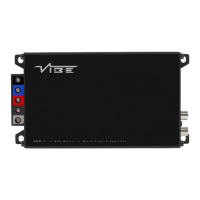
Terminals And Connections


 To Next Page
 Loading...