EasyManua.ls Logo

Vibra ALE-NC Series - User Manual

Vibra ALE-NC Series
108 pages
Print Icon
To Next Page IconTo Next Page
Loading...
450029M01
High
-
Precision
Tuning
Fork
Electronic
Balanc
ALE-NC Series
Operation Manual
SHINKO DENSHI CO., LTD.
IMPORTANT
To ensure safe and proper use of the balance, please read this
manual carefully.
After reading this manual, store it in a safe place near the
balance, so you can review it as needed.

Table of Contents

Question and Answer IconNeed help?

Do you have a question about the Vibra ALE-NC Series and is the answer not in the manual?

Overview

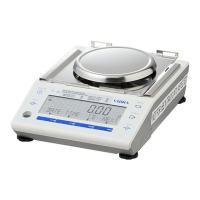
This document describes the SHINKO DENSHI ALE-NC series High-Precision Tuning Fork Electronic Balance, an advanced weighing instrument designed for accurate measurements across various applications.

Function Description:

The ALE-NC series balance utilizes a high-precision tuning fork mechanism for accurate weight measurement. It offers multiple measuring modes, including:

  • Weighing mode: The basic function for general weight measurement.
  • Counting mode: Allows counting of items by dividing the total weight by a recorded unit weight. This mode supports both actual value setting (placing a specified number of samples to record average unit weight) and numeric value setting (inputting the unit weight directly). For verified balances, only actual value setting is available, and unit weights less than 3d or sample numbers less than 10 PC cannot be used.
  • Percentage mode: Indicates the weight of a sample as a percentage relative to a reference weight. The reference weight can be set by placing it on the balance (actual value setting) or by direct numeric input.
  • Multiplied by Coefficient mode: Displays the measured weight multiplied by a preset coefficient. This mode is not available on verified balances.
  • Specific gravity mode: Calculates the ratio of a substance's density to the density of water at 4°C for liquids. This mode requires an optional specific gravity measurement kit and is not legal for trade.
  • Statistics mode: Collects weight data and provides statistical values such as maximum, average, and other statistical indicators. Up to 999 weight data points can be saved. Only "mg" or "g" units are supported in this mode. This mode is not available on verified balances.
  • Animal mode: Designed for accurately weighing animals and other moving samples. It holds the indication when weight variations fit within a set range, allowing for stable measurement. This mode is not available on verified balances.

The balance also includes several auxiliary functions:
  • Comparator function: Allows presetting threshold values (limits) to determine if a measured value is within, above, or below a defined range (LOW, OK, HIGH). Discrimination can be based on absolute or relative values.
  • Adding function: Weighs multiple samples in sequence and indicates their total value, supporting both addition accumulating (replacing samples) and net adding (adding samples without replacement) methods. This function is not available on verified balances.
  • Stabilization wait setting: Configures whether the weighed value is indicated after or before stabilization. For verified balances, stabilization is always awaited.
  • Bar graph indication: Displays a bar graph representing the current weight relative to the weighing capacity.
  • Backlight setting: Controls the display backlight (off, 3, 5, 10, 30 minutes, or always on).
  • Auto power-off: Automatically turns off the balance after a set period of inactivity (off, 3, 5, 10, 30 minutes).
  • Simple SCS (Self Counting System) method: An auxiliary function for Counting mode that automatically updates the average sample weight when additional samples are placed, allowing for more accurate counting.

Important Technical Specifications:

  • Display: LCD with backlight, featuring 7-segment (max 8-digit, 16.5 mm height) and 16-segment (max 20-digit, 8.5 mm height) displays, and a 30-step bar graph.
  • Output: RS-232C compliant output (D-sub9P Male connector) and USB (Type B connector) are standard.
  • Power: Dedicated AC adapter (100-240 V~ / 50-60 Hz) or 4 AA Dry cell batteries.
  • Ratings (AC adapter/battery box): 4-6 V, 0.3 A (maximum current consumption).
  • Operating condition: Temperature 5-35 °C, Humidity 85% RH or lower (no condensation), Pollution degree 2, Altitude 2000 m or less above sea level, Indoor use only.
  • Dimensions of weighing pan: Ø118 mm (ALE322NC), 160 x 180 mm (ALE1501NC, ALE8200NC).
  • Weight (NET): Approximately 2.6 kg (ALE322NC), 2.7 kg (ALE1501NC, ALE8200NC).
  • Battery runtime: Approximately 150 hours (Alkaline batteries, backlight and external output off).
  • Communication: RS-232C (Full-duplex, asynchronous, EIA-232-D/E) and USB (Half-duplex, asynchronous, USB2.0). Baud rates from 1200 to 115200 bps. Data composition includes start bit (1), parity bit (None/Odd/Even), data bit (8), stop bit (1/2).
  • Error messages: The manual details various error codes (e.g., OVER ERROR, UNDER ERROR, ERR703, ERR705) and corresponding coping methods.

Usage Features:

  • Easy power control: Turn on by pressing [On/Off] key, turn off by pressing and holding [On/Off] key for about 2 seconds. The balance enters standby with an asterisk (*) when AC adapter is plugged in.
  • Zero-point adjustment: Adjusts the indication to zero using the [Zero] key. The adjustment range is model-dependent (e.g., -4.80 to 320g for ALE322NC).
  • Intuitive menu navigation: Settings are organized in a hierarchical menu structure, accessed via the [Menu] key and navigated using [F1]-[F4] keys.
  • Numeric value input: Supports input of upper/lower limits, reference weights, specific gravity, date/time, and ID/password using [F1]/[F2] for digit increment/decrement, [F3] for digit selection, [Zero] for decimal point, and [F4] to enter/fix the value.
  • Operation keys: Dedicated keys for On/Off, Menu, Output, and Zero, along with four function keys [F1]-[F4] for mode selection, menu navigation, and value input.
  • Customizable shortcuts: [F] keys can be assigned shortcuts for various measuring modes and functions.
  • Password control: Allows setting administrator and user passwords to protect settings and functions, with different authority levels for users/guests.
  • Span adjustment and test: Essential for high-accuracy weighing, performed with external weights. This process is crucial for initial setup, relocation, or after prolonged non-use.
  • Date and time settings: Allows setting the current date and time, and selecting the date indication format.
  • Direct start setting: Enables automatic power-on when connected to AC power or USB, useful for integration with other devices.
  • Initialize function: Resets the balance to factory settings, excluding span adjustment and date/time settings.

Maintenance Features:

  • Cleaning: For light dirt, wipe with a dry, soft cloth. For heavy soil, dismount the weighing pan and/or pan-base and clean with a slightly wet cloth and neutral detergent.
  • Battery installation: Operates with four AA batteries (alkaline, manganese, or Nickel-metal hydride). Ensure correct polarity. The display shows a battery mark to indicate remaining capacity.
  • USB communication setup for PC: Requires downloading and installing a dedicated USB driver from the manufacturer's website (silabs.com) and configuring communication settings on the PC's Device Manager.
  • General precautions: Avoid wetting the AC adapter, handling with wet hands, using in dusty or explosive atmospheres, disassembling or modifying the product. Ensure the balance is placed on a stable, vibration-free surface, away from air currents, direct sunlight, and significant temperature/humidity changes. Always adjust the balance level before use. Periodically check for errors and unplug the AC adapter when not in use for extended periods.

Vibra ALE-NC Series Specifications

General IconGeneral
BrandVibra
ModelALE-NC Series
CategoryScales
LanguageEnglish

Related product manuals