EasyManua.ls Logo

Vibra HJ-KCE series - User Manual

Vibra HJ-KCE series
66 pages
Print Icon
To Next Page IconTo Next Page
Loading...
220011M01
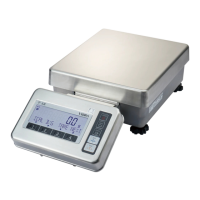
High-Precision, Advanced Tuning Fork Balance
HJ-KCE/HJR-KCE Series
Operation Manual

SHINKO DENSHI CO., LTD.
●To ensure safe and proper use of the balance, please read this
manual carefully.
●
After reading this manual, store it in a safe place near the
balance, so you can review it as needed.
IMPORTANT

Questions and Answers

  • E
    erobertsJul 30, 2025
    Why does the display turn off on my Vibra Scales when using batteries?
    • C
      Christopher PooleJul 30, 2025
      If the Vibra Scales display is turned off while running on batteries and the battery icon is blinking, it could be due to several reasons. First, the auto power off function may have been activated; turn the power back on or disable this function. Second, the batteries may be exhausted; try recharging them. As an alternative, operate the balance using the AC adapter.
  • C
    crystalmcdowellAug 3, 2025
    Why is the weight indication on my Vibra Scales incorrect?
    • J
      justin36Aug 4, 2025
      If your Vibra Scales are showing an inaccurate weight, there could be a few reasons. Ensure the tare range is set correctly. Also, confirm that the adjusters are settled and the scale is on a horizontal surface. If the scale hasn't been used for a while or has been moved, perform a span adjustment.
  • M
    Melissa LyonsAug 8, 2025
    What to do if the Vibra Scales display indicates nothing?
    • J
      jmillerAug 8, 2025
      If the Vibra Scales display shows nothing, ensure the AC adapter is properly connected. If it is, the batteries may be exhausted; in this case, recharge them.
  • P
    Paula BoltonAug 11, 2025
    Why is the display unstable on my Vibra Scales?
    • K
      Keith RamseyAug 12, 2025
      If the display on your Vibra Scales is unstable, takes time to stabilize, or doesn't move with the 'M' sign flashing, it could be due to wind or vibration affecting the balance. Make sure to read the precautions relating to use. Also, ensure the scale is on a stable base and that the pan, tare, or sample isn't touching anything else. Finally, check if the filter of the balance is clogged, and if so, remove the rubber cap.
  • B
    Brandi GrahamAug 16, 2025
    What to do if Vibra Scales displays blinking value on 0?
    • K
      Kelly RobbinsAug 16, 2025
      If the Vibra Scales displays a blinking value on 0 and no further action occurs, it could be because an object is lying with its tare on the measuring pan. Remove all objects from the measuring pan.
  • M
    Miss Carrie WarrenAug 20, 2025
    Why does my Vibra Scales show [?????] before reaching capacity?
    • A
      Amber PerkinsAug 20, 2025
      If the Vibra Scales displays [?????] before reaching capacity, it may be because the gross weight exceeds the scale's capacity. Check the total weight.
  • J
    jackgomezAug 25, 2025
    What does it mean when my Vibra Scales displays [?????]?
    • E
      Emily NixonAug 25, 2025
      If the Vibra Scales displays [?????], it might be due to a foreign object caught between the measuring pan and the balance. Remove the measurement pan and inspect the surface beneath it.

Summary

Precautions Relating to Use

Meanings of Symbols

Explains symbols used for safety instructions.

Installation of the Balance and Operation Check

Installation

Step-by-step guide for physically setting up the balance.

Operation Check

Procedures to verify the balance is functioning correctly after setup.

Function 1

Limit Function

Details on setting up and using the limit function for weighing.

Weighing Mode

Parts Counting

Guide to using the parts counting function for inventory.

Percentage Weighing

Instructions for performing percentage weighing operations.

Accumulation function

Limit Function

Judge by Absolute Values

Setting limit values directly based on weight.

Judge by Deviation Values

Setting limits based on deviations from a reference weight.

Calibrating the Balance

Span Adjustment with External Weight

Calibrating using an external weight.

Span Test with Built-in Weight

Testing accuracy using the built-in weight.

Span Test with External Weight

Testing accuracy using an external weight.

Calibration of Built-in Weight

Calibrating the internal weight using an external weight.

Use Printers

Output of Measurement Data in Compliance with ISO;GLP;GMP

Printing measurement data according to specific standards.

Output in Compliance with ISO;GLP;GMP

Output in Compliance with ISO;GLP;GMP

Sample printouts for calibration and measurement data.

Troubleshooting

Troubleshooting

Common issues and their solutions.

Vibra HJ-KCE series Specifications

General IconGeneral
BrandVibra
ModelHJ-KCE series
CategoryScales
LanguageEnglish

Related product manuals