EasyManua.ls Logo

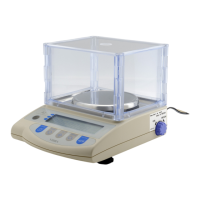
Vibra AJ-CESeries - User Manual

Vibra AJ-CESeries
46 pages
Print Icon
To Next Page IconTo Next Page
Loading...
310003M01
High-Precision Tuning Fork
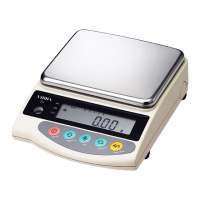
Electronic Balance
AJ-CE/AJH-CE Series
(220012K)
Operation Manual

SHINKO DENSHI CO., LTD.
To ensure safe and proper use of the balance, please read
this manual carefully.
After reading this manual, store it in a safe place near the
balance, so you can review it as needed.
IMPORTANT

Questions and Answers

  • A
    Amber Cherry DDSAug 15, 2025
    What to do if [?????] appears on my Vibra AJ-CESeries before reaching capacity?
    • T
      Tony GonzalezAug 15, 2025
      If the Vibra Scales display shows [?????] before reaching capacity, it means the gross weight has exceeded the balance's capacity. This includes the weight of the container and the sample. Check the total weight to ensure it's within the scale's limits. It can also mean that a section of the mechanism is damaged, in this case you should contact our Technical Service Division or your local dealer.
  • S
    Shannon HillAug 18, 2025
    Why does the weight indication contain an error on my Vibra Scales?
    • B
      brandy02Aug 19, 2025
      If the weight indication on your Vibra Scales contains an error, there are a few potential causes. First, review the tare subtraction procedure to ensure no mistakes were made. Second, check the level of the scales, making sure the adjusters are not lifted, resulting in an incorrect level. Finally, if the indication values are inconsistent after long hours of use or after moving the balance, execute span adjustment on the balance.
  • D
    David HowardAug 21, 2025
    Why is the display unstable on my Vibra AJ-CESeries Scales?
    • B
      Brenda ValenzuelaAug 21, 2025
      If the display on your Vibra Scales is unstable and [M] remains flashing, the balance may be subject to air currents or vibration, or situated on an unstable surface. Check Precautions on Use. Also, ensure that no object is contacting the sample being measured, the measuring pan, or the tare. Check Precautions on Use.
  • J
    Jenna DuarteAug 25, 2025
    How to fix no display on Vibra AJ-CESeries Scales?
    • M
      millerpeggyAug 26, 2025
      If there is no indication on the Vibra Scales display, check that the AC adapter is properly connected.
  • M
    Melinda DuranAug 27, 2025
    Why does the indication disappear during battery installation on my Vibra Scales?
    • E
      Erica FarleyAug 28, 2025
      If the indication disappears, [ ] flashes, or no indication is produced during battery installation on your Vibra Scales, it could be due to the automatic power-off function being activated. Switch the power on again and deactivate the automatic power-off function if necessary. Alternatively, the battery capacity may be low, so recharge the battery.
  • S
    Stephanie TerryAug 30, 2025
    What to do if the limit function does not work on Vibra AJ-CESeries?
    • S
      Shelby BellAug 30, 2025
      If the limit function on your Vibra Scales isn't working, it may not be selected. Check the operation of the limit function. Also, ensure that the limit value has been entered correctly. Check the operation of the limit function.
  • S
    Stephanie SanchezSep 2, 2025
    What does it mean when [???] appears on Vibra Scales?
    • T
      Troy RobertsSep 3, 2025
      If [???] appears on your Vibra Scales (with [?] and a value flashing at [LO]), it's likely due to insufficient sample weight in counting mode. Execute the Memory Update Method.
  • D
    David ClaySep 5, 2025
    What does it mean when [?????] is displayed on Vibra AJ-CESeries Scales?
    • J
      Jeremy FerrellSep 6, 2025
      If [?????] is displayed on your Vibra Scales, a foreign object may be caught between the measuring pan (pan base) and the balance. Remove the measurement pan and examine the surface beneath it. A section of the mechanism may also be damaged. Remove the measurement pan and examine the surface beneath it.
  • T
    Tonya GardnerSep 8, 2025
    Why does [?????] appear during span adjustment (AJ-CE) on Vibra Scales?
    • H
      Heather BlairSep 8, 2025
      During span adjustment (AJ-CE) if [?????] is displayed on Vibra Scales, a weight heavier than the capacity was used, the reference weight is less than 50% of the capacity, or calibration produced an error of 1.0% or more. Check that the span adjustment procedure was performed correctly.
  • D
    Debbie HoffmanSep 12, 2025
    Why is [?????] displayed at span adjustment (AJH-CE) on Vibra AJ-CESeries?
    • B
      brownericSep 12, 2025
      If [?????] is displayed at span adjustment (AJH-CE) on Vibra Scales, adjustment was performed with something loaded on the measurement pan. Check correct span-adjustment procedure.

Summary

Precautions on the Use

Meanings of Symbols

Explains symbols used for warnings and recommendations for safe operation.

General Safety Precautions

Covers crucial do-not's and recommendations for preventing damage and injury.

Basic Operations

Installation Guide

Step-by-step instructions for setting up the electronic balance correctly.

Counting Pieces

Sampling Process

Steps to set the unit weight for piece counting mode.

Measuring Percentage

Limit Function

Setting Up Limit Function

How to configure the limit function parameters and judgment conditions.

Calibrating the Balance

AJ-CE Series Calibration

Step-by-step guide for span adjustment on AJ-CE models.

AJH-CE Series Calibration

Calibration procedure for AJH-CE models, including knob usage.

Operating the Balance with the Battery

Battery Usage Precautions

Safety guidelines and tips for optimal battery life and operation.

Troubleshooting

Specifications

Basic Specifications Overview

Key performance metrics like capacity, readability, and accuracy class.

Vibra AJ-CESeries Specifications

General IconGeneral
DisplayLCD
Readability0.1 g
Weighing Unitsg, lb, oz
Stabilization Time2 seconds
Power SupplyAC adapter
MaterialStainless steel
FunctionsCounting
Pan Size160 mm x 160 mm
Platform Size160 mm x 160 mm

Related product manuals