27
9. Calibrating the Balance
Since electronic balances are affected by gravity gravitational acceleration, they produce different
values in various locations. Therefore, before use, balances must be calibrated at the location where
they are installed. Calibration is also required after long periods without use, or if a balance begins to
produce inaccurate values.
Calibration of a balance, or “span adjustment,” is required to produce accurate measurements.
9.1 Calibration of AJ-CE Series
Applicable models: AJ-2200CE, AJ-3200CE, AJ-4200CE, AJ-6200CE, AJ-8200CE and AJ-12KCE (for
AJ-2200CE,3200CE,4200CE,AJ-8200CE and 12KCE applicable when the lock switch is off.)
※ Span adjustment should be performed with the balance installed perfectly level and without any
load on the measurement pan.
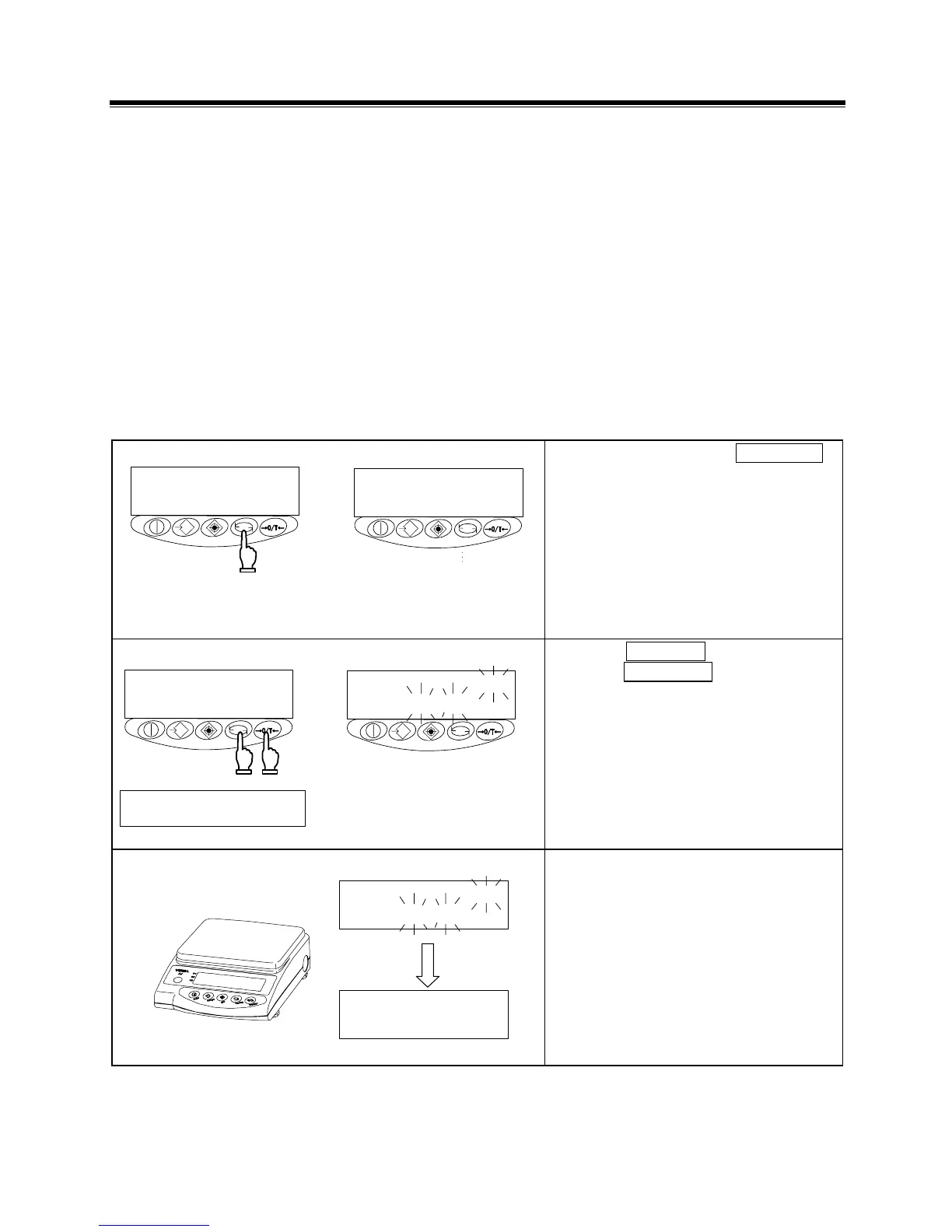
1 Activating the span adjustment function
指を離す
押し続ける
Pressed
continuously
Key released
Press and hold down the Function
key.
Release the key when the display
changes from [
] to [
].
2 Starting the span adjustment
同時に離す
CAL
Zero/Tareキーを押しながら
Functionキーを押す
② ①
Release
simultaneously.
Press the Function key while
holding down the Zero/Tare key.
Press the Function key while holding
down the Zero/Tare key, then
release both keys simultaneously. The
display flashes [
], indicating
that zero-point calibration is underway.
3 Zero calibration
CAL
CAL
Zero-point calibration is finished when
the display changes to [
].
Proceed to the calibration of the
capacity point.



 To Next Page