EasyManua.ls Logo

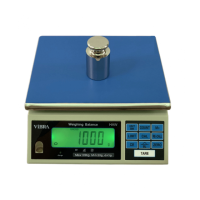
Vibra DJ series - User Manual

Default Icon
20 pages
Print Icon
To Next Page IconTo Next Page
Loading...
3032M11
DJ series
OPERATION MANUAL
SHINKO DENSHI CO.,LTD.

Questions and Answers

  • U
    uaustinAug 4, 2025
    Why is the display unstable on my Vibra DJ Scales?
    • L
      Laura MartinAug 4, 2025
      If the Vibra Scales display is unstable, it might be due to wind or oscillation affecting the scales. Check the location and response speed function. Also, ensure the installation base is stable, and verify that the weighing pan or tare isn't touching anything.
  • R
    robert31Aug 11, 2025
    What to do if my Vibra DJ Scales have no display or the display blinks?
    • C
      Carolyn WatkinsAug 12, 2025
      If your Vibra Scales aren't displaying anything or the display is blinking, it could be due to a few reasons. First, ensure the AC adapter is properly connected and the ON/OFF key is pressed to the ON position. If you're using the battery option, the power may have been turned off automatically by the auto-power-off function, so press the ON/OFF key. Alternatively, the battery may be depleted, so connect the AC adapter to charge it.
  • M
    Michael OsborneAug 18, 2025
    Why am I unable to weigh up to capacity on my Vibra Scales?
    • J
      Jesse MortonAug 18, 2025
      If you're unable to weigh up to the full capacity on your Vibra Scales, it may be because the gross weight of the load exceeds the scale's capacity. Remember that the Weighing Range equals Full Capacity minus the Tare value. If this isn't the issue, the mechanism might be defective.
  • H
    Hannah DavisAug 26, 2025
    Why does my Vibra Scales display an erroneous value?
    • R
      rmannAug 26, 2025
      Erroneous values on your Vibra Scales display can occur due to several reasons. It could be due to a wrong tare operation. Also, the scale might not be level. Finally, the span may have changed because of relocation or a long time lapse, requiring calibration.

Summary

Display Panel

Key Functions

Installation

Performance Test

Operation

1. Taring & Weighing

Detailed steps for performing tare and weighing operations on the scale.

Various Functions

Span Calibration

1. Span Calibration for DJ-E Models

Step-by-step guide for performing span calibration on DJ-E model scales.

2. Span Calibration for DJH-E

Procedure for performing span calibration specifically for DJH-E model scales.

Troubleshootings

Vibra DJ series Specifications

General IconGeneral
DisplayLCD
MaterialStainless steel
Pan Size140 mm / 180 mm x 160 mm
Unitsg, oz, lb, ozt, dwt
Platform Size140 mm / 180 mm x 160 mm
Power Supply2 x AAA batteries (included)

Related product manuals