6
INSTRUCTIONS FOR USE OWNERS MANUAL
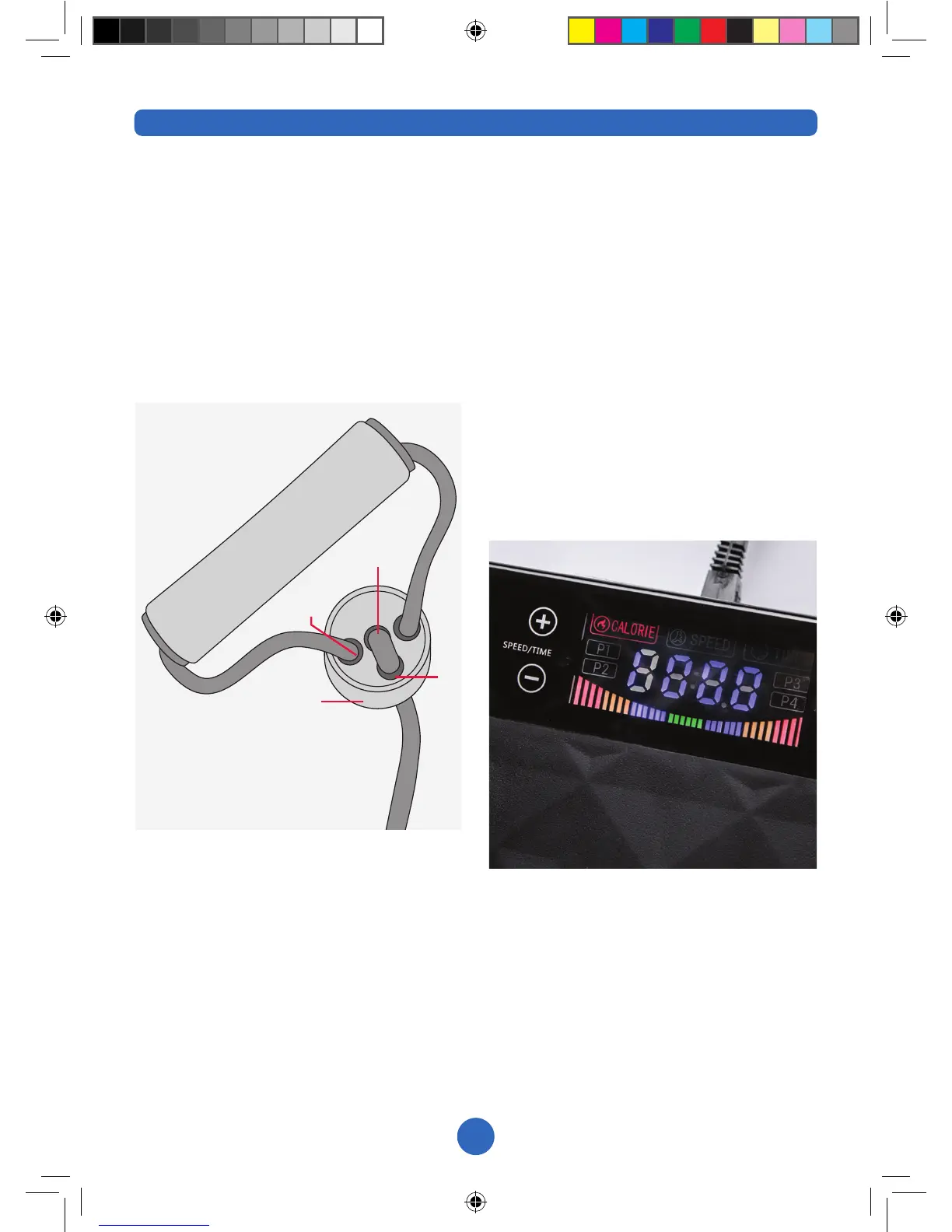
ADJUSTING RESISTANCE BANDS
Ifyoundyouneedtoadjustthelength
of your resistance band, take part A in
one hand and start to thread through the
band from underneath. This should
create a small loop at point B. Pull the
band at point D whilst keeping hold of
part A so that the loop disappears. This
will shorten the length of the resistance
band overall.
To lengthen your resistance band, thread
a small amount of band through part A
as before to create a loop at point B.
Then pull the band at point C so that
the handle moves towards part A. This
should increase the loop and now you
will need to thread the loop through part
A so it disappears.
SETTINGS AND USE
Turn the machine on by ensuring the
supplied power cord is plugged in to the
machinerst,thenpluggedintoa
suitable power socket. Turn on the
power switch at the rear of the machine
to the “I” position, ensuring the switch
illuminates. Then, press the power
button on either the display unit or
remote control.
The display will read 10:00. This is the
time that it is automatically set to. To
change the time use either the +/- on the
display or Time ^ / v buttons on the
remote. You cannot change the time
once the program has started.
When in use, the display will rotate
between time left in the exercise, level
of intensity (between 1-20) and calories
burnt.
A
B
D
C


 To Next Page
 Loading...