7
INSTRUCTIONS FOR USE OWNERS MANUAL
REMOTE CONTROL FUNCTION
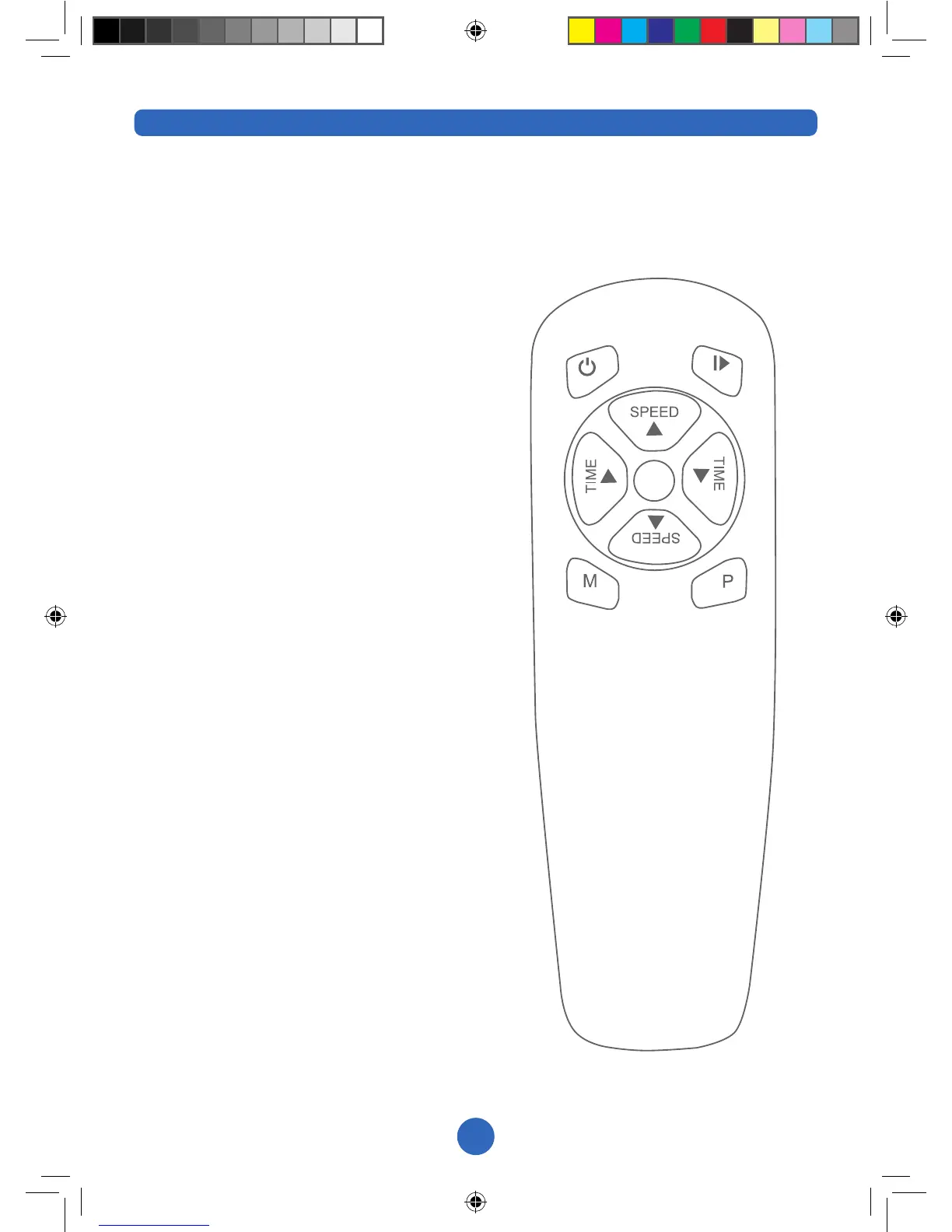
POWER BUTTON
Press the red power button to utilise
stand-by mode option. The display will
read “----“ when in stand-by mode. Use
this option when temporarily leaving the
machine. We recommend you turn the
machine off completely using the power
switch at the back if leaving it for more
than 30 minutes.
START/STOP: This button will start and
stop the machine
TIME UP: The default time is set to 10
minutes. Press this button to increase
the time.
TIME DOWN: The default time is set
to 10 minutes. Press this button to
decrease the time.
SPEED UP: In manual mode this will
increase the speed of the machine until it
reaches the maximum level 20.
SPEED DOWN: In manual mode this will
decrease the speed of the machine until
it reaches the minimum level 1.
M: Manual mode button, starts off at 10
minutes at level 1. When in manual mode
the machine speed can be adjusted up
or down while still in use. Use the Speed
Up or Speed Down buttons for a level
at a time. To move through the speeds
quickly press M, once for level 6, twice
for level 10, three times for level 16.
See page 8 for more information on the
manual mode.
P: Press to access the pre-set programs.
Once for P1, twice for P2, three times for
P3 & four times for P4. Then press Start/
Stop to begin.
The range of the remote controller is
approx. 2.5metres. Aim the remote
controller’s infrared light at the reception
window on the display panel to operate
the machine.
REMOTE CONTROL
BUTTONS
A. Power Button
B. Start/Stop Button
C. Time Up
D. Time Down
E. Speed Up
F. Speed Down
G. Mode
H. Pre-set Programs
A
C
HG
F
E
D
B


 To Next Page