System settings
76
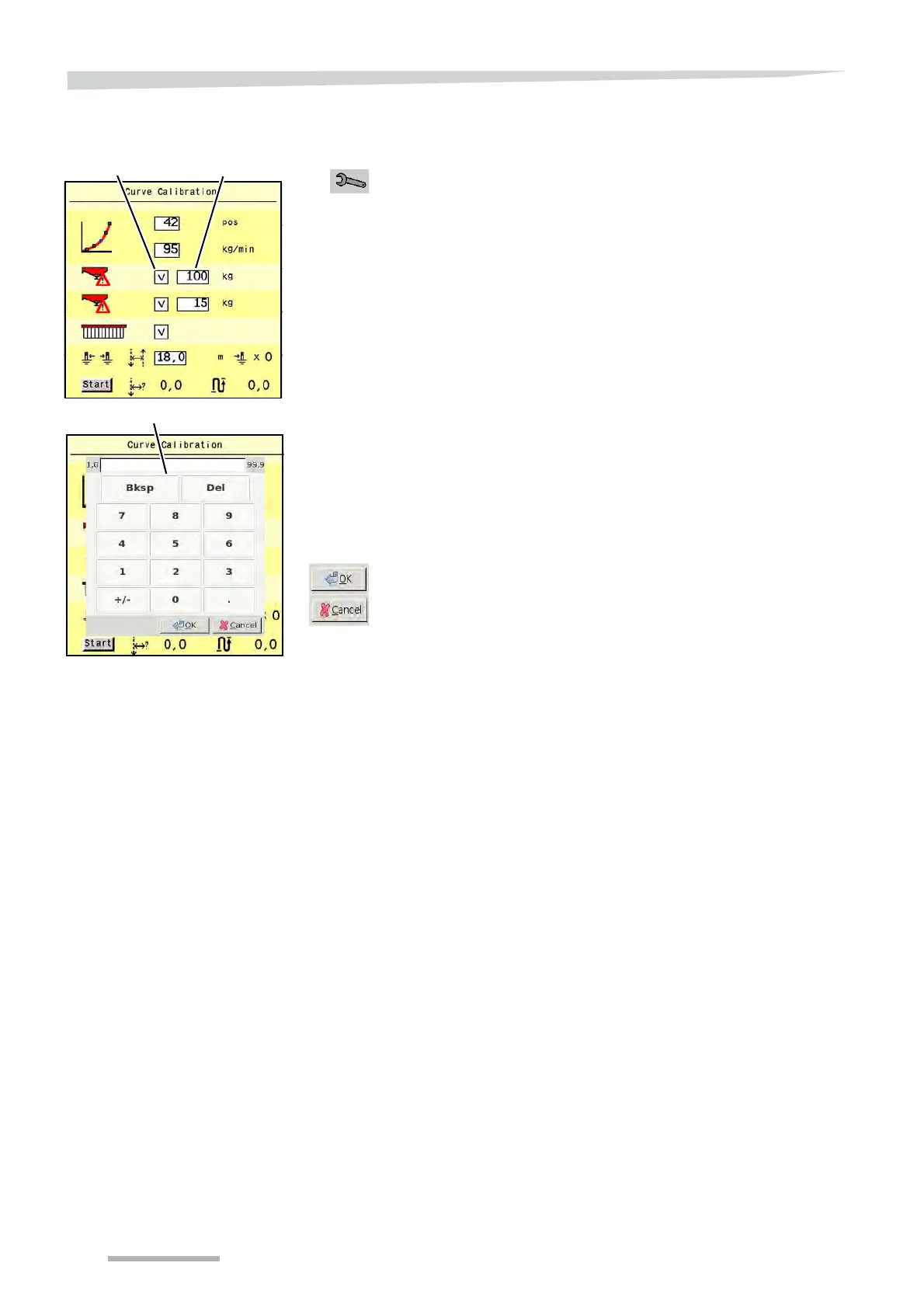
Hopper alarm
This setting enables you to let an alarm signal appear on the main
screen as soon as the hopper content goes below a preset level.
Press the key switch in the main screen to go to the ‘Curve
Calibration’ screen.
Press on the alarm level value on the IsoMatch screen.
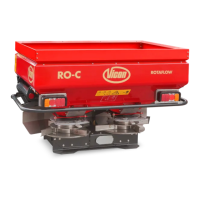
The popup numeric keyboard with the alarm level to be changed
appears on the screen.
Key in the new value on the numeric keyboard.
The new value is on the screen of the keyboard.
Confirm it or cancel it with the OK or cancel key.
The new value is on the Curve Calibration screen.
S
Hopper alarm
S
Alarm level


 To Next Page