System settings
80
Deviation of the
reference sensor
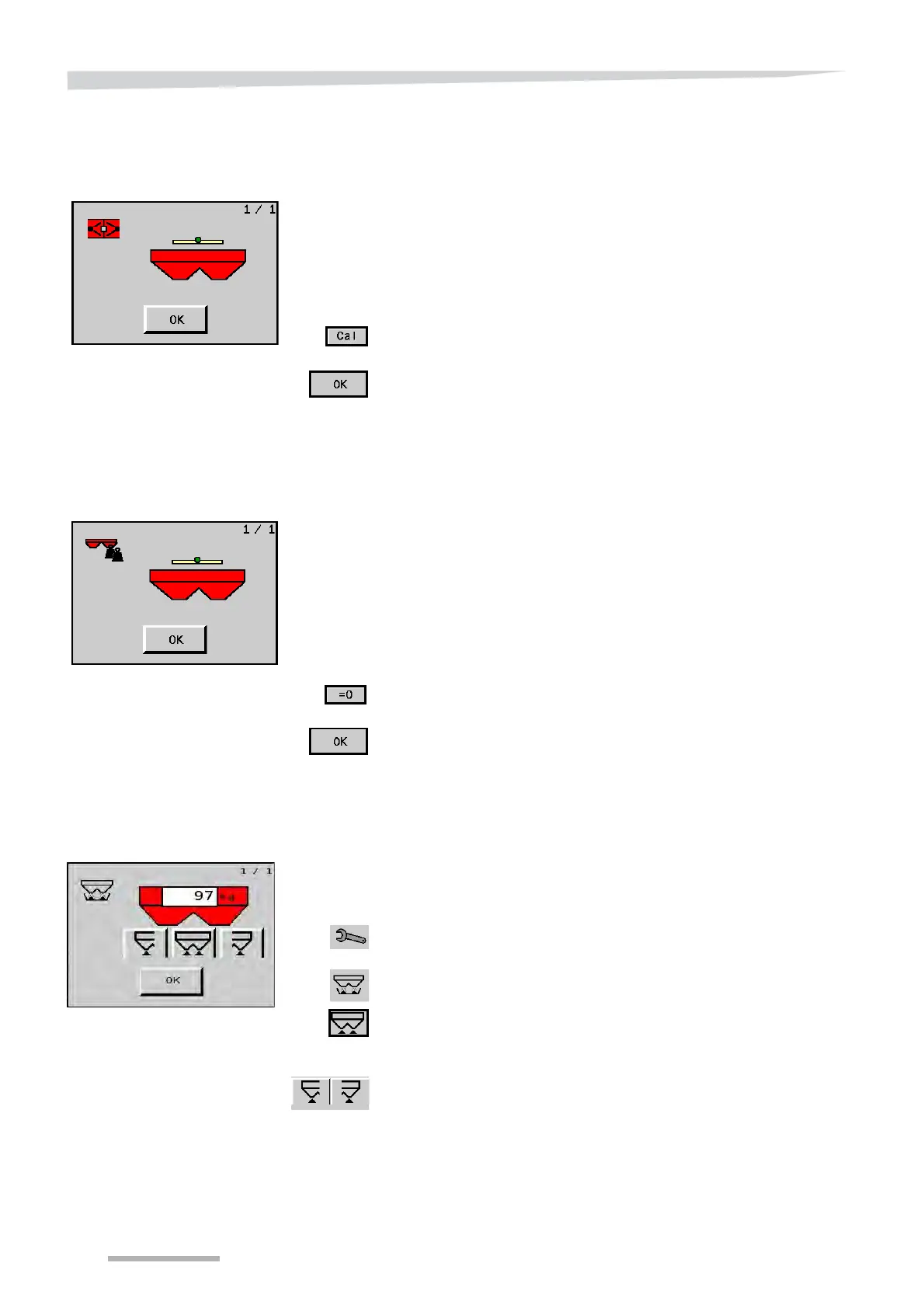
During calibration of the reference sensor, the outgoing signal is set at
'0'. As a result of changing circumstances, for example temperature
differences, or in the event of wear and tear, the reference sensor can
produce a deviating signal after some time. If the signal value is
greater than 25 for a machine placed horizontally and vertically, the
reference sensor must be recalibrated.
Place the tractor on a horizontal base.
Empty the hopper, clean the machine and wait for it to dry.
Position the spreader horizontally and vertically, by means of the
top link and the lift rod adjustment.
Press on the ‘Cal’ button.
The reference sensor is calibrated anew.
Close with "OK".
Actual weight in the
hopper
The field shows you the actual weight of the hopper content. If you
have emptied the hopper but this value is different to ‘0’, you can
overwrite it. Only use this function for small deviations. For large
deviations and especially for modifications to the machine, for
example after assembly or disassembly of a hopper extension or
hopper cover, you must recalibrate the hopper weight.
See section »Hopper weight calibration« on page 92.
Place the tractor on a horizontal base.
Empty the hopper, clean the machine and wait for it to dry.
Set the machine horizontally and vertically by means of the top link
and the lift rod adjustment.
Press on the ‘= 0’ button.
Press the OK key to set the current weight as the hopper's basic
weight.
Empty the hopper
To remove residual fertiliser from the hopper, a 'Empty hopper' func-
tion is present.
Set the fine application lever to the normal dosing setting.
Start the tractor and engage the control box.
Press the key switch in the main screen to go to the ‘Curve Calibra-
tion’ screen.
Press the empty hopper key to go to the screen for emptying the
hopper.
Press the 'empty hopper' button in order to empty the hopper on
both sides simultaneously.
Press the OK key to stop emptying the hopper.
The left and right actuators can be operated separately with the left
and right 'Empty hopper' buttons.


 To Next Page