Vicon Motion Systems Page 9 of 12
Configure your system
Configure your system
Adjust camera settings
1 Ensure you are in Live mode and that a
Camera view (in Blade Capture view) is
displayed.
2 In the System Resources pane (in Blade
the Selection editor), select one camera.
3 Notice that the Properties for this camera
are listed at the bottom of the pane. (In
Blade, view the Attributes editor.)
4 Have someone wave the calibration wand
in the capture volume and ensure that you
can see markers moving in the view pane.
5 Note the Grayscale Mode property. The
default setting is Auto, which tells the
cameras to send to the Vicon software all
the centroid data for grayscale blobs it can
circle fit. If any grayscale blobs cannot be
circle fitted, the grayscale data is sent to
the Vicon software so it can try to circle fit
the blobs.
6 Look at the Strobe Intensity setting. With
a value of 1, the cameras send as much
light as possible into the volume.
Zoom in to a marker by right-clicking and
dragging the mouse. Notice how the pixels
change as you lower the light (to view
pictures from a grayscale blob, Grayscale
Mode must be set to All).
7 Notice the Threshold property. It tells the
camera how bright a pixel must be to be
accepted by the camera. Zoom in to a
marker and notice how the pixels change
as you adjust the property.
8 Adjust the Strobe and Threshold settings
so that you see only the 2D circular-
shaped markers in your volume. Adjust the
Strobe Intensity setting only as low and
the Threshold only as high as needed.
Set camera focus and aperture
1 Place three markers in the middle and on
the far side of the capture volume.
2 Leaving the focus on infinity
, close the
aperture to as high an f-stop value as
possible, so that you can still see the
markers at the furthest distance required.
In general, it’s better to run with a low
Threshold setting and more closed aperture,
than a high Threshold and open aperture. (See
Threshold in Adjust camera settings above.)
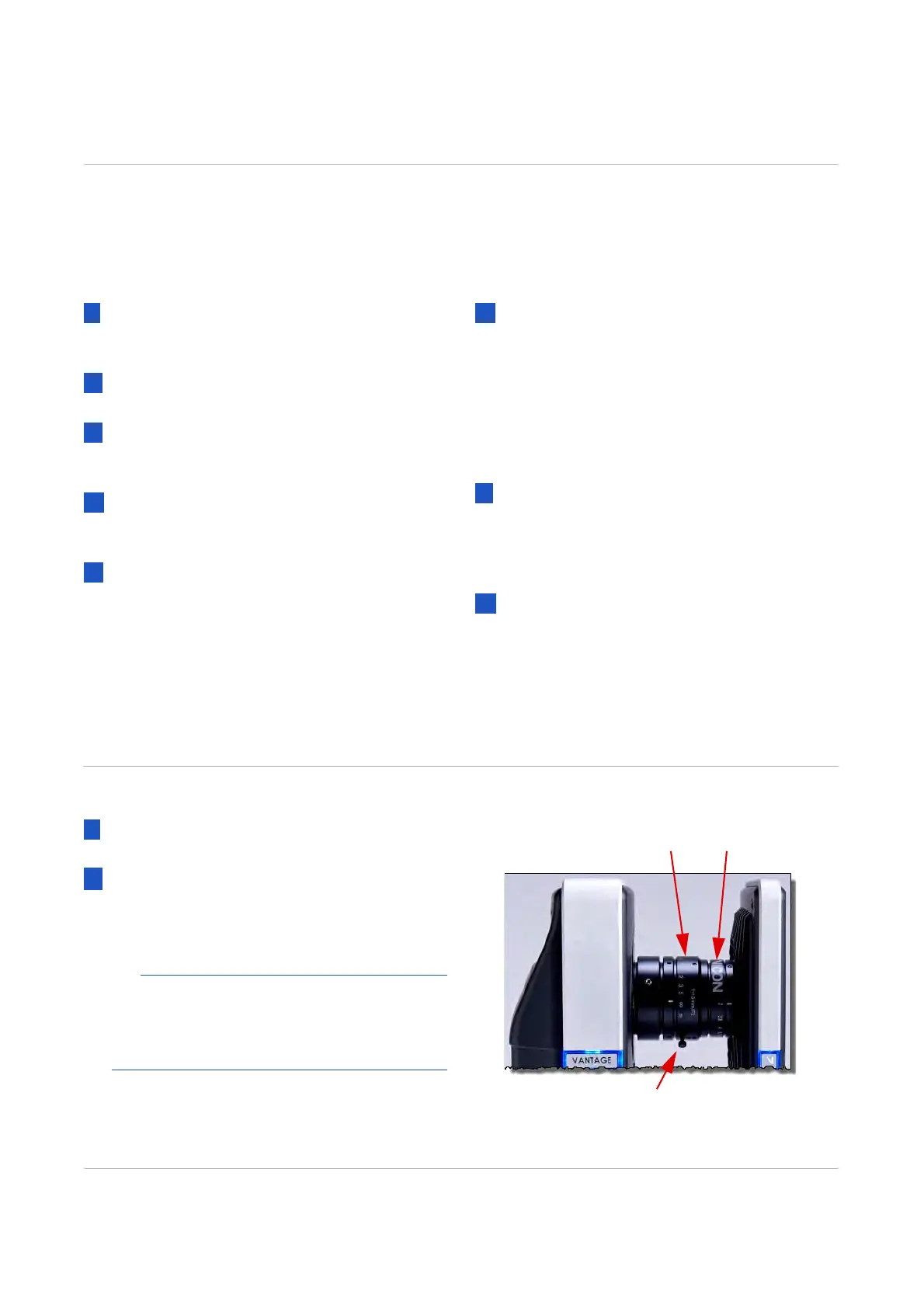
The illustration (right) shows the focus
and aperture rings on a Vicon 18 mm lens.
Locking screw
ApertureFocus



 To Next Page