EasyManua.ls Logo

Vicovation Vico-Opia 2 Premium - Page 13

Vicovation Vico-Opia 2 Premium
57 pages
Print Icon
To Next Page IconTo Next Page
To Previous Page IconTo Previous Page
Loading...
External
GPS
Mouse
(Optional)
Settings
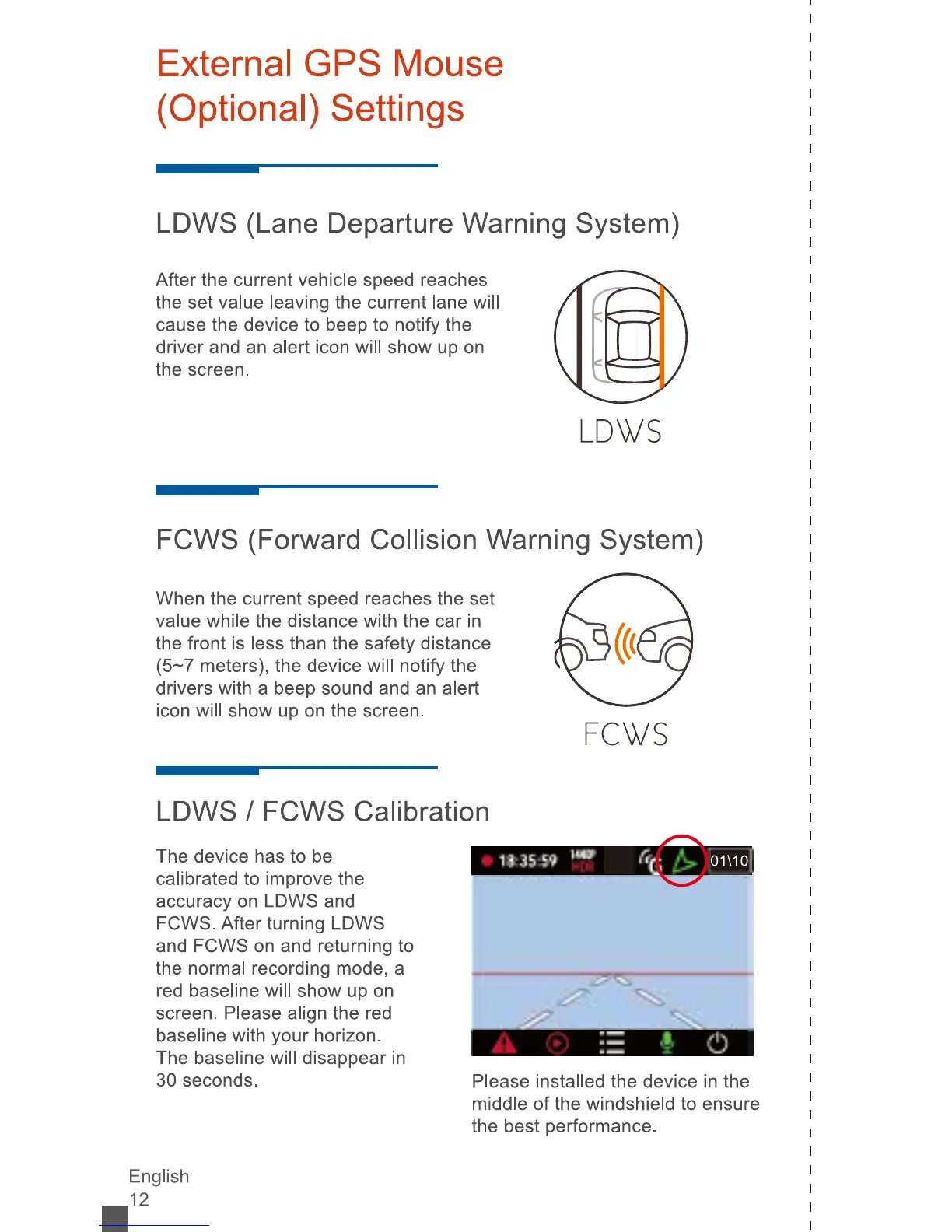
LDWS
(Lane
Departure
Warning
System)
After
the
current
vehicle
speed
reaches
the
set
value
leaving
the
current
lane
will
cause
the
device
to
beep
to
notify
the
driver
and
an
alert
icon
will
show
up
on
the
screen.
LDWS
FCWS
(Forward
Collision
Warning
System)
When
the
current
speed
reaches
the
set
value
while
the
distance
with
the
car
in
the
front
is
less
than
the
safety
distance
(5-7
meters),
the
device
will
notify
the
drivers
with
a
beep
sound
and
an
alert
icon
will
show
up
on
the
screen.
FCWS
LDWS
/
FCWS
Calibration
The
device
has
to
be
calibrated
to
improve
the
accuracy
on
LDWS
and
FCWS.
After
turning
LDWS
and
FCWS
on
and
returning
to
the
normal
recording
mode,
a
red
baseline
will
show
up
on
screen.
Please
align
the
red
baseline
with
your
horizon.
The
baseline
will
disappear
in
30
seconds.
-
3ÿ1
-
3?
Please
installed
the
device
in
the
middle
of
the
windshield
to
ensure
the
best
performance.
English
J
2