8
OPERATING INSTRUCTIONS
TRIGGER LOCK BUTTON
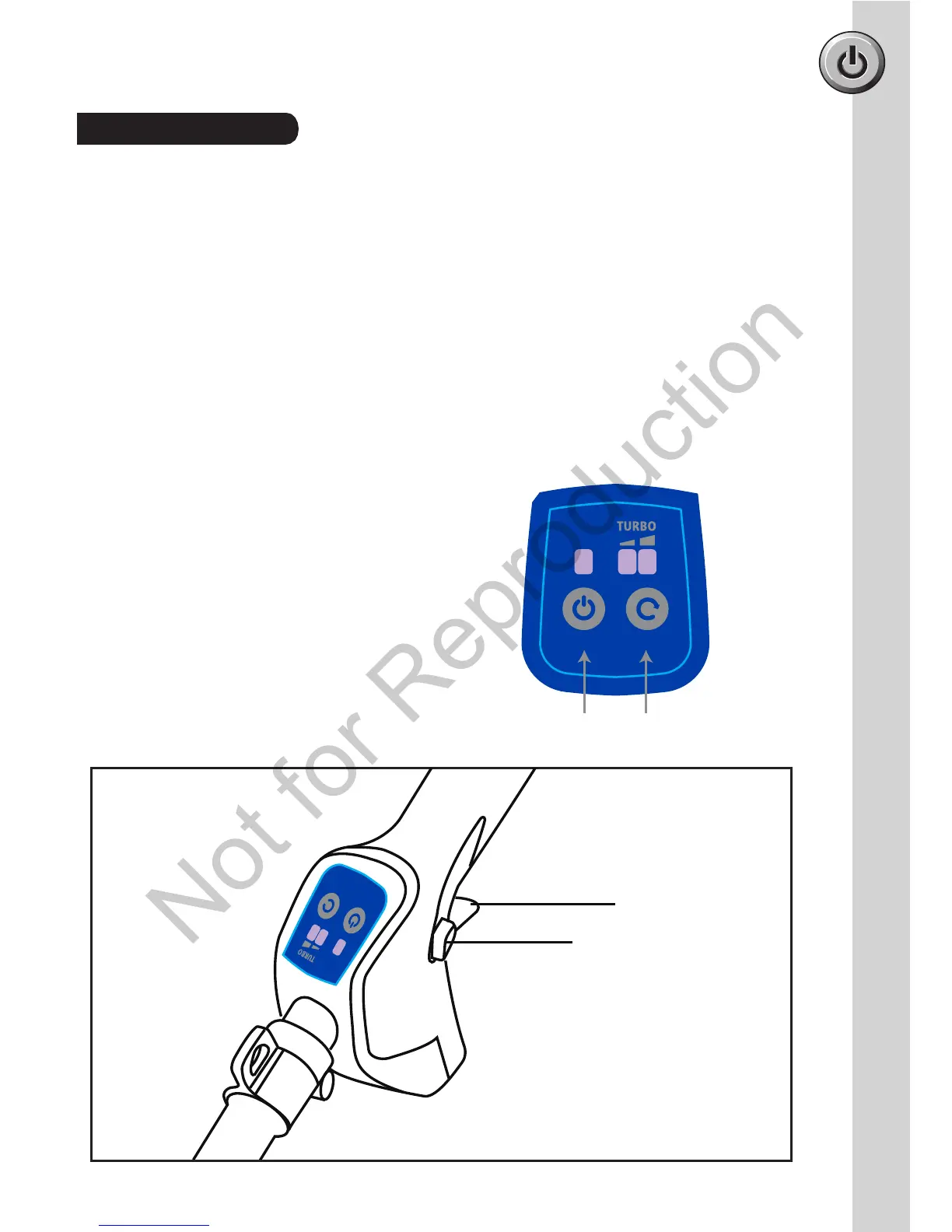
NOTE: Refer to Fig. 8.
The trigger lock button reduces the possibility of accidental starting. The trigger lock button
must be depressed before you pull the trigger. The lock resets each time the trigger
is released.
STARTING the trimmer:
• Press the ON/Off button to power on the trimmer. (Refer to Fig. 7).
• Depress the trigger lock button (1).
• Squeeze the trigger (2). The trigger lock can now be released.
• Press high speed button to increase speed depending upon grass condition. Two LED's will
illuminate above the high speed button indicating that the trimmer is in the high speed setting.
STOPPING the trimmer:
• Release the switch trigger.
• Allow cutting head to come to a complete stop.
Power off the trimmer by pressing the ON/OFF
button.
• Remove battery from product.
Starting & Stopping
Fig 8
Fig 7
Hight / Low
Speed Button
ON / OFF
Button
2
1
•



 To Next Page