•Press pusher B briefly until the hand reverts to the
original position.
Zero Reset of the Tenths of a Second Counter Hand
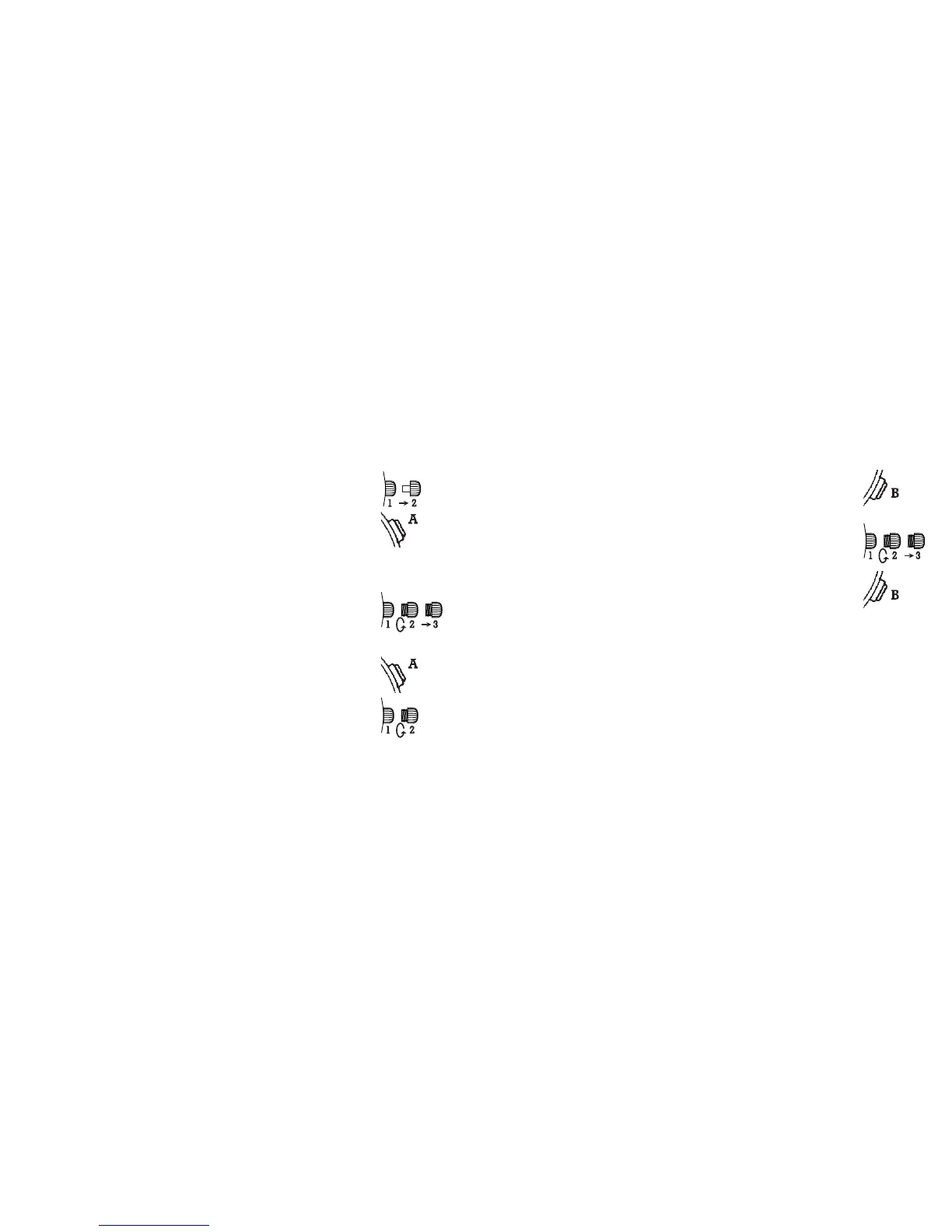
• Unscrew if necessary and then pull out the crown by
turning it toward you, then pull the crown out to posi-
tion 3.
•Press pusher B briefly until the hand reverts to the
original position.
15
14
Zero Reset of the Tenths of a Second Counter Hand
• Pull out the crown to position 2.
•Press pusher A briefly until the hand reverts to the
original position.
CHRONO TYPE II
Zero Reset of the Chrono Seconds Hand
• Unscrew if necessary and then pull out the crown by
turning it toward you, then pull the crown out to posi-
tion 3.
•Press pusher A briefly until the hand reverts to the
original position.
Zero Reset of the Elapsed Minute Hand
• Unscrew if necessary and then pull out the crown by
turning it toward you, then pull the crown out to posi-
tion 2.

 To Next Page
 Loading...