24
Instruments, Features and Controls
Instrument Cluster
Multi-Function Display
Average Fuel Economy (Accessory)
This mode displays average fuel economy since being reset. To reset, toggle to this mode.
Press and hold the mode button until the meter resets.
Instantaneous Fuel Economy (Accessory)
This mode displays the instantaneous fuel economy of the motorcycle.
Trip Hours Meter (Accessory)
The trip hours meter displays total hours of operation since being reset. To reset, toggle to
this mode. Press and hold the mode button until the meter resets.
Average Speed (Accessory)
The average speed mode displays average vehicle speed since being reset. To reset, toggle to
this mode. Press and hold the mode button until the meter resets.
DC Voltage (Accessory)
The volt meter displays battery voltage. If the engine is not running, approximate battery
voltage displays. If the engine is running, approximate charging voltage displays.
Ambient Air Temperature (Accessory)
If the accessory sensor is installed, toggle to this mode to display the ambient air tempera-
ture. The key must be in the ON position.
Diagnostic Functionality
Certain conditions will cause an error message to display in the screen. If this occurs, please
see your VICTORY dealer.
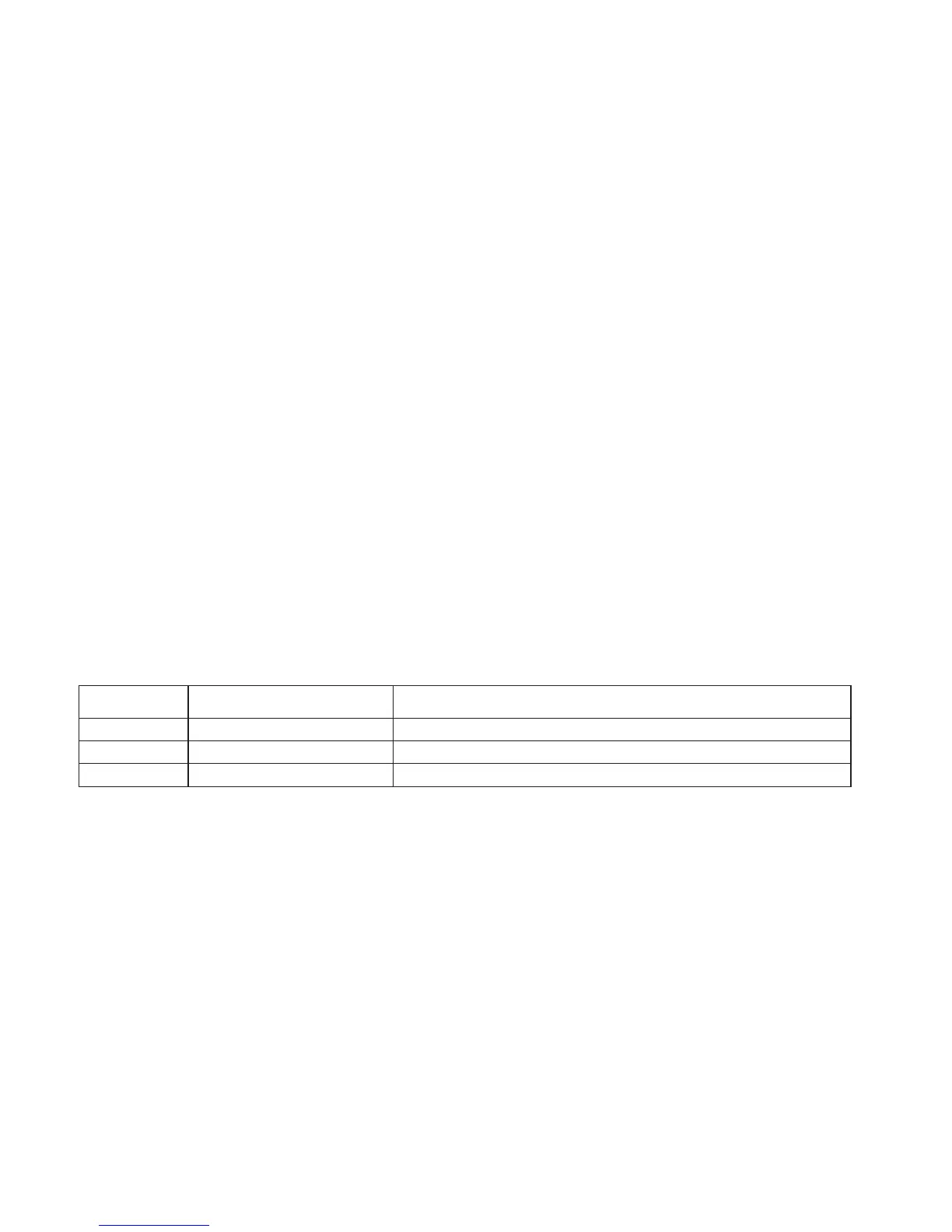
Message Location Indicates
LO DC Voltage Screen Voltage remains below 11.0 volts for more than 10 seconds
OV DC Voltage Screen Voltage remains above 15.0 volts for more than 10 seconds
ERROR All Checksum error (gauge malfunction)



 To Next Page