
 Need help?
Do you have a question about the Victrola THE JOURNEY and is the answer not in the manual?
Specifies input voltage, frequency, and output for the power adapter.
Details speaker impedance, power, and maximum unit consumption.
Lists all items provided with the turntable package.
Capacity, weight, and size specifications for the record holder.
Identifies the main record surface and its central spindle.
Details the tone arm, clip, lift lever, and stylus cartridge.
Locates function knobs, speed switches, and volume controls.
Identifies ports for headphones, AUX input, RCA output, and power adapter.
Instructions for connecting the power adapter to the unit and outlet.
Step-by-step guide to placing a record and starting playback.
Procedures for safely replacing the stylus cartridge.
Steps to connect external devices wirelessly via Bluetooth.
Guide for connecting wired audio sources using the line-in jack.
Instructions for listening through headphones.
Detailed instructions for assembling the record holder.
Compliance information regarding radio frequency interference.
Disclosure of chemicals known to cause cancer or reproductive harm.
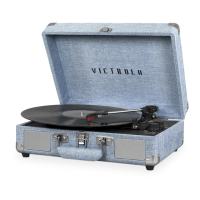
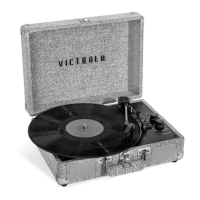
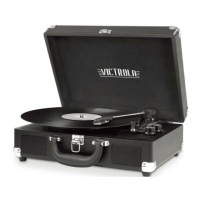
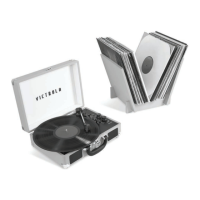
This document outlines the operation and maintenance of the Victrola VSC-550BTV "The Journey Bundle," a portable turntable system designed for playing vinyl records and connecting to external audio sources via Bluetooth or auxiliary input. The bundle also includes a record holder for storage.
The Victrola VSC-550BTV is a versatile audio device primarily functioning as a record player. It supports three common record speeds: 33 1/3, 45, and 78 RPM, accommodating a wide range of vinyl records. For 45 RPM records, a dedicated adaptor is included and stored conveniently near the tone arm. The turntable features an auto and manual stop selection switch, allowing users to choose whether the record stops automatically at the end of playback or continues spinning.
Beyond its core record-playing capability, the VSC-550BTV offers modern connectivity options. It includes Bluetooth functionality, enabling wireless streaming of audio from external devices such as smartphones, tablets, or computers. This allows the turntable to act as a Bluetooth speaker, playing digital music through its integrated speakers. Additionally, an AUX-IN jack provides a wired connection for external audio sources that lack Bluetooth, such as personal CD/MP3 players or older mobile phones. This expands the turntable's utility as a central audio hub.
For private listening, the device is equipped with a headphone jack. Plugging in earphones automatically mutes the built-in speakers, providing a personal audio experience. The unit's design emphasizes portability, featuring a buckle and handle for easy transport.
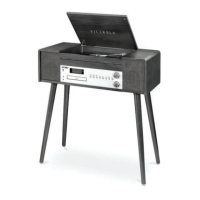
The accompanying record holder is designed for organizing and storing vinyl records. It is a two-piece assembly consisting of side panels and bottom boards, providing a stable structure to hold a collection of records.
Operating the turntable is straightforward. To begin, the user lifts the buckle and opens the lid. The FUNCTION KNOB is then turned to the PHONO position, and the VOLUME CONTROL KNOB is rotated clockwise to power on the unit, indicated by a red LED. A record is placed on the turntable platter, and the appropriate speed (33 1/3, 45, or 78 RPM) is selected using the SPEED SELECTION SWITCH. For 45 RPM records, the included adaptor is utilized.
The tone arm is released by opening the TONE ARM CLIP. The LIFT LEVER is pushed backward to raise the arm, allowing the user to gently position it over the desired track on the record. The turntable platter will start spinning as the arm moves over the record, provided the Auto Stop feature is engaged. Pushing the lift lever forward slowly lowers the arm onto the record, initiating playback. The AUTO AND MANUAL STOP SELECTION SWITCH determines whether the record stops automatically at the end. If set to ON, the record will cease spinning; if OFF, it will continue. The VOLUME CONTROL KNOB adjusts the playback volume.
For Bluetooth operation, the user powers on the unit and turns the FUNCTION KNOB to the BT (Bluetooth) position, causing a blue LED to flash. On their external device, Bluetooth settings are activated, and "Vintage Turntable" is selected from the list of available devices. Once connected, the blue LED will stop flashing, and audio can be streamed wirelessly, with volume controlled by the turntable's VOLUME CONTROL KNOB.
When using the AUX-IN feature, an auxiliary cable (not provided) is plugged into the LINE-IN jack on the turntable. The FUNCTION KNOB is set to the LINE-IN position, and the LED turns purple. The other end of the aux cable is connected to the headphone or line out socket of the external audio source. The unit is powered on, and the VOLUME CONTROL KNOB adjusts the sound level.
The record holder is assembled by placing the two bottom boards on a flat surface and then inserting the side panels into the slots of the bottom panels, pressing gently to secure them. It is designed to hold approximately 35-50 vinyl records.
Maintaining the Victrola VSC-550BTV involves simple steps to ensure longevity and optimal performance. The stylus, a critical component for sound quality, is replaceable. The instruction manual provides clear steps for removing and installing a new stylus (Replacement Needle # ITNP-S1). To remove, a screwdriver is used to push down on the tip of the stylus in direction "A," then the stylus is pulled out in direction "B." Care must be taken to avoid damaging the stylus during this process. Installation involves holding the tip, inserting the other edge in direction "C," and pushing it up in direction "D" until it locks. It is crucial not to bend the stylus needle, touch it with hands, or replace it while the unit is powered on. The stylus is expected to last about 50 hours under normal use, and replacement is recommended as soon as a change in sound quality is noticed.
For general cleaning, the apparatus should only be wiped with a dry cloth. It is explicitly stated not to use liquid cleaners or aerosol cleaners. The unit should be kept in a well-ventilated environment, away from heat sources, direct sunlight, vibrations, excessive dust, cold, or moisture.
When moving the record holder, all records MUST be removed beforehand. The holder should only be lifted from the two bottom boards simultaneously, as lifting from the side panels will cause it to disassemble. The record holder is solely for storing records, and users should not sit or stand on it to prevent injury.
The power cord should be protected from being walked on or pinched, especially at the plugs and where it exits the apparatus. The unit should be unplugged during lightning storms or when unused for long periods. For any servicing beyond user-level maintenance, qualified personnel should be consulted. The main plug serves as the disconnect device and should remain readily operable. The product is intended for household use only and not for commercial purposes.
 General
| Built-in Speakers | Yes |
|---|---|
| Bluetooth Connectivity | Yes |
| USB Port | No |
| Headphone Jack | Yes |
| Auxiliary Input | Yes |
| RCA Output | Yes |
| Cartridge Type | Ceramic |
| Carrying Handle | Yes |
| Speed Settings | 33 1/3, 45, 78 RPM |
| Power Source | AC adapter |
| Color Options | Black, Red, Blue |







 To Next Page