EasyManua.ls Logo

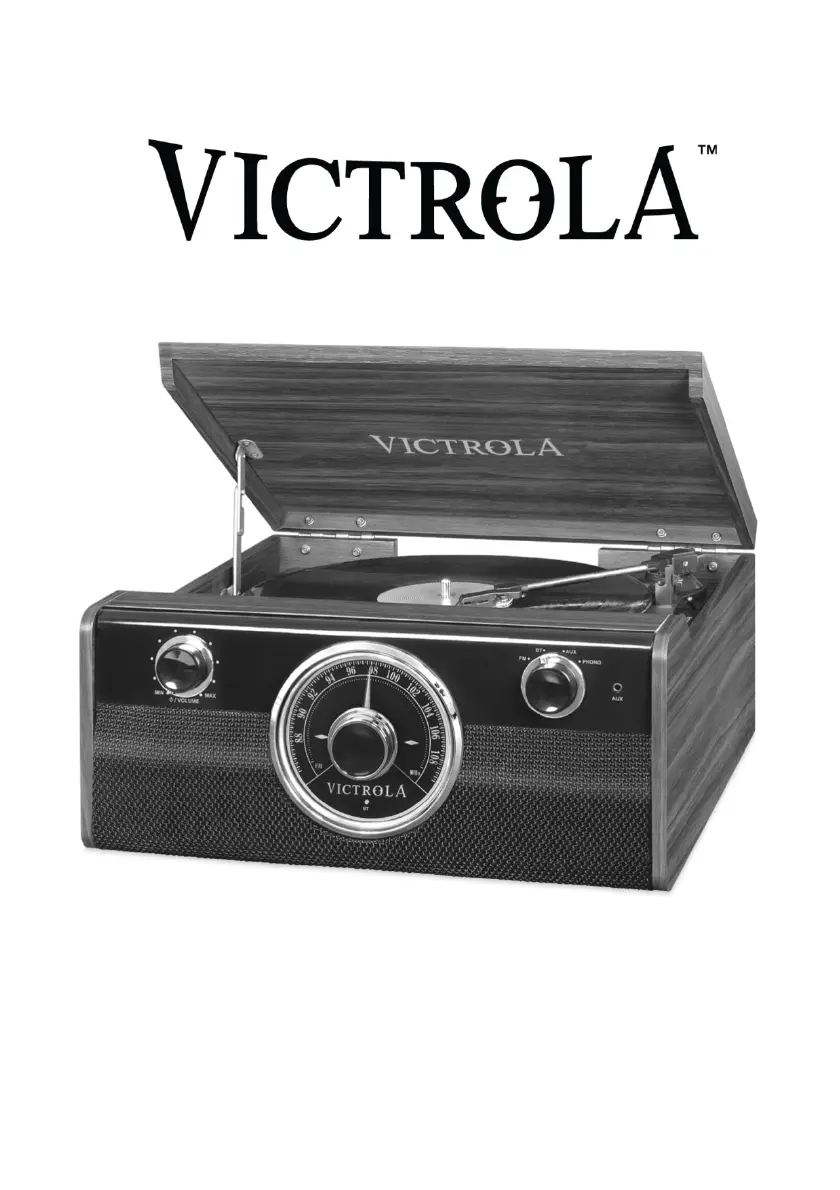
Victrola VTA-240B - User Manual

Victrola VTA-240B
13 pages
Print Icon
To Next Page IconTo Next Page
Loading...
1
MODEL: VTA-240B
4-IN-1 TURNTABLE

Questions and Answers

  • A
    adamsrachelJul 27, 2025
    What to do if my Victrola VTA-240B Turntable will not power on?
    • A
      Alejandra CollierJul 27, 2025
      If your Victrola Turntable isn't powering on, the first thing to check is whether it's properly connected to the AC power supply. Ensure the unit is plugged in securely.
  • K
    Kimberly AlexanderJul 31, 2025
    What to do if my Victrola VTA-240B Turntable fails to respond?
    • C
      Candice AllenJul 31, 2025
      If your Victrola Turntable fails to respond, it might be due to external factors such as electro-static discharge. Disconnect the power cord and any external audio devices. Then, plug the power cord back in after one minute.
  • C
    Cristina HaleAug 4, 2025
    Why I can't pair my device with Victrola Turntable via Bluetooth?
    • D
      Daniel MooreAug 4, 2025
      If you're unable to pair with a Bluetooth device, first confirm that your device is Bluetooth compatible. If it is, try pairing the unit and device again.
  • D
    Desiree MasonAug 8, 2025
    Why is there no sound output from speakers of Victrola VTA-240B?
    • P
      Patricia JonesAug 8, 2025
      If there's no sound coming from the speakers, first check that the volume level isn't set too low and adjust it accordingly. Also, make sure the input selector matches the playback source you're using; select the correct input source.
  • H
    hamptonkatherineAug 13, 2025
    Why is there no sound output with external audio device plugged into AUX in jack on Victrola VTA-240B?
    • R
      Richard BaileyAug 13, 2025
      If you're not getting any sound when an external audio device is plugged into the AUX in jack, make sure the unit is switched to AUX mode.
  • J
    Jason MccoyAug 18, 2025
    How to improve weak radio signal on Victrola Turntable?
    • J
      Johnathan RyanAug 18, 2025
      If you cannot listen to any station, or the signal appears weak, make sure that the desired station is properly tuned-in. Also, check whether a TV set is being used nearby, as it may interfere with radio reception. If so, turn off the interfering TV set.
  • V
    vanessa75Aug 22, 2025
    What causes decline in audio performance of Victrola Turntable?
    • A
      Anthony AndersonAug 22, 2025
      A decline in turntable audio performance is often due to a worn-out turntable stylus. Consider replacing the stylus.

Summary

Important Safety Instructions

Product Overview

Front View

Details the front panel controls and indicators of the Victrola turntable.

Rear View

Parts of the Turntable

Setup and Operation

Setup Procedures

Steps for initially setting up the Victrola turntable and connecting power.

Basic Operation Guide

Instructions for turning on, selecting sources, and adjusting volume.

Listening via RCA Line Out

Connecting the unit to an external amplifier using RCA cables.

Listening to the FM Radio

Instructions for tuning and listening to FM radio stations.

Listening Modes

Bluetooth Audio Playback

Connecting and playing audio from a Bluetooth-enabled device.

AUX Audio Input

Connecting and playing audio from external devices via AUX-IN jack.

Vinyl Record Playback

Instructions for placing and playing vinyl records on the turntable.

Maintenance and Care

Handling Vinyl Records

Proper techniques for handling and cleaning vinyl records to preserve quality.

General Unit Care

Guidelines for cleaning and maintaining the Victrola unit.

Stylus Replacement Guide

Instructions on how to safely remove and install a new turntable stylus.

Product Specifications

Troubleshooting Common Issues

Victrola VTA-240B Specifications

General IconGeneral
Drive TypeBelt Drive
Built-in SpeakersYes
MaterialWood
PlatterPlastic
OutputsRCA
Power SourceAC Adapter
Weight5.5 lbs
TypeBelt Drive Turntable
Speed Settings33 1/3, 45 RPM
ConnectivityRCA
TonearmStraight

Related product manuals