EasyManua.ls Logo

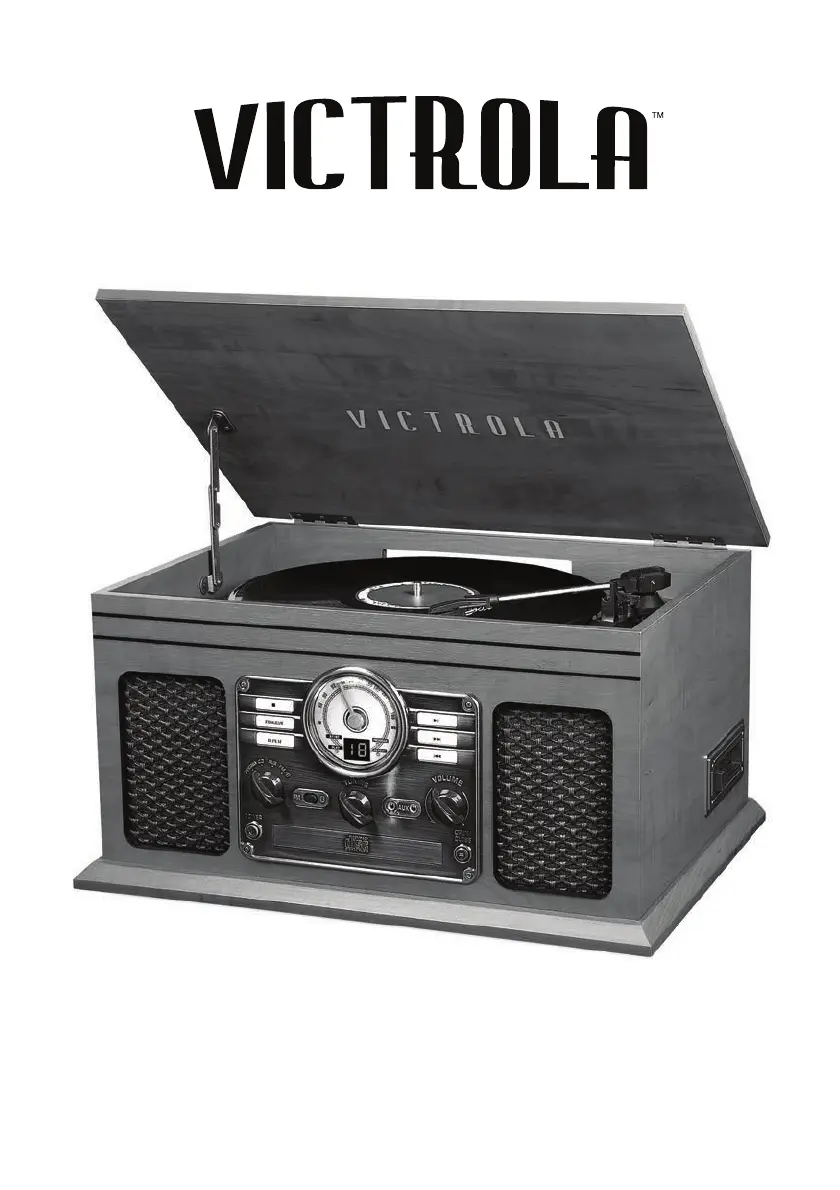
Victrola VTA-204B - User Manual

Victrola VTA-204B
16 pages
Print Icon
To Next Page IconTo Next Page
Loading...
MODEL: VTA-204B
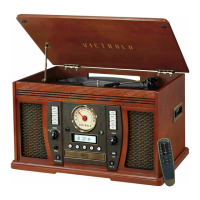
7-IN-1 TURNTABLE

Questions and Answers

  • M
    Melissa JohnsonAug 15, 2025
    What to do if there is no sound output from Victrola VTA-204B speakers?
    • W
      Wesley BaldwinAug 15, 2025
      If you're not getting any sound from the speakers of your Victrola Turntable, there are a couple of things to check: 1. The volume level might be set too low. Try adjusting the volume. 2. The input selector might not match the playback source. Make sure you select the correct input source.
  • L
    Lauren SchmidtAug 18, 2025
    How to fix a Victrola VTA-204B that will not power on?
    • C
      Catherine HarrisAug 18, 2025
      If your Victrola Turntable unit is not powering on, ensure that the unit is connected to the AC power supply.
  • J
    James ClarkAug 22, 2025
    How to fix unable to pair with a Bluetooth device on Victrola VTA-204B?
    • D
      dylan16Aug 22, 2025
      If you can't pair your Victrola Turntable with a Bluetooth device: * Make sure your device has Bluetooth connectivity. * The Bluetooth pairing might not have been successful. Try re-pairing the unit and device again.
  • J
    James RileyAug 26, 2025
    Why Victrola VTA-204B CD tray will not open?
    • D
      David WilsonAug 26, 2025
      If the CD tray on your Victrola Turntable won't open, it might be because the AM/FM mode is selected. Try selecting AUX, PHONO, CD, or TAPE mode.
  • R
    robersonmatthewAug 28, 2025
    Why are the buttons not functioning correctly on my Victrola Turntable?
    • W
      William FarrellAug 29, 2025
      If the buttons on your Victrola Turntable aren't working correctly: * The unit might be processing information. Wait until it finishes. * The unit might need a restart. Turn it off, then on again.
  • A
    Amanda NelsonAug 31, 2025
    What to do if CD stops immediately after starting, or unit pauses or stops during play on Victrola VTA-204B Turntable?
    • A
      Andrea AdamsAug 31, 2025
      If your Victrola Turntable's CD stops immediately after starting, or pauses/stops during play, it could be due to these reasons: * The CD is inserted upside down. Insert it with the printed side up. * The CD is dusty, dirty, or has condensation. Carefully clean and dry the CD.
  • R
    Robert CamposSep 4, 2025
    Why Victrola VTA-204B Turntable CD playback is noisy, or playback stops or skips?
    • E
      Evelyn CooperSep 4, 2025
      If your Victrola Turntable's CD playback is noisy, or it stops or skips, it could be because: * The CD is scratched, damaged, or warped. Replace it with an undamaged one. * The disc is very dirty. Carefully clean the CD.
  • K
    katherine52Sep 7, 2025
    What to do if the tape does not play on Victrola Turntable?
    • J
      James AdkinsSep 7, 2025
      If your Victrola Turntable isn't playing the tape, make sure the cassette tape is inserted correctly. If it is, and it still doesn't play, the tape might have reached the end. Try flipping the cassette.
  • A
    Andrew FowlerSep 12, 2025
    What to do if cannot listen to any station, or signal appears weak on Victrola VTA-204B?
    • J
      James YoungSep 12, 2025
      If you cannot listen to any station or the signal appears weak on your Victrola Turntable, ensure that the desired station is properly tuned-in. Also, a TV set being used nearby might be interfering with the radio reception, so try turning off the TV.

Summary

Important Safety Instructions

General Safety Precautions

Detailed safety guidelines for operating the Victrola turntable to prevent hazards.

Product Overview

Front Panel Controls

Explanation of buttons, knobs, and indicators on the front of the unit.

Side Panel Controls

Details on the cassette mechanism and controls on the side of the unit.

Rear Panel Connections

Information on antenna, audio outputs, power input, and USB port.

Turntable Components

Identification and description of the turntable's key physical components.

Setup and Basic Operation

Initial Setup Guide

Steps for preparing the unit and connecting power before initial use.

Basic Operation Steps

Instructions for turning on the unit, selecting sources, and adjusting volume.

Listening to a Vinyl Record

Vinyl Playback Procedure

Detailed instructions for setting up and playing vinyl records.

Listening to a CD

CD Playback Steps

Steps for playing audio CDs, including pause, skip, and stop functions.

CD Repeat and Program Modes

How to use repeat playback and program track playback features for CDs.

Listening to the FM Radio

FM Tuning and Reception

Guide to tuning FM stations and improving signal reception.

AUX Mode Audio Input

AUX Input Connections

Instructions for connecting audio sources via AUX-IN and LINE-OUT jacks.

Bluetooth Audio Streaming

Bluetooth Connection Guide

Steps to pair and play music from Bluetooth-enabled devices.

Cassette Tape Playback

Cassette Operation

How to play, fast forward, and eject cassette tapes.

USB Recording Function

USB Recording Process

Instructions for recording vinyl to a computer using USB and software.

Maintenance and Care

Disc and Record Handling

Guidelines for handling CDs and vinyl records to prevent damage.

General Unit Care

Advice on cleaning the unit, power handling, and unplugging.

Turntable Stylus Replacement

Stylus Replacement Guide

Step-by-step guide on how to safely remove and install a new turntable stylus.

Product Specifications

General Specifications

Details on power, dimensions, and weight of the turntable unit.

Audio and Component Specs

Technical data for amplifier, speakers, FM radio, CD, cassette, and record player.

Bluetooth Features

Specifications for Bluetooth version, profiles, frequency, and operating distance.

Troubleshooting Guide

General Issues

Solutions for common issues like power, sound output, and unit response.

Tape and Radio Problems

Fixes for cassette playback problems and FM radio reception difficulties.

CD Player Issues

Resolving common problems with CD playback, tray operation, and buttons.

Phono and AUX Issues

Troubleshooting turntable audio performance and AUX input connection problems.

Bluetooth Troubleshooting

Bluetooth Connectivity Problems

Solutions for no sound, static, or pairing issues with Bluetooth devices.

FCC Warning

California Proposition 65 Warning

Industry Canada (IC) Warning

Limited Warranty Information

Warranty Terms and Coverage

Details on the warranty period, what is covered, and exclusions.

Obtaining Service and Returns

Procedure for requesting service, obtaining an RMA, and returning the product.

Victrola VTA-204B Specifications

General IconGeneral
Built-in SpeakersYes
Bluetooth ConnectivityYes
USB OutputYes
OutputsRCA
PlatterPlastic
TonearmStraight
USB RecordingYes
Power SourceAC Adapter
TypeBelt Drive
Speed Options33 1/3, 45 RPM
ConnectivityBluetooth, RCA

Related product manuals