EasyManua.ls Logo

Victrola SONOMA VTA-570B - User Manual

Victrola SONOMA VTA-570B
16 pages
Print Icon
To Next Page IconTo Next Page
Loading...
T H E
S O N O M A
MODEL: VTA-570B
INSTRUCTION MANUAL
PLEASE READ THIS INSTRUCTION MANUAL CAREFULLY
BEFORE USE AND KEEP IT FOR FUTURE REFERENCE.

Questions and Answers

  • J
    jessica51Aug 16, 2025
    What to do if Victrola SONOMA VTA-570B unit will not power on?
    • C
      Courtney ChavezAug 16, 2025
      If your Victrola Turntable unit isn't powering on, the first thing to check is whether it's properly plugged in. Connect the unit to the AC power supply.
  • E
    Ellen NewmanAug 19, 2025
    Why Victrola SONOMA VTA-570B Turntable is unable to pair with a Bluetooth device?
    • J
      jbradleyAug 19, 2025
      If your Victrola Turntable is unable to pair with a Bluetooth device, it could be due to the following reasons: * Your device doesn’t have Bluetooth connectivity. Confirm that your device is Bluetooth compatible. * The Bluetooth pairing is not successful. Repair the unit and device again.
  • C
    Christina JonesAug 21, 2025
    How to fix no sound output from Victrola SONOMA VTA-570B speakers?
    • S
      Sharon SpencerAug 22, 2025
      If you're not getting any sound from the speakers of your Victrola Turntable, here are a couple of things to check: 1. Make sure the volume isn't set too low. Adjust the volume. 2. Verify that the input selector matches the playback source. Select the correct input source.
  • E
    Erica HowardAug 25, 2025
    Why is my Victrola SONOMA VTA-570B CD playback noisy?
    • E
      Eric FrazierAug 26, 2025
      If CD playback on your Victrola Turntable is noisy, or if playback stops or skips, it could be due to a few reasons: * The CD might be scratched, damaged, or warped. Replace the CD with an undamaged one. * The disc might be very dirty. Carefully clean the CD.
  • T
    Terri AlvarezAug 27, 2025
    How to fix no sound output with external audio device plugged into AUX in jack in Victrola SONOMA VTA-570B Turntable?
    • J
      jesus85Aug 27, 2025
      If you're not getting any sound output with an external audio device plugged into the AUX in jack on your Victrola Turntable, make sure the unit is switched to AUX mode.
  • D
    Dr. Jennifer VazquezAug 30, 2025
    What to do if Victrola Turntable buttons are not functioning correctly?
    • I
      Isaac AvilaAug 30, 2025
      If the buttons on your Victrola Turntable aren't working right, it could be because the unit is still processing information (indicated by “--- Busy” being displayed). Wait until the unit finishes processing. Alternatively, the unit might need a restart. Try turning the unit off, and then on again.
  • J
    Julie BentonSep 1, 2025
    What to do if my Victrola SONOMA VTA-570B Turntable CD tray will not open?
    • T
      Timothy Santiago DDSSep 2, 2025
      If the CD tray on your Victrola Turntable won't open, check if the unit is in FM/BLUETOOTH/AUX/PHONO/TAPE mode. If it is, select CD mode.
  • J
    Jennifer LewisSep 4, 2025
    What to do if Victrola SONOMA VTA-570B Turntable CD stops immediately after starting?
    • J
      Jade PittmanSep 5, 2025
      If the CD stops immediately after starting, or the unit pauses or stops during play on your Victrola Turntable, consider these possibilities: * The CD might be inserted upside down. Insert the CD with the printed side right-side up. * The CD might be dusty, dirty, or have condensation on it. Carefully clean and dry the CD.
  • E
    elizabethpetersonSep 7, 2025
    Why Victrola Turntable unit fails to respond?
    • S
      Stephen SteeleSep 7, 2025
      If your Victrola Turntable unit fails to respond, it might be due to external factors such as ESD (Electro-static discharge). Disconnect the power cord and any external audio devices. Re-plug the power cord after one minute.
  • J
    Jamie RomeroSep 10, 2025
    Why Victrola SONOMA VTA-570B cannot listen to any station?
    • J
      John HicksSep 10, 2025
      If you cannot listen to any station on your Victrola Turntable, or the signal appears weak, it could be due to the following reasons: * The station is not tuned-in properly. Properly tune-in the desired station. * A TV set is being used nearby and is interfering with the radio reception. Turn off the interfering TV set.

Summary

Important Safety Instructions

General Operating Safety

Covers essential safety guidelines for operating the appliance, including handling, installation, and environment.

Safety Warnings and Precautions

Electrical Safety and Operation

Details electrical safety, handling, operational limits, and servicing precautions for the unit.

Product Overview

Front View Controls

Identifies and describes the various controls and features located on the front panel of the unit.

Right Side View

Cassette Controls

Details the function of the cassette fast forward and eject controls.

Rear View Connections

Antenna and Power

Describes the FM antenna connection and the AC power cord.

Turntable Components

Turntable Parts Identification

Lists and describes the individual parts of the turntable mechanism.

Setup and Basic Operation

Initial Setup and Basic Controls

Guides through the initial setup, basic unit operation, and volume adjustment.

Listening Modes

Explains how to listen via headphones and operate the vinyl record player.

Listening to the Radio

Radio Tuning

Instructions on selecting AM/FM modes and tuning into radio stations.

Listening to a CD

CD Playback Operations

Details on playing CDs, including playback controls, repeat modes, and programming.

Programmed CD Playback

Track Programming

Explains how to program up to 20 tracks for playback in a desired order.

Bluetooth Connectivity

Pairing and Playback

Guides on connecting and playing audio from external devices via Bluetooth.

AUX Input

Connecting External Devices

Instructions for connecting external audio devices using the AUX IN jack for playback.

Cassette Tape Playback

Loading and Playing Tapes

Instructions for loading, playing, fast forwarding, and ejecting cassette tapes.

Maintenance and Handling

Disc and Record Care

Guidelines for handling compact discs and vinyl records to ensure quality and longevity.

General Unit Care

Provides advice on general cleaning and power disconnection for the unit.

Turntable Stylus Replacement

Stylus Removal and Installation

Step-by-step guide on how to remove the old stylus and install a new one.

Product Specifications

Troubleshooting Guide

General Issues

Addresses common problems like unit not powering on or no sound output.

Media Playback Issues

Covers troubleshooting for tape, radio, CD, and Bluetooth playback problems.

Turntable and AUX Issues

Solutions for turntable performance degradation and AUX mode sound issues.

Bluetooth Troubleshooting

Connectivity and Sound Problems

Details solutions for no sound, garbled audio, and pairing failures with Bluetooth devices.

FCC Statement

Warranty Information

United States Warranty

Details the limited warranty terms, coverage, limitations, and legal rights for US customers.

Canada and US Territories Warranty

Explains warranty service for Canada and US Territories, including replacement policies.

International Warranty

Covers warranty compliance for consumers outside the United States, Canada, and US Territories.

Overview

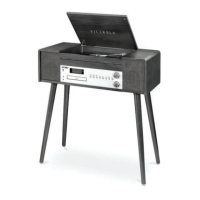
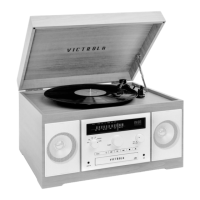
The Victrola Sonoma VTA-570B is a versatile audio system designed to play a wide range of media, including vinyl records, CDs, cassette tapes, AM/FM radio, and external audio devices via AUX input or Bluetooth. Its classic design, featuring a wooden enclosure and a hinged lid that reveals the turntable, evokes a nostalgic aesthetic while incorporating modern connectivity options.

Function Description

The core function of the VTA-570B is to provide a comprehensive audio playback experience. It integrates multiple playback mechanisms into a single unit, allowing users to enjoy music from various sources.

  • Turntable (Phono Mode): The device features a multi-speed turntable capable of playing 33-1/3, 45, and 78 RPM vinyl records. It includes a cue-lever for gentle lowering and lifting of the tone arm, a speed selector switch, and a replaceable stylus. The turntable platter and spindle are designed to securely hold records during playback. An included 45 RPM adaptor allows for playing records with larger center holes.
  • CD Player (CD Mode): A front-loading disc tray accommodates standard audio CDs. The CD player supports basic functions such as play, pause, stop, skip tracks (previous/next), fast forward/rewind within a track, and repeat modes (repeat one, repeat all, random playback). It also offers a programmed playback feature, allowing users to create a custom sequence of up to 20 tracks.
  • Cassette Player (Tape Mode): Located on the right side of the unit, the cassette player allows for playback of audio cassette tapes. It supports fast forward and an eject function. Playback begins automatically upon inserting a tape.
  • AM/FM Radio (Tuner Mode): The VTA-570B includes an integrated AM/FM radio tuner. Users can select either AM or FM mode and tune into desired stations using the dedicated tuner knob. An extendable FM antenna is provided on the rear for improved radio reception.
  • Bluetooth Connectivity (BT Mode): For wireless audio streaming, the unit features Bluetooth functionality. It can connect to external Bluetooth-enabled devices, such as smartphones or tablets, allowing users to play music wirelessly through the VTA-570B's speakers. The display indicates when the unit is searching for a device and when a connection is established.
  • Auxiliary Input (AUX Mode): A 3.5mm AUX IN jack on the front of the unit allows for a wired connection to external audio devices that do not have Bluetooth, such as MP3 players, portable CD players, or iPods. When an AUX cable is plugged in, the unit automatically switches to AUX playback, pausing any current playback from other modes.

Usage Features

The VTA-570B is designed for user-friendly operation with clearly labeled controls and a digital display.

  • Function Knob: A central function knob allows users to easily switch between different playback modes: AM, FM, CD, Bluetooth, Phono, and Tape.
  • Volume/Power Knob: A single knob controls both the power on/off and the master volume. Rotating it gently adjusts the volume when the unit is on.
  • Playback Controls: Dedicated buttons for play/pause, stop, previous/next track, and repeat are provided for intuitive control across CD and Bluetooth modes.
  • Display: A digital display provides visual feedback, showing the selected mode, track numbers, radio frequencies, and Bluetooth status.
  • Headphone Jack: A headphone jack is included for private listening, allowing users to enjoy their music without disturbing others.
  • Built-in Speakers: The unit features integrated speakers, providing an all-in-one audio solution without the need for external speakers.

Maintenance Features

Proper maintenance is crucial for extending the lifespan of the VTA-570B and ensuring optimal audio quality. The manual provides clear guidelines for caring for different components and media.

  • General Care:
    • Always pull the power plug directly from the wall outlet, not the cord, when disconnecting.
    • Avoid cleaning the unit with chemical solvents; use only a clean, dry cloth.
    • Unplug the unit during lightning storms or when unused for extended periods.
    • Ensure proper ventilation by not covering openings with items like newspapers or curtains.
    • Do not place naked flame sources, such as lighted candles, on the apparatus.
    • The unit should be used in moderate climates and protected from dripping or splashing liquids.
  • Turntable Stylus Replacement: The stylus is a consumable part that wears out over time. The manual provides detailed instructions on how to remove the old stylus and install a new one (Replacement Needle # ITNP-LC1). It recommends replacement after approximately 50 hours of use or when a change in sound quality is noticed, especially with 78 RPM records.
  • Vinyl Record Handling:
    • Avoid touching record grooves; handle records by the edges or label with clean hands.
    • Clean records with a soft anti-static cloth, wiping from the center hole outward.
    • Store records upright in their protective sleeves.
    • Keep records away from direct sunlight, heat sources, vibration, excessive dust, cold, or moisture.
  • Compact Disc Handling:
    • Always place discs label-side up in the tray.
    • Remove discs by pressing down on the center of the case and lifting by the edges.
    • Clean discs with a soft, dry cloth, wiping from the center hole outward.
    • Never use chemical cleaners (record spray, antistatic sprays, benzine, thinner) on discs.
    • Return discs to their cases after use to protect from dust and scratches.
    • Avoid exposing discs to direct sunlight, high humidity, or high temperatures.
    • Do not use irregularly-shaped CDs (octagonal, heart-shaped, business card size) as they can damage the unit.
    • Do not handle discs with dirty fingers or insert cracked discs.
    • Always use the OPEN/CLOSE button for the CD tray; do not push the tray manually.
  • Cassette Tape Handling: The manual implicitly suggests careful handling of cassette tapes to ensure proper insertion and playback.

The Victrola Sonoma VTA-570B is designed to be a durable and enjoyable audio system, with maintenance guidelines aimed at preserving its functionality and sound quality for years to come.

Victrola SONOMA VTA-570B Specifications

General IconGeneral
Speeds33 1/3, 45, 78 RPM
Drive SystemBelt Drive
CartridgeCeramic Cartridge
Built-in SpeakersYes
ConnectivityBluetooth
OutputsRCA
USB RecordingYes
Headphone JackYes
Power SourceAC adapter
TypeBelt-Drive
TonearmStatic Balance

Related product manuals