EasyManua.ls Logo

Victrola VTA-754B - User Manual

Victrola VTA-754B
20 pages
Print Icon
To Next Page IconTo Next Page
Loading...
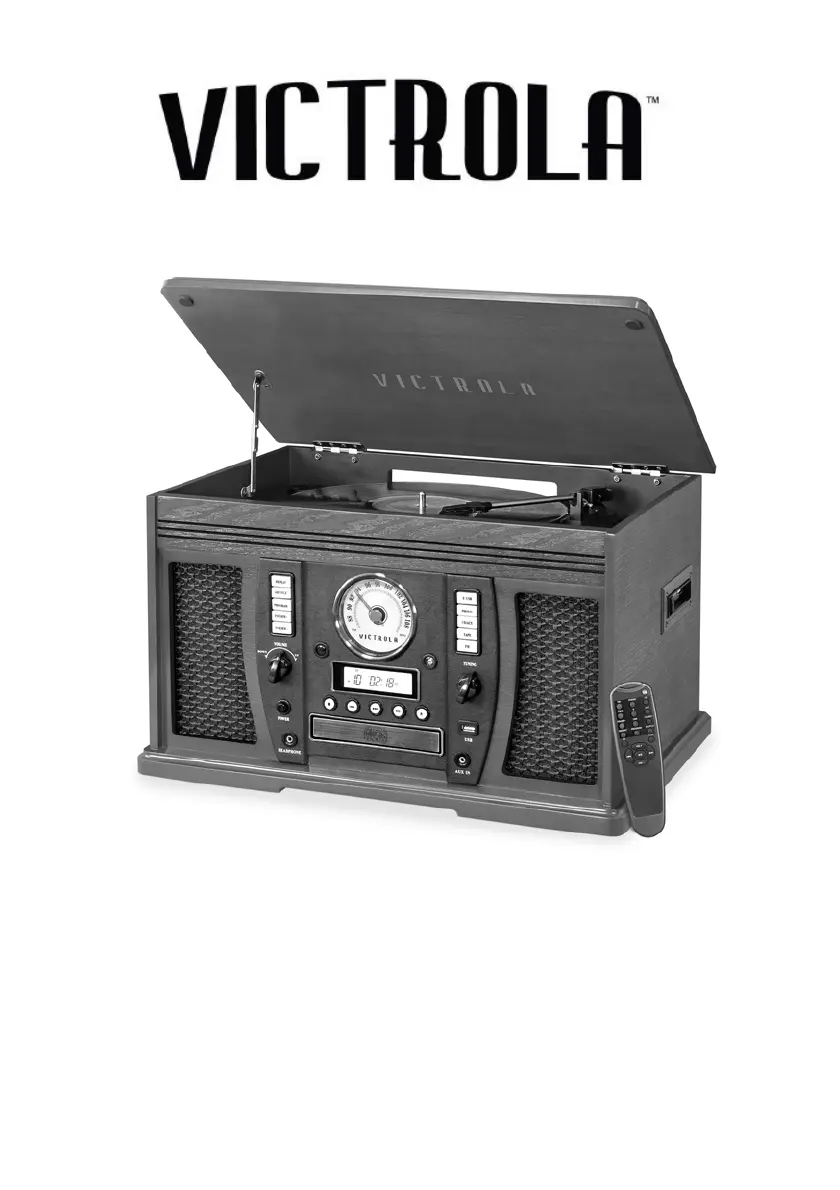
MODEL: VTA-754B
8-IN-1 TURNTABLE

Questions and Answers

  • M
    Mr. Raymond CaldwellAug 17, 2025
    How to fix Victrola VTA-754B if it will not power on?
    • D
      Dale HensleyAug 17, 2025
      If your Victrola Turntable isn't powering on, the first thing to check is whether it's properly connected to the AC power supply. Ensure the unit is plugged in securely.
  • C
    Craig LeblancAug 20, 2025
    What to do if my Victrola VTA-754B Turntable won't pair with Bluetooth?
    • R
      Ryan LynchAug 20, 2025
      If you're having trouble pairing your Victrola Turntable with a Bluetooth device, ensure that the device is Bluetooth compatible. If it is, try repairing the unit and the device again.
  • C
    craigbarryAug 23, 2025
    Why is the sound garbled on my Victrola VTA-754B Turntable?
    • L
      Lucas ReynoldsAug 23, 2025
      If the sound from your Victrola Turntable is garbled, try turning down the volume on your device/phone and the unit.
  • M
    Michele HigginsAug 26, 2025
    Why does my Victrola VTA-754B CD playback skip?
    • A
      adamskyleAug 26, 2025
      If CD playback on your Victrola Turntable is noisy, stops, or skips, the CD may be scratched, damaged, or warped. Try replacing it with an undamaged one. Alternatively, the disc could be very dirty, in which case you should carefully clean the CD.
  • M
    maddensamanthaAug 28, 2025
    Why is there no sound from my Victrola VTA-754B Turntable speakers?
    • J
      Jamie HarveyAug 28, 2025
      If you're not getting any sound from the speakers on your Victrola Turntable, first, make sure the volume isn't set too low and adjust it accordingly. Also, check that the input selector matches the source you're trying to play.
  • J
    Jennifer HartmanAug 31, 2025
    Why are the buttons on my Victrola VTA-754B Turntable not working?
    • M
      Matthew BoydAug 31, 2025
      If the buttons on your Victrola Turntable aren't working correctly, it could be because the unit is processing information; wait until it finishes. If that's not the issue, try turning the unit off and then on again.
  • D
    Dr. Amy CervantesSep 2, 2025
    Why does my Victrola VTA-754B CD stop playing?
    • J
      john57Sep 2, 2025
      If your Victrola Turntable's CD stops immediately after starting, or pauses/stops during play, make sure the CD is inserted with the printed side right-side up. Also, check if the CD is dusty, dirty, or has condensation; if so, carefully clean and dry it.
  • J
    Jorge WellsSep 5, 2025
    Why can't I tune into stations on my Victrola Turntable?
    • S
      Stacey HernandezSep 6, 2025
      If you cannot listen to any station on your Victrola Turntable, or the signal appears weak, properly tune-in the desired station. Also, a nearby TV set might be interfering with the radio reception, so try turning it off.
  • A
    Ashley CarpenterSep 8, 2025
    What to do if the tape does not play on my Victrola Turntable?
    • T
      Theresa LambSep 8, 2025
      If the tape isn't playing on your Victrola Turntable, ensure the cassette tape is inserted correctly. If it still doesn't play, the tape may have reached the end; try flipping the cassette.
  • S
    Sherry BullockSep 12, 2025
    Why won't my Victrola VTA-754B Turntable CD tray open?
    • S
      Steven JonesSep 12, 2025
      If the CD tray on your Victrola Turntable won't open, it might be because USB/BT/PHONO/AUX/FM/TAPE mode is selected. Select CD mode.

Summary

Important Safety Instructions

Product Overview

Front View

Overview of the front panel controls and indicators for the Victrola turntable.

Right Side View

Rear View

Parts of the Turntable

Setup and Basic Operation

Setup

Steps for initial unit setup and connection to power.

Basic Operation

Core functions including power, source selection, and volume control.

Listening through Earbuds;Headphones

How to connect and use headphones for private listening.

Listening through RCA LINE OUT

How to connect to an external amplifier using RCA cables.

Remote Control

Battery Installation

How to install batteries in the remote control unit.

Remote Control Management

Battery Replacement

Guidance on replacing batteries when signal weakens.

Remote Control Button Functions

Detailed explanation of all remote control buttons and their operations.

Listening to a Vinyl Record

Listening to a CD

CD Playback Modes

Repeat Playback

How to repeat tracks or the entire CD.

Shuffle Playback

How to play tracks in a random sequence.

Programmed Playback

Listening to the Radio

Listening to an External Audio Device (AUX Mode)

Listening to an External Audio Device (BT Mode)

Listening to a Cassette Tape

USB Memory Stick Playback

Repeat Playback

Repeat modes for USB playback.

Shuffle Playback

Shuffle mode for USB playback.

USB Programmed Playback

USB Recording Operation

Maintenance; Proper Handling

Compact Disc Handling

Guidelines for handling CDs to prevent damage.

Handling Vinyl Records

Guidelines for handling vinyl records to prevent damage.

General Unit Care

Routine cleaning and general maintenance advice.

Stylus Replacement

Step-by-step instructions for replacing the turntable stylus.

Specifications

Troubleshooting Guide

FCC Statement

IC Statement

California PROP 65 Warning

Limited Warranty Information

Victrola VTA-754B Specifications

General IconGeneral
BrandVictrola
ModelVTA-754B
CategoryTurntable
LanguageEnglish

Related product manuals