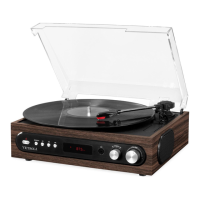
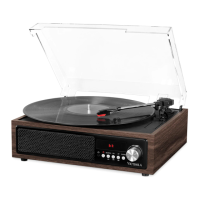
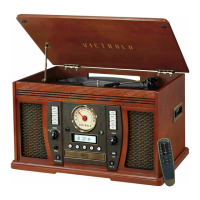
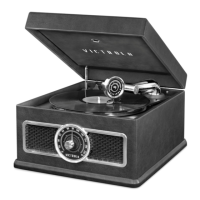
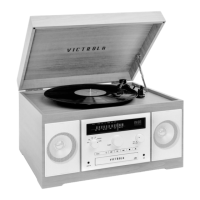
The Victrola Navigator VTA-600B.2 is a versatile all-in-one entertainment system designed to play a variety of audio formats, including vinyl records, CDs, MP3s, cassette tapes, and radio, with added Bluetooth connectivity for both input and output.
Function Description:
The device serves as a multi-format audio player, allowing users to enjoy music from various sources. It features a turntable for vinyl records, a CD/CD-MP3 player, a cassette tape player, an FM radio tuner, and USB playback for MP3 files. Additionally, it offers Bluetooth input to stream music from external devices and a unique Bluetooth Out mode to stream audio from the Navigator to external Bluetooth speakers. For private listening, a 3.5mm headphone jack is included. The unit also provides RCA LINE OUT jacks for connecting to an external amplifier system.
Important Technical Specifications:
- General:
- Power Requirements: AC 100-240V~50/60 Hz
- Power Consumption: 20W
- Dimensions (W x H x D): 460mm x 243mm x 335mm (approx.) / 18" x 9.6" x 13.2" (approx.)
- Weight: 12 kg (approx.) / 269.5 lbs. (approx)
- Amplifier:
- Output Power: 5W + 5W
- Frequency Response: 60 to 20,000 Hz
- Speaker System:
- Type: 1-way
- Impedance: 8 ohms
- Input Power: Max. 10W
- FM Radio:
- CD Player:
- Frequency Response: 60 to 20,000 Hz +/-4 dB
- Signal-to-Noise Ratio: 55 dB (IEC-A)
- Cassette Player:
- Track System: 4 Track, 2 channel stereo
- Tape Speed: 4.8 cm/sec
- Wow and Flutter: 0.4% (WRMS)
- Frequency Response: 125 to 6300 Hz +/-6 dB
- Record Player:
- Motor: DC servo motor
- Drive System: Belt Drive
- Speeds: 33-1/3 rpm, 45 rpm and 78 rpm
- S/N Ratio: More than 50 dB
- Cartridge Type: Ceramic Stereo Cartridge
- Stylus: ITNP-LC1 (Replacement Needle #)
- Bluetooth:
- Bluetooth Version: V5.0
- Bluetooth Profiles: A2DP, AVRCP
- Bluetooth Frequency range: 2.402GHz-2.480GHz
- Operating Distance: 10 meters (33 ft.)
Usage Features:
The Navigator offers a user-friendly interface with a combination of front panel controls and a remote control.
- Turntable:
- Supports 33-1/3, 45, and 78 RPM records.
- Includes a 45 RPM adapter.
- Features a cue-lever for gentle tone arm placement.
- A safety screw secures the turntable for transport.
- CD/CD-MP3/USB Playback:
- "EJECT" button for opening and closing the disc tray.
- "PREVIOUS / NEXT TRACK & REWIND / FF" buttons for navigation and fast-forward/rewind.
- "PLAY/PAUSE" button for playback control.
- "STOP" button to halt playback.
- "REPEAT" mode with options for repeating one track, a folder (for MP3s), or all tracks.
- "SHUFFLE" mode for random track playback.
- "PROGRAM" mode allows users to create custom playlists (up to 20 tracks for CD, 99 for MP3/USB).
- "Folder up & Folder down" buttons for navigating folders in USB/CD-MP3 mode.
- Cassette Tape Player:
- Located on the right side of the unit.
- "CASSETTE FF & EJECT" button for fast-forwarding and ejecting tapes.
- FM Radio:
- "RADIO TUNER KNOB" for manual station tuning.
- "TUNED/ST INDICATOR" lights up red for stereo reception.
- FM wire antenna for reception adjustment.
- Bluetooth Connectivity:
- Bluetooth Input (AUX/BLUETOOTH mode): Allows streaming music from external Bluetooth devices. The unit appears as "Victrola Navigator" in device lists.
- Bluetooth Out (PAIR/BT OUT mode): Streams audio from the Navigator (in FM, PHONO, CD, AUX, or TAPE mode) to external Bluetooth speakers. Press and hold "PAIR/BT OUT" to disconnect/reconnect.
- AUX Mode:
- "AUX-IN JACK" on the front panel for connecting external audio devices via a 3.5mm cable.
- Headphone Jack:
- "3.5mm HEADPHONE JACK" for private listening; automatically deactivates internal speakers.
- Volume Control:
- "VOLUME" KNOB adjusts the sound level (00 to 30).
- Remote Control:
- Provides comprehensive control over all functions, including mode selection, playback, volume, and special features like repeat and shuffle.
- "MUTE" button for instant audio muting.
Maintenance Features:
- General Care:
- Clean the unit with a clean, dry cloth. Avoid chemical solvents.
- Always pull the power plug directly from the wall outlet, not the cord.
- Ensure the disc tray is closed when not in use to protect the laser pickup.
- Compact Disc Handling:
- Always place discs label-side up in the center of the tray.
- Clean discs with a soft, dry cloth from the center outward.
- Avoid using chemical cleaners, ball-point pens on labels, or irregularly-shaped discs.
- Store discs in protective cases away from direct sunlight, high humidity, or high temperatures.
- Do not insert cracked discs.
- Vinyl Record Handling:
- Handle records by the edges or label with clean hands to avoid touching grooves.
- Clean records with a soft anti-static cloth.
- Store records in protective sleeves, upright on their edges, away from heat, dust, and direct sunlight.
- Turntable Stylus Replacement:
- The stylus (ITNP-LC1) has an approximate lifespan of 50 hours.
- Instructions are provided for safely removing the old stylus and installing a new one using a screwdriver.
- Caution is advised to avoid injury and to turn off the unit before replacement.
- Battery Replacement (Remote Control):
- Requires 2x "AAA" batteries.
- Instructions for correct polarity and replacement are provided.
- Recommendations for removing batteries during long periods of disuse and proper disposal are included.



 To Next Page
 General