EasyManua.ls Logo

Victron energy MPPT Control display - User Manual

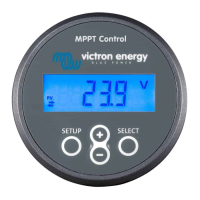
Victron energy MPPT Control display
16 pages
Print Icon
To Next Page IconTo Next Page
Loading...
MPPT Control display manual
Rev 00 04/2021
ENGLISH
Question and Answer IconNeed help?

Do you have a question about the Victron energy MPPT Control display and is the answer not in the manual?

Summary

Introduction to MPPT Control Display

MPPT Control Display Overview

Describes the MPPT Control display and its purpose for Victron Energy solar chargers.

Included Cables

Details the power cable and VE.Direct cable requirements for the MPPT Control display.

Wall Mounting Options

Explains the available wall mount enclosures for the MPPT Control display.

Mounting the MPPT Control Display

Mounting Requirements

Specifies the recess width and depth requirements for mounting the display.

Mounting Option A

Illustrates and describes mounting option A for the MPPT Control display.

Mounting Option B

Illustrates and describes mounting option B for the MPPT Control display.

Installation Procedure

Connecting the Solar Charger

Instructions for connecting the MPPT Control display to the solar charger via VE.Direct cable.

Connecting the Power Cable

Details on connecting the power cable for older solar controller models.

Operating the MPPT Control Display

LCD Screen Information and Button Functions

Explains the LCD display readings, status indicators, and button operations.

Status Menu

Details the live solar charger readings available in the status menu.

History Menu

Instructions for accessing and navigating the solar charger history data.

Settings Menu

Guides on navigating, viewing, changing, and unlocking settings.

Troubleshooting and Support

Power and Connection Issues

Troubleshooting steps for power problems and connection failures with the display.

Settings Locked

Information on what to do when the settings menu is locked.

Product Warranty Information

Technical Specifications

Electrical, Mechanical, and Suitability Details

Summarizes electrical, mechanical specifications, and product suitability.

Overview

The Victron Energy MPPT Control display is a dedicated accessory designed for the Victron Energy SmartSolar and BlueSolar MPPT solar charger range. It serves as a comprehensive interface for monitoring live and historical solar charger data, as well as configuring various solar charger settings.

Function Description:

The MPPT Control display provides real-time and historical insights into the performance of your solar charging system. Key monitoring capabilities include:

  • PV Power, Yield, Voltage, and Current: Displays the instantaneous power output from the solar panels, the total energy harvested (yield), and the current voltage and current from the PV array.
  • Battery Voltage, Current, and Charge Stage: Shows the battery's current voltage, the charging or discharging current, and the current charge stage (e.g., Bulk, Absorption, Float).
  • Load Output State and Current: If the connected solar charger has a load output, the display indicates its state (on/off) and the current drawn by the load.
  • Historical Data: Provides 30-day historical values for various parameters and cumulative historic values over the lifetime of the solar charger.

Beyond monitoring, the display allows users to configure solar charger settings, offering a convenient way to adjust parameters directly from the device.

Important Technical Specifications:

Electrical:

  • Supply Voltage Range (powered from battery): 6.5 - 95Vdc
  • Supply Voltage Range (powered via VE.Direct cable): 5Vdc
  • Power Consumption (back-light turned off): < 0.05W
  • Operating Temperature Range: -20 to +50°C (0 to 120°F)
  • Power Cable Fuse Rating: 100mA

Mechanical:

  • Installation Type: Flush mount
  • Front Diameter: 63mm (2.5")
  • Front Bezel: 69 x 69mm (2.7x2.7")
  • Body Diameter: 52mm (2.0")
  • Body Depth: 31mm (1.2")
  • Power Cable Length: 1.5m
  • Weight: 50g

Suitability:

The MPPT Control display is suitable for the entire Victron Energy BlueSolar MPPT and SmartSolar MPPT solar charger range, with the exception of the discontinued BlueSolar MPPT 70/15. For solar chargers rated 60A and up, the SmartSolar Control display is recommended as a better-suited alternative.

Usage Features:

Mounting:

The display is designed for flush mounting through a panel. A dedicated wall mount enclosure is available for situations where flush mounting is not feasible. The mounting process involves drilling a 52-53mm hole and securing the display using one of two options:

  • Option A: For mounting substrates accessible from both sides (thickness 0.5-8mm).
  • Option B: For mounting substrates accessible from the front (thickness 7-18mm).

Installation:

  • Connecting to the Solar Charger: The display connects to the solar charger using a VE.Direct cable (not included, purchased separately). The maximum VE.Direct cable length is 10 meters.
  • Power Cable (Optional): A fused power cable is supplied with the display. This cable is only necessary for very early solar charger models that shut down without solar power, ensuring the display remains operational even in bad weather or after sunset. The power cable connects to the negative and positive battery terminals (or the system side of a battery monitor shunt for the negative connection) and plugs into the RJ12 power terminal on the back of the display.

Operation:

The LCD screen displays numerical readings with units (V, A, W, kWh, h, !) and indicates the type of reading (load, battery, PV, min, max, or charge stage). A "double arrow" symbol indicates the connection status:

  • On: Active connection between display and solar charger.
  • Blinking: Connection lost, last known values shown.
  • Off: No connection.

Three buttons are used for navigation and settings:

  • SETUP: Used to cancel, go back, or enter/exit the settings menu (long press).
  • SELECT: Used to select, confirm, view values, or edit settings.
  • Up/Down Arrows: Used to navigate through menu items or increase/decrease values.
  • Status Menu: Displays live solar charger readings. The display always starts in this menu. Users can cycle through items using the up/down buttons.
  • History Menu: Shows daily and overall historical data, including solar yield, battery voltages, time spent in each charge stage, and past errors. To access, press SELECT from the status menu. Users can navigate through history items, view specific values, and scroll back up to 30 days for daily data.
  • Settings Menu: Allows viewing and changing solar charger and MPPT Control settings. Access by pressing SETUP for 2 seconds. Settings can be locked to prevent accidental changes; unlocking requires navigating to "01 LOCK SETUP" and setting it to OFF. A warning advises caution when changing settings, as incorrect configurations can lead to system problems or battery damage.

Maintenance Features:

Troubleshooting and Support:

The manual provides guidance for common issues:

  • Power Issues: Checks for VE.Direct cable connection, power cable fuse, and supply voltage.
  • Connection Issues: Checks for VE.Direct cable connection and integrity if "Disconnected" is displayed.
  • Settings Locked: Instructions on how to unlock the settings menu if "LOCK" is displayed when attempting to change a setting.

For unresolved issues, users are directed to contact their point of purchase or the Victron Energy Support webpage.

Warranty:

The product comes with a 5-year limited warranty covering defects in materials and workmanship from the original purchase date. The warranty does not cover damage from alteration, misuse, neglect, exposure to extreme conditions, improper packing, lightning, power surges, unauthorized repairs, or non-compliance with manual instructions. The maximum liability is limited to the actual purchase price.

Victron energy MPPT Control display Specifications

General IconGeneral
BrandVictron energy
ModelMPPT Control display
CategoryMonitor
LanguageEnglish

Related product manuals