6
Method B: wireless/ WiFi connection
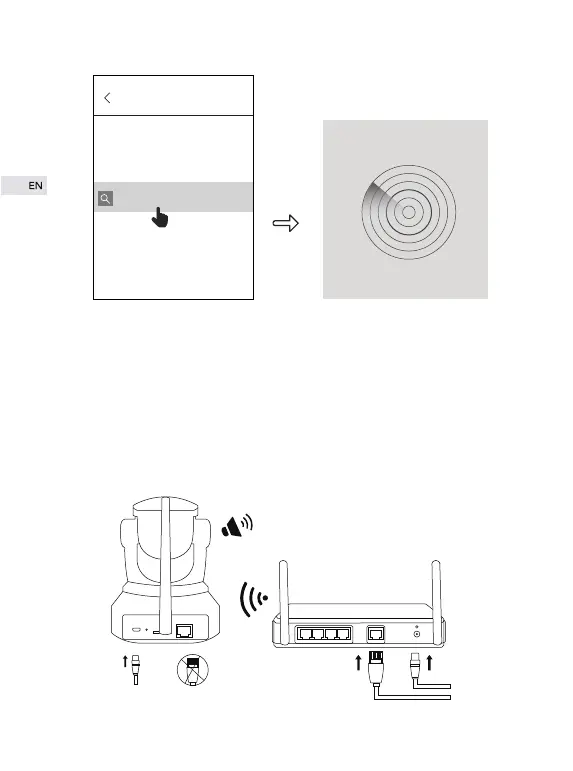
① When camera has been connected to power supply, the red indicator
somewhere around infrared lampwill light up and the unit will automatical-
ly rotate 355° laterally and 85° vertically. Please wait for voice prompt
“please use APP for WiFi configuration”. If there is no voice message
coming out, please click “reset” and wait for voice prompt “reset
complete, will restart the device” to restore factory setting.
please use APP for WiFi
configuration
ADD Device
Search in LAN


 To Next Page