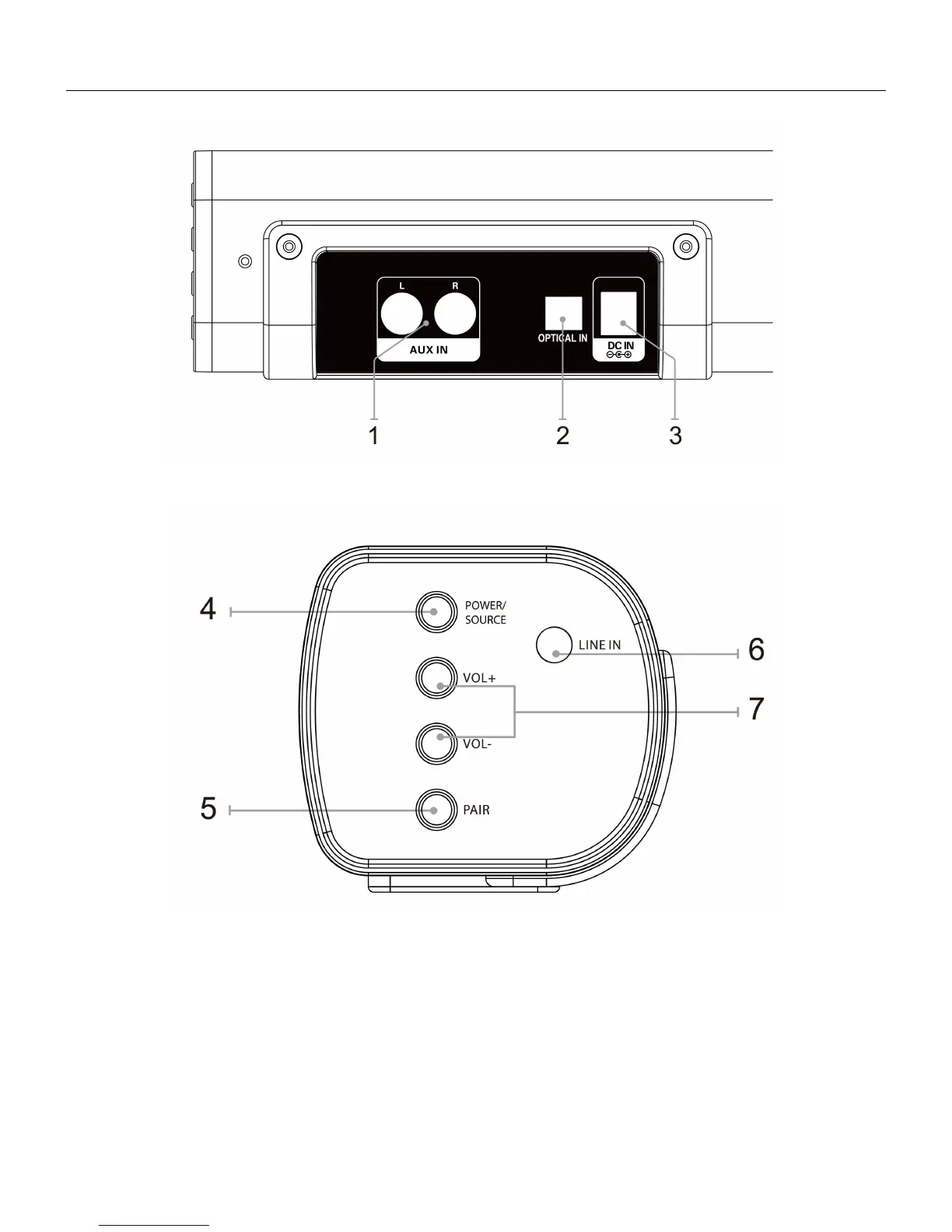
LOCATION OF CONTROLS
1. STEREO RCA Audio Inputs
2. OPTICAL Input
3. DC Power Input
4. POWER: Press and hold 2 seconds to turn the unit ON or OFF.
/ SOURCE: Press and release to select the inputs: BT, Aux in, Line in or Optical in.
5. PAIR: Press to begin pairing with a Bluetooth device.
6. LINE IN Input
7. VOLUME: Press to adjust the volume up or down.



 To Next Page