Basic Operation
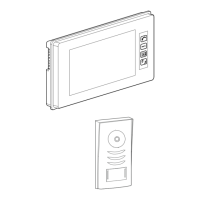
When visitor presses the “CALL” button on the outdoor station, the electronic bell in indoor monitor chimes, at the same time, the screen
displays the visitors’ images.
Pick up the handset, and talk with the visitors for 90 seconds. If nobody answers the phone, the screen will turn off in 30 seconds
automatically. If the system connects more than one indoor monitor – when one handset is picked up, the other indoor monitors will be off
immediately.
Monitoring through indoor monitor
Press “MONITOR” button on indoor monitor, the screen will display the outdoor camera. To turn it off press again or wait in 30 seconds
turn it off automatically.
Monitor adjustment
If desired, the contrast and brightness may be adjusted improve the image and brightness level.
Volume level of the ring tone may also be adjusted by the potential meter at the back of monitor.
Impedance setting is required by JP-VD Jumper at the back of monitor, when more than one monitor is installed.
(Refer to Page5 Note2)
Door latch operation
Click “UNLOCK” button to open the electronic latch during monitoring or talking.
1) Single click will activate the latch for 3 Seconds. For longer door latch operation, press and hold the “UNLOCK” button
2) Door unlock operation type can be setup by JP-LK Jumper on the back of monitor. (Refer to Page3#15, Page4#7 & Page5 Note1,2)
Operation for Intercommunication between monitors/handsets
When system is connected with multiple monitors/handsets, internal intercommunication is available.
An Intercom calling can be started by any indoor monitor. Pick up (off the cradle) the handset and press “INTERCOM” button, other indoor
monitors/handsets will ringing if they are on the cradle, pick up handset to talk between monitors/handsets.
Change of Ring tone by “INTERCOM” button
While the handset is on the cradle, press and hold the “INTERCOM” button for 3 second for ring tone change. Click the button until
desired ring tone for the door bell is heard, then lift the handset and hang up. This setting will be reset to factory default ring tone once
monitors lose its power.
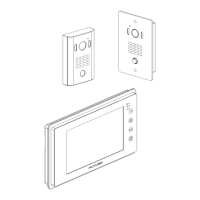
Operation for multiple outdoor cameras
1) When outdoor station calls, the screen will display the view of the visitor automatically and communication is available after picking
up the handset.
2) The indoor monitor can supervise each outdoor station (cameras) in turns. When “MONITOR” button is first pressed, it displays
image from No.1 outdoor camera; Second press of “MONITOR” button will display image from No.2 outdoor camera. Press
“MONITOR” button again to turn the screen OFF.
NOTE: While monitoring or talking, press “UNLOCK” button to open the lock, that is connected to the outdoor camera which is being
monitored.
Page8



 To Next Page
 Loading...