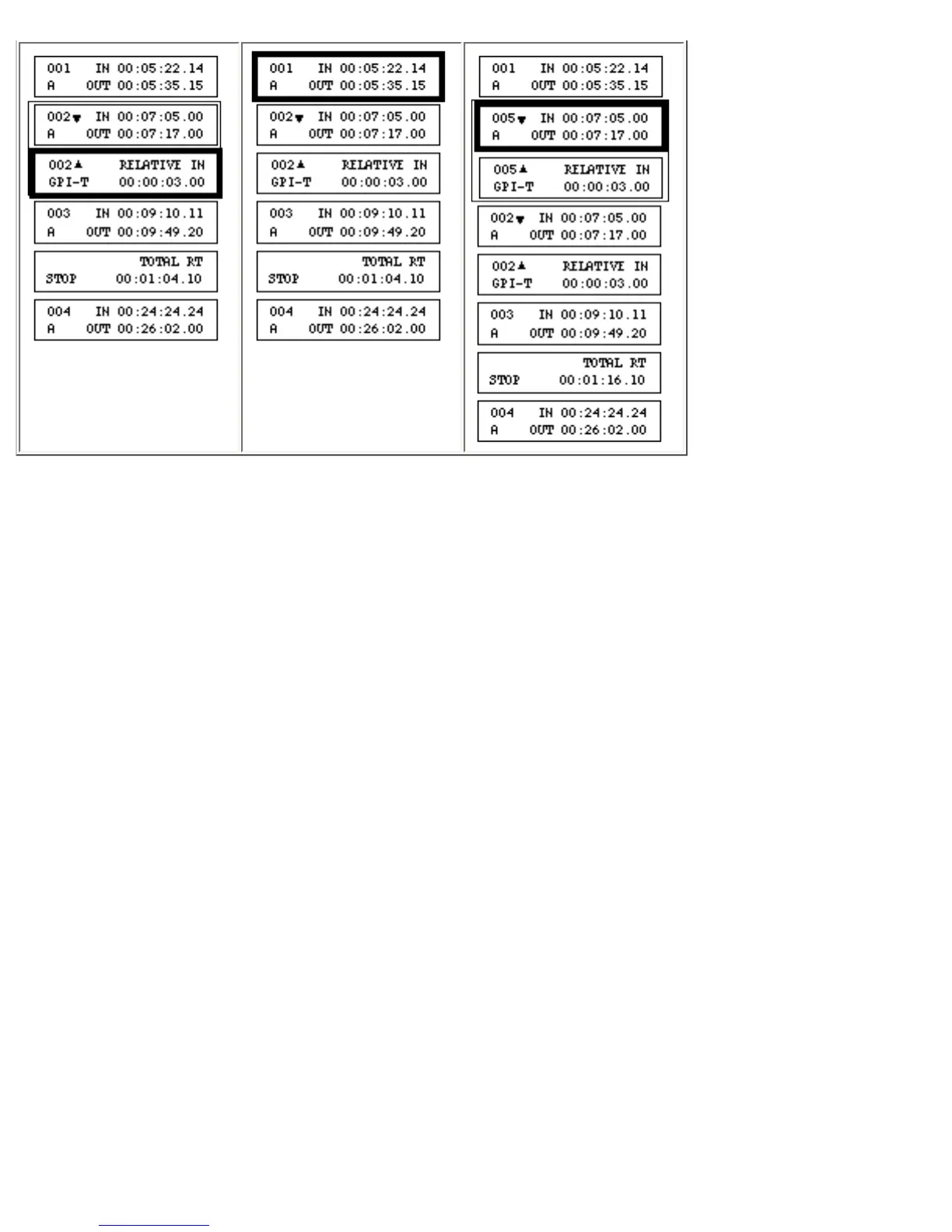
In the above example, a copy of the group of events that includes event 002 is being placed after event
001. The group is assigned the next available event number(s)–005 in this case.
To place the new group before the active event, instead of pressing [PASTE], press [SHIFT]+[PASTE].
After [PASTE] or [SHIFT]+[PASTE] is pressed (Step 3), the paste buffer is empty. To make another
copy of the group, repeat the procedure.
Deleting Events and Event Contents
This section describes the procedure for deleting the contents of an event, as well as procedures for
deleting–
• a single event
• a group of events
• all Stop Events in the EDL
• all GPI-T or GPI-M events in a group



 To Next Page