• all GPI-T or GPI-M events in the EDL
• all events in the EDL
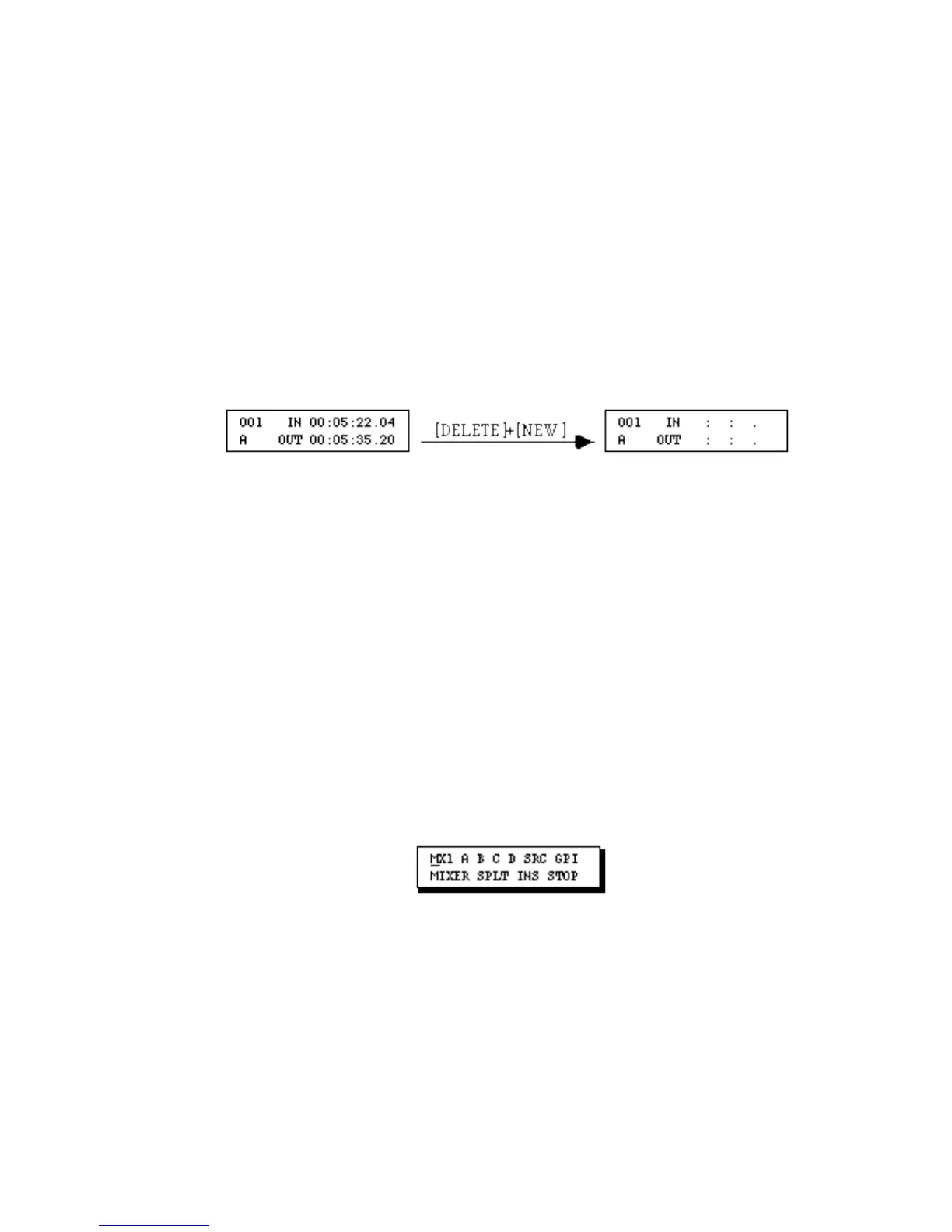
To Delete the Contents of an Event–
1. Display the event.
2. Press [DELETE]+[NEW].
The event remains, but the contents of the event are deleted and the default values–if
any–are added. For example, in a scene event, the IN and OUT times are deleted.
To Delete an Event–
1. Display the event.
2. Press [DELETE]+[CUT] or press [CUT].
Pressing [DELETE]+[CUT] deletes the event without putting a copy of the event in the
paste buffer. Pressing [CUT] deletes the event but puts a copy in the paste buffer so the
event can be pasted to a new location. (See Moving Events earlier in this chapter.)
Note: If you delete the last remaining event in the EDL, Error Message 13, EDL empty,
displays. Clear the message by pressing [OK]. The NEW menu (below) will display.
To create a new Scene or Source Event, use the NEW Menu, the VCR Selector keys
([SHIFT]+[A, B, C or D]) or, if you have an MX-1, the COLOR key ([SHIFT]
+[COLOR]) .
To Delete a Group of Events–
1. Display any event in the group of events to be deleted.
2. Press [SHIFT]+[DELETE]+[CUT] or press [SHIFT]+[CUT].



 To Next Page