Pressing [SHIFT]+[DELETE]+[CUT] deletes the group of events without putting a copy
of the events in the paste buffer. Pressing [SHIFT]+[CUT] deletes the group of events but
puts a copy in the paste buffer so the events can be pasted to a new location. (See Moving
Events earlier in this chapter.)
To Delete all STOP Events in the EDL–
• Press [SHIFT]+[DELETE]+[ALL STOP].
To Delete all GPI-T or GPI-M Events in a Group of Events–
1. Display any event in the group.
2. Press [DELETE]+[GPI-T] or [DELETE]+[GPI-M].
To Delete all GPI-T or GPI-M Events in the EDL–
1. Display any event in the group.
2. Press [SHIFT]+[DELETE]+[GPI-T] or [SHIFT]+[DELETE]+[GPI-M].
To Delete all Events in the EDL–
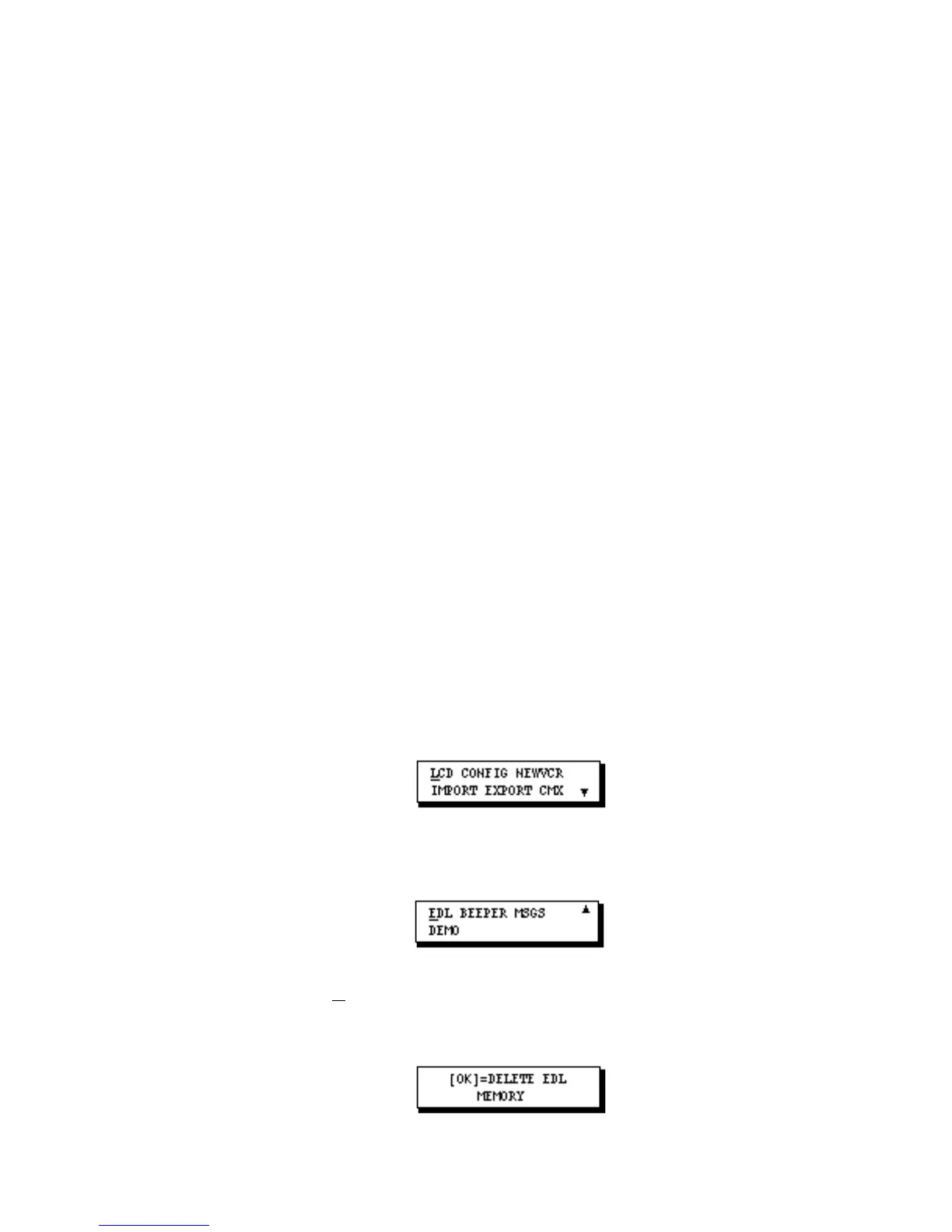
1. Press [SETUP] to display SETUP Menu 1 (of 2).
2. Press [down arrow] twice to display SETUP Menu 2.
3. Move the cursor to EDL (if it is not already selected) and press [OK]. The following
message displays.
4. To delete all events from the EDL, press [OK]. After a few moments, Setup Menu 2



 To Next Page