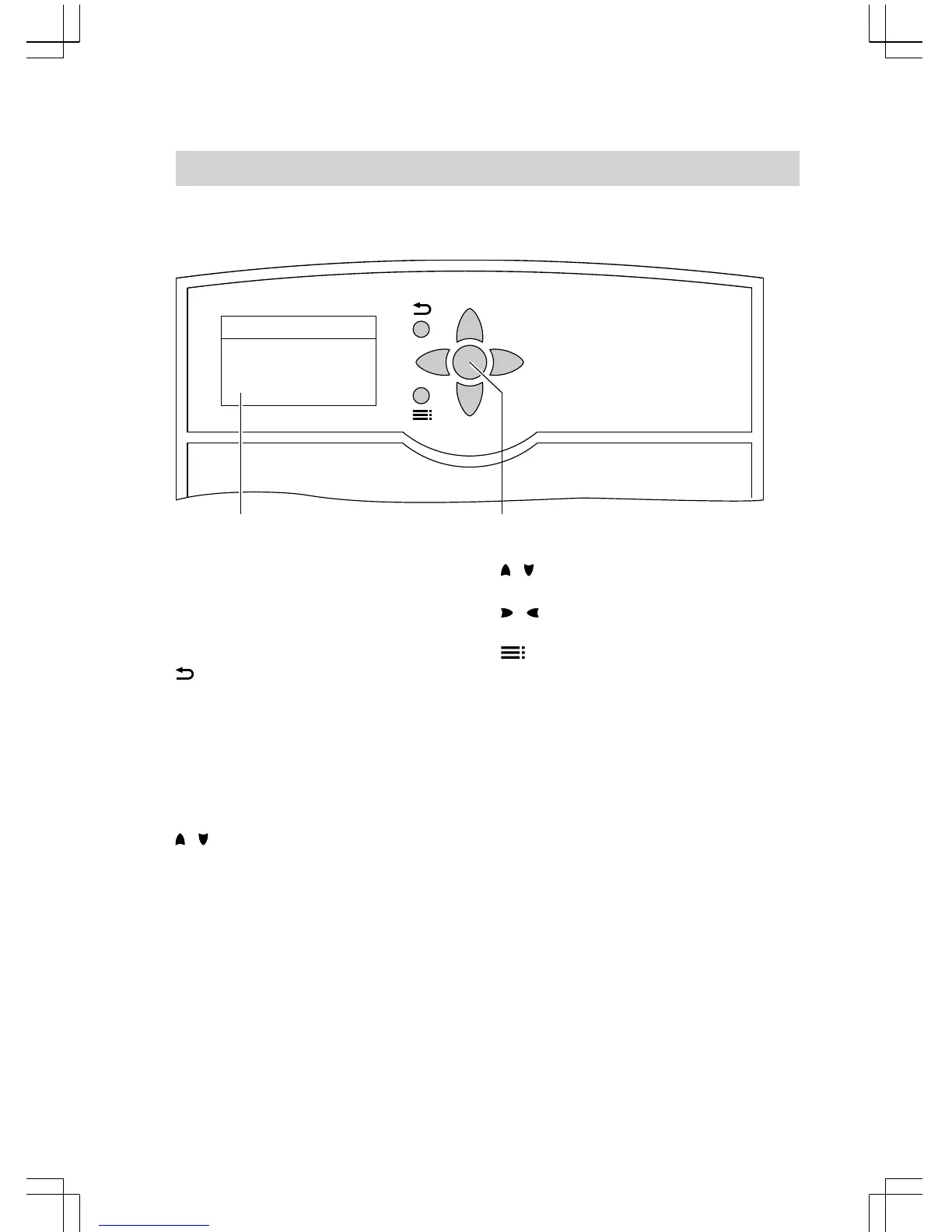
A
Standard display
The standard display will automat-
ically show after approx. 4 min.
B
OK key; to confirm your selection
or save the setting.
This takes you to the previous
step in the menu or cancels a set-
ting that has been started.
/ Cursor keys
To scroll through the menu.
/ Cursor keys
To adjust values.
To change between standard dis-
play and main menu.
The display can show four lines at a time.
The arrow on the l.h. side of the display
highlights the available menu item.
You can scroll through the menu with the
/ keys.
Operation
Operation
5592 613 GB











 To Next Page