12
Install your remote control on a wall.
■
Installation only in enclosed buildings
■
The installation location must be dry and free of frost.
■
Ensure ambient temperatures between +5 and
+40 °C.
■
Never seal off the vent apertures of the
Vitotrol 300-E.
■
Distance to floor min. 1.5 m
■
Not next to windows or doors
■
Not above radiators
■
Not between shelves, in recesses, etc.
■
Not near heat sources (direct insolation, fireplace,
TV set, etc.)
■
Standard socket 230 V/50 Hz
or
US/CA: Socket 120 V/60 Hz
no more than 1 m away from place of installation
■
Internet access with adequate WiFi signal
Note
The WiFi signal strength can be increased with com-
mercially available WiFi repeaters.
Note
■
When selecting the installation location, note the
length of the connecting cable for the plug-in power
supply unit included: 1.5 m.
■
To ensure a good wireless or WiFi connection, keep
the distance between the Vitotrol 300-E, the heat
generator and the WiFi router as small as possible.
Check the reception quality at the intended installa-
tion site: See the following chapter.
Checking the reception quality at the installation location
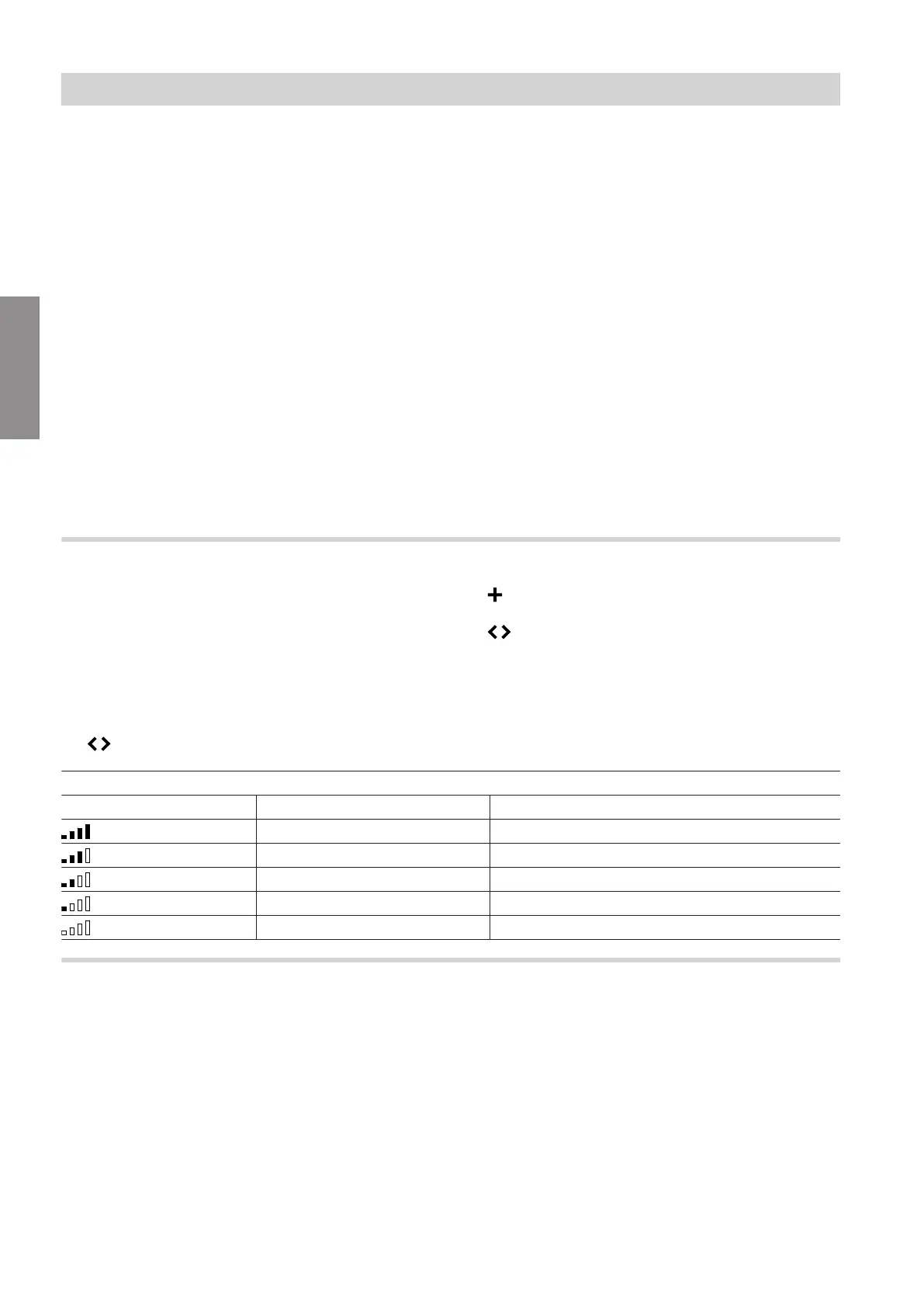
In order to check the reception quality at the intended
installation location, first start the Vitotrol 300-E: See
page 19.
Press the following buttons:
1.
Operating button
C
: See Fig. 8, page 20.
2. to select "Device info".
3. to select "SHOW".
4. to call up the signal strength for "WiFi Status"
or "Low Power Radio Status".
Note
To ensure a stable wireless connection, we recom-
mend a signal strength of at least –75 dBm: See the
following table.
Meaning of display
Display Value in dBm Reception quality
0 to –55 Very good
–56 to –65 Good
–66 to –75 Adequate
–76 to –85 Inadequate
–86 to –... No reception
Range of the wireless signal
The range of wireless signals may be reduced by
walls, ceilings and interior fixtures. These weaken the
wireless signal, causing poor reception due to the fol-
lowing circumstances.
■
On their way between transmitter and receiver, wire-
less signals are damped, e.g. by air or when pene-
trating walls.
■
Wireless signals are reflected by metallic objects
e.g. reinforcements embedded in walls, metal foil of
thermal insulation and thermal glazing with metal-
lised thermal vapour deposit.
■
Wireless signals are isolated by service ducts and
lift shafts.
■
Wireless signals are disrupted by devices that also
operate with high frequency signals. Maintain a dis-
tance of at least 2 m from these devices:
–
Computers
–
Audio and video systems
–
Devices with active WiFi connection
–
Electronic transformers
–
Pre-ballasts
Preparing for installation
Installation location
5839615
Installation



 To Next Page