24
6155063
Control panel VLN3 (cont.)
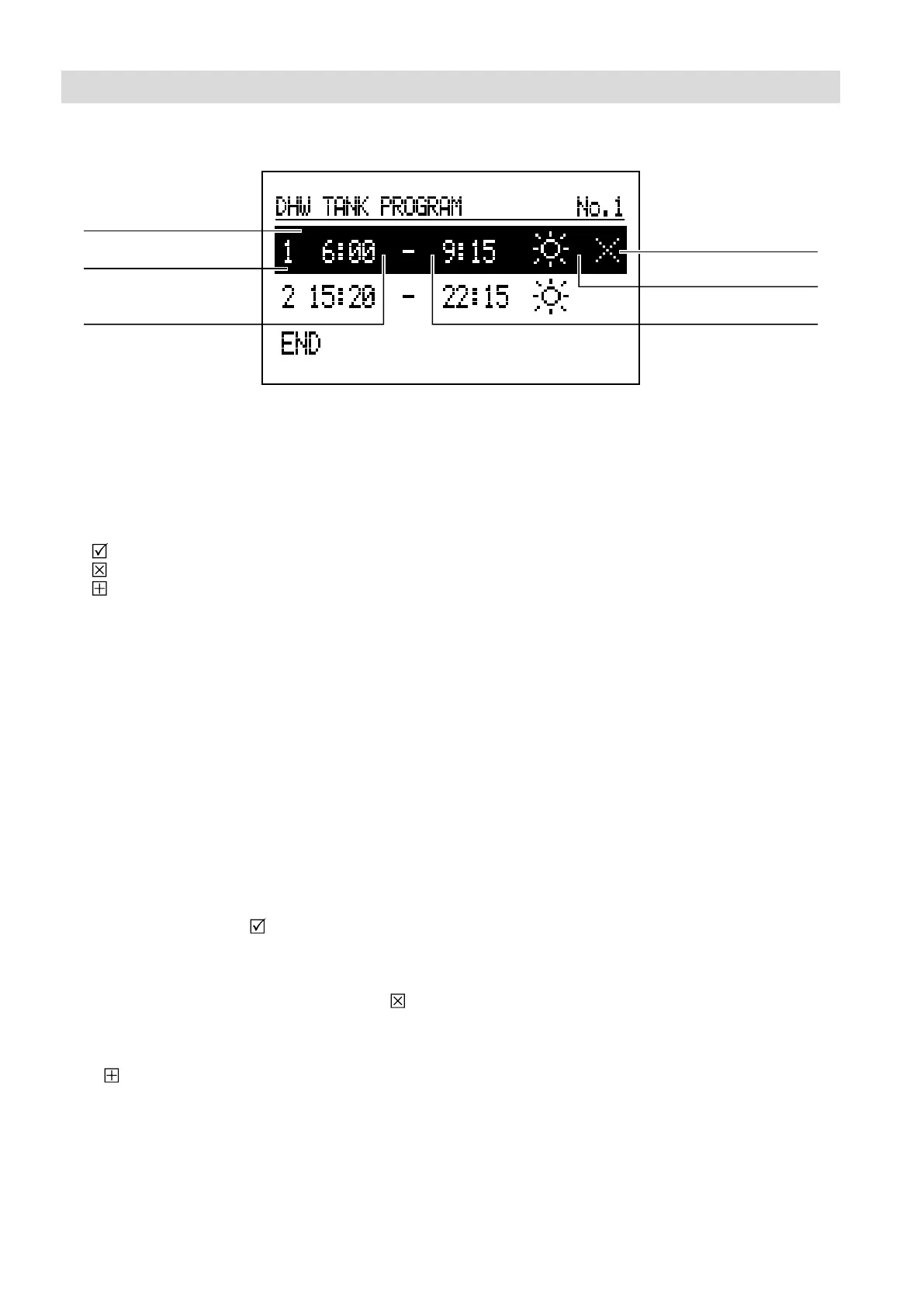
Daily schedule:
A
B
F
A Time display
B Period number according to schedule (max. 5)
C Starting time
D End time
E Temperature selection (applies to DHW cylinder)
F Command (active during editing):
Apply
Delete
Add
C D
E
For the DHW heating circuit, start time C and end time
D for set cylinder temperature E are dened in the
daily schedule. Outside the set times, the cylinder is
controlled to an energy saving temperature. The start
time and end of DHW circulation pump operation are
set in the heating circuit plan. To change the parameters
for the daily schedule, select the number of the chosen
program and press the navigation rotary switch.
The rst parameter(start time) ashes. Turn the
navigation rotary switch left/right to set the new
switching time (hours and minutes separately) and
press it again to conrm. The next display starts to
ash so that the next parameter (end time) can be
edited. The last entry is a command. To save the
changes, select the "Save" command and press
the rotary switch to complete editing. To delete the
selected switching time, select the corresponding
switching time for editing. Press the rotary switch to
call up the "Command" position, select "Delete"
and press the rotary switch again. To add a new
period, select the last dened period, press the rotary
switch to call up the "Command" position, select
"Add" and press the rotary switch again to add the
new period (the process for editing a new period is
described above).
Settings






 To Next Page