8
6155063
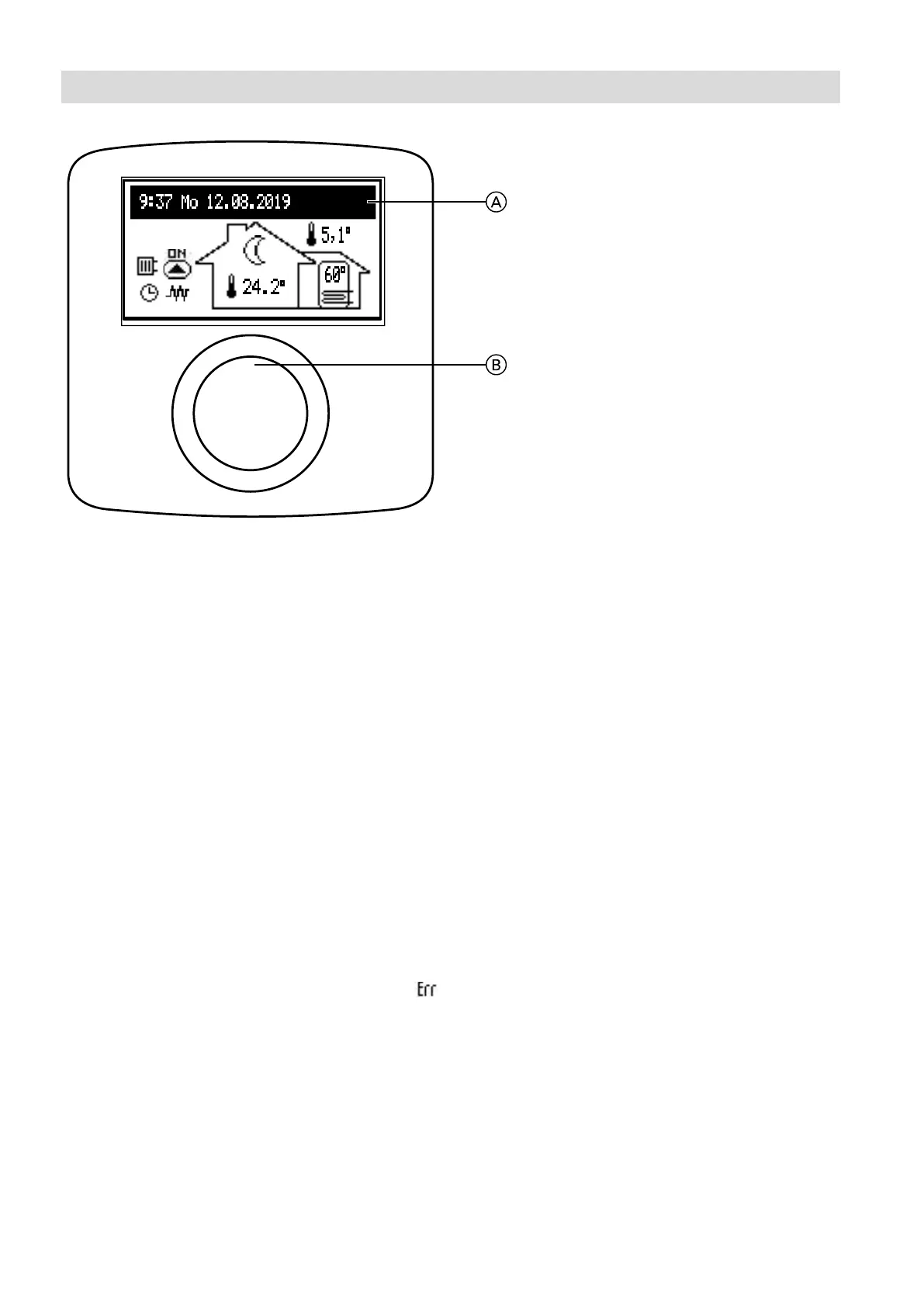
Control panel VMN3
Operation
Turn button B (right or left) during the active winter
or summer program to switch between the function
displays on LCD screen A.
– Main display: Provides information on basic boiler
parameters (see table for details)
– Information on the operating parameters of other
heating circuits (if installed)
– Settings: Allows individual adjustment of the
parameters of the boiler and other heating circuits
according to the user's preferences
– Service/Conguration: Allows conguration of the
heating system according to the structural
conditions (available for the installation company
and contractors after entering the access code)
and displays the input and output signals for the
boiler as well as the current parameters
– PARTY/HOLIDAY/MANUAL: Allows the operating
algorithm to be changed quickly as required.
– Operating mode.
Individual functions can be called up after selecting the
corresponding function display and pressing the rotary
selector. If a fault occurs in the boiler, the message
will be displayed on the main function screen. Press
the rotary switch to display a list of faults.
A Display
B Navigation rotary switch for signal and parameter
display and settings







 To Next Page