14
Faults during activation
The symbol flashes.
Displayed
fault code
Cause of fault Measure
H01 WiFi module is activated but no
connection could be establish-
ed to WiFi and the Viessmann
server within 5 minutes.
Activate access point mode –
see next chapter. Start configu-
ration via the Viessmann app.
H02 No synchronisation with the
time server could be establish-
ed after more than 5 minutes.
Possible reasons:
■ No authorisation for port 123
(UDP) on the WiFi router
(firewall) of the system user
■ Name resolution (DNS) does
not work.
Check the settings on the WiFi
router of the system user.
H03 Internal error
Activating access point mode
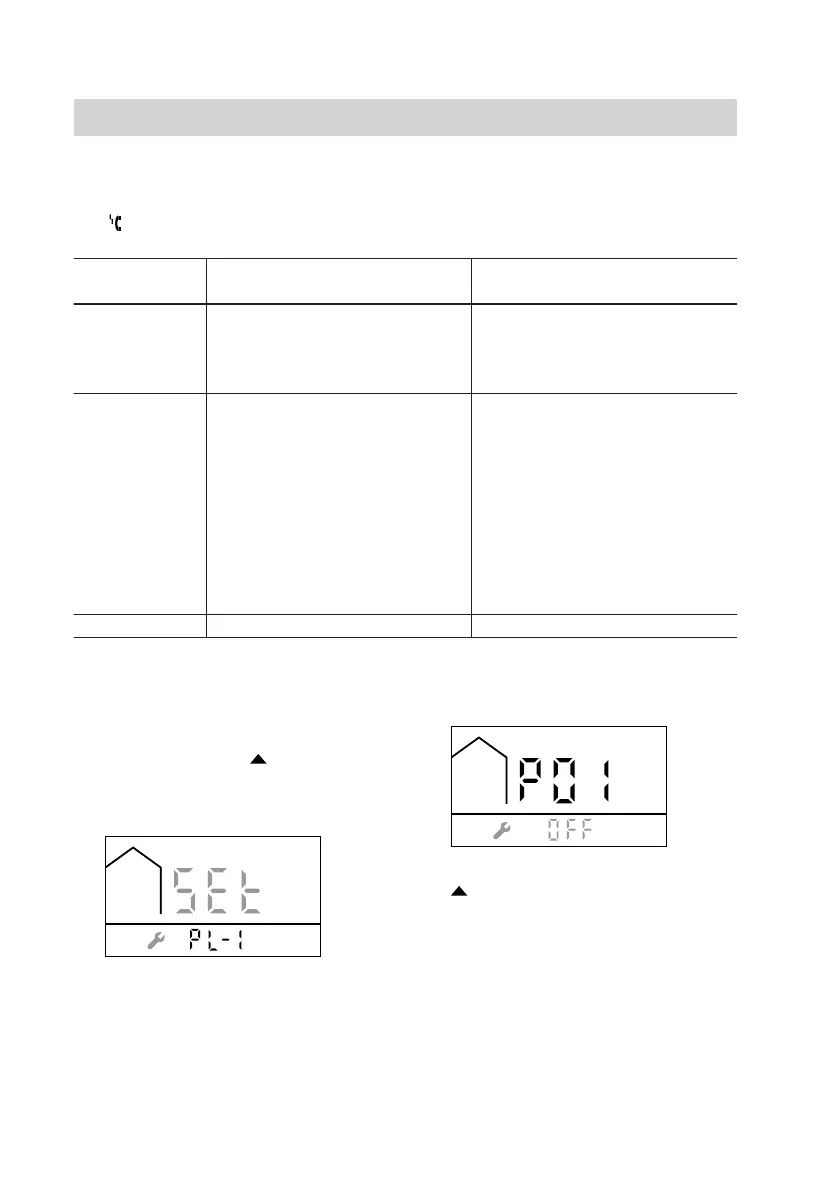
Press the following buttons:
1. Press MODE and simultaneously
and hold for at least 5 seconds until
the following display appears:
2. Press MODE within 5 seconds until
the following display appears:
3. until P06 is displayed.
4. OK to confirm
Troubleshooting
5838175



 To Next Page