10
Hepburn Operation Guide
GB
x2
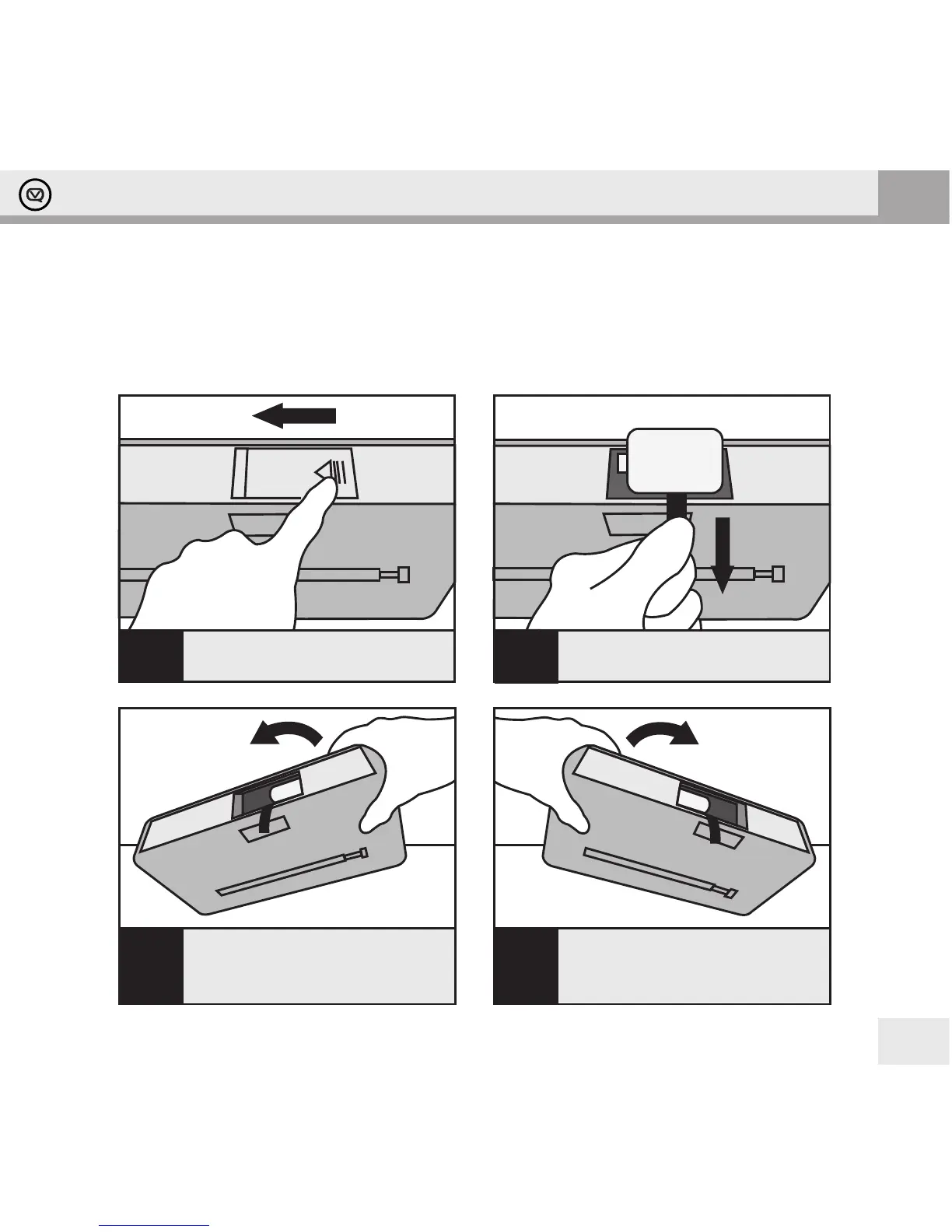
Slide battery cover to the left and
then lift out.
Pull ribbon to remove battery then
replace the ribbon inside.
Tilt product to the left, as shown,
until another battery slides over the
ribbon. Repeat Step 2.
4
Tilt product to the right, as shown,
until another battery slides over the
ribbon. Repeat Step 2. Do this twice
as there are two batteries.
3
21
Battery Use
Your Hepburn can be powered by 4 x Type ‘D’ batteries.
Be sure to insert batteries of the correct type and ensure correct polarity (+/-).
Battery Removal
+ -


 To Next Page