21
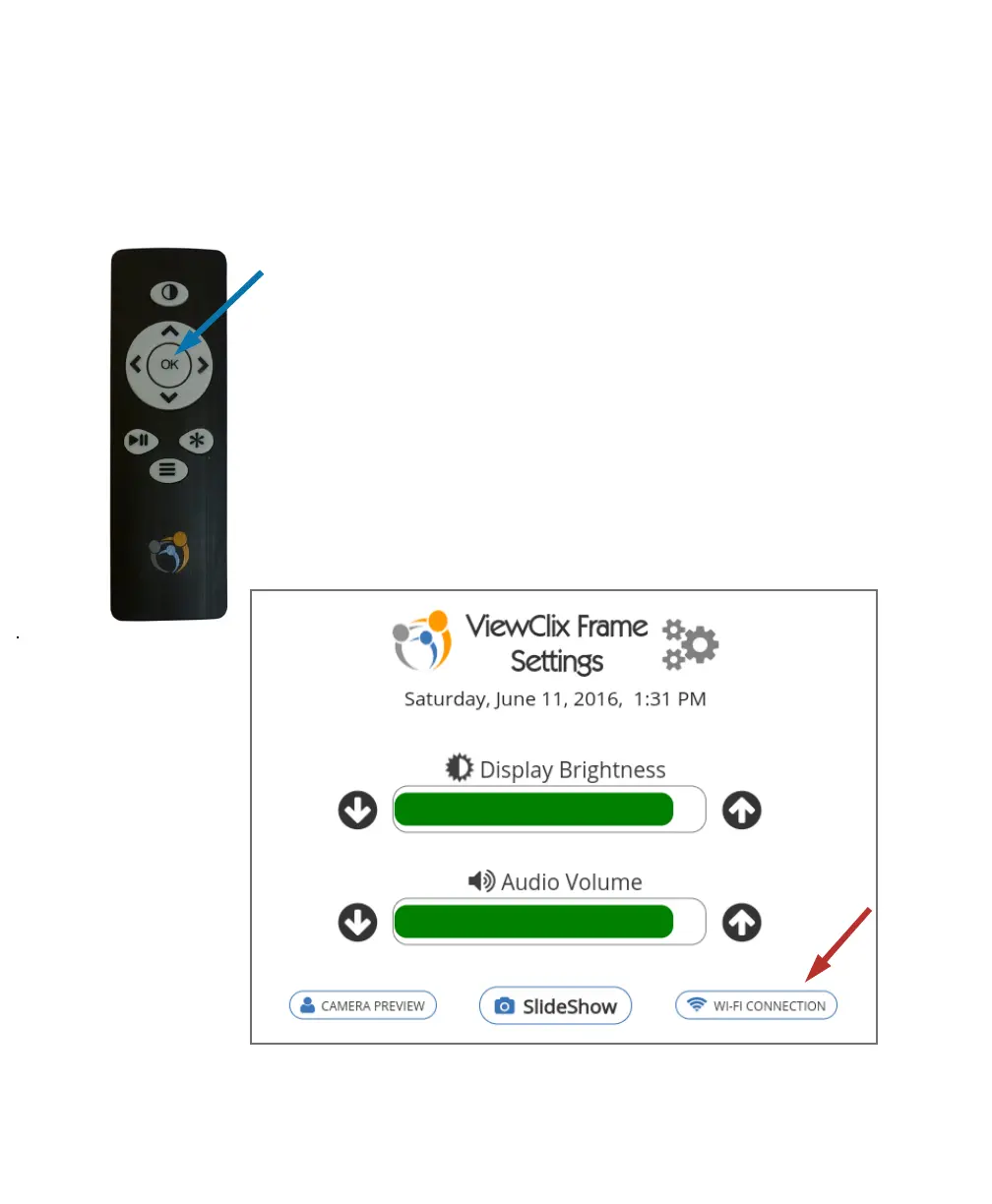
Press
times
With the Slideshow running on the ViewClix frame, you can
go to its Frame Settings screen by pressing the OK button
3 times.
To change the Wi-Fi settings, use the remote control direc-
tion buttons to highlight ‘Wi-Fi CONNECTION” on the screen
and press OK.
As during the initial frame setup, you’ll see a list of available
Wi-Fi networks from which to choose.
Tips and FAQ (CONTINUED)
•
How can the Wi-Fi Settings be changed?


 To Next Page